I’m a product designer. I own products from the first question to the finished experience: I define the problem, research, try different directions, and prepare flows and prototypes the team can give feedback on early.
I come from an background. Before moving fully into digital products in 2023, I designed physical products across very different fields. That perspective from working with real products still guides my work on the digital side.
With AI products, trust and control come into play: people should be able to see what the system does, review it and approve it. I work closely with my team. I use AI in research, prototyping and the presentations and videos that explain ideas, so we reach shared decisions sooner and test real experiences as prototypes instead of assumptions.
Service design excites me as much as UI/UX. I love generating new ideas and bringing something real to life.
Outside the screen, I’m always exploring.
I capture moments through and . I’m an amateur listener and I try to make small pieces of content about music. I’m a home experimenting with brews, a gamer and a lover. Some days I spend with friends and playing . In summer, I’m a .
With my friends, we also started , a non-profit community where we clean up natural spaces, go trekking and take small steps that nourish ourselves and the places we live in.
Merhaba, ben Tugkan.
Ben bir ürün tasarımcısıyım. Ürünleri ilk sorudan bitmiş deneyime kadar sahiplenirim: problemi netleştirir, araştırır, farklı yönleri denerim ve ekibin erkenden görüş verebileceği akışlar ve prototipler hazırlarım.
kökenli bir tasarımcıyım. 2023’te tamamen dijital ürünlere geçmeden önce çok farklı alanlarda fiziksel ürünler tasarladım. Gerçek ürünlerle çalışmanın getirdiği bu bakış, dijital tarafta da işime yön veriyor.
AI ürünlerinde işin içine güven ve kontrol de giriyor; insanlar sistemin ne yaptığını görebilmeli, gözden geçirip onaylayabilmeli. Ekibimle yakın çalışıyorum. Araştırma, prototipleme ve fikirleri anlatan sunum ile videolarda AI’dan yararlanıyor, böylece ortak kararlara daha çabuk varıp varsayımlar yerine gerçek deneyimleri prototiplemiş şekilde test etmiş oluyoruz.
Servis tasarımı da UI/UX kadar heyecan veriyor bana. Yeni fikirler üretmeyi ve gerçek bir şeyi hayata geçirmeyi seviyorum.
Ekranın dışında da hep bir şeyler keşfediyorum.
ve ile anları yakalarım. Amatör bir dinleyiciyim ve müzik üzerine küçük içerikler üretmeye çalışıyorum. Evde demlemelerle denemeler yapan bir , bir bilgisayar oyuncusu, bir tutkunuyum. Bazı günlerimi arkadaşlarımla yaparak ve oynayarak geçiririm. Yazları da meraklısıyım.
Arkadaşlarımla birlikte kâr amacı gütmeyen bir topluluk olan ’yu kurduk. Doğal alanları temizliyor, doğa yürüyüşlerine çıkıyor, hem kendimizi hem yaşadığımız yerleri besleyen küçük adımlar atıyoruz.
Work
Çalışmalar
Selected product and service design work. More case studies are on their way.
Seçilmiş ürün ve servis tasarımı çalışmaları. Daha fazla vaka çalışması yolda.
As much a user as a designer. Product Designer working across UX, product design and service design, with an industrial design foundation that connects physical and digital experiences. Currently focused on digital products, shaping end-to-end experiences from research and wireframes to high-fidelity prototypes.
Experience
Novus· Product Designer
Aug 2024 – Present · Remote
Designed end-to-end experiences for four enterprise software suites (Dot, Vesper, Nano, Asper), taking workflows from wireframes to high-fidelity prototypes and expanding core platform capabilities.
Translated complex backend automation into guided interactions for non-technical users, shaping Dot’s flows around the company’s five-object product model (Workspace, Knowledge, Chat, Agent, Task).
Designed approval and control experiences that let users choose how much work to delegate to AI.
Established cohesive interaction models across a multi-product ecosystem through service design, contributing to a design language used across Novus product, sales and marketing.
Freelance· Product & Service Designer, Industrial Designer
Oct 2015 – Present · Antalya, Türkiye (Remote)
Designed digital products for web and mobile, balancing aesthetics and function with client goals and market trends.
Conducted user research and usability testing to guide design decisions.
Delivered interactive prototypes and high-fidelity mockups, using stakeholder feedback to iterate.
Collaborated closely with clients to keep the final product aligned with design intent and goals.
Earlier experience
Parla Design· Industrial Designer
Jun 2022 – Jan 2023
Designed bespoke furniture and collection-ready products around customer specifications.
Tümer Engineering· Industrial & Product Designer
Mar 2019 – Jun 2020
Conducted user research, designed UI for software and control devices, and redesigned existing products.
ArkSigner· Industrial & Product Designer
Jul 2018 – Mar 2019
Developed hardware and software products from sketch to prototype; created brand identity.
Tasarımcı olduğum kadar bir kullanıcıyım.UX, ürün tasarımı ve servis tasarımı alanlarında çalışan bir Ürün Tasarımcısı olarak, fiziksel ve dijital deneyimleri birbirine bağlayan bir endüstriyel tasarım temeline dayanıyorum. Şu anda dijital ürünlere odaklanıyor, araştırmadan wireframe’lere ve yüksek sadakatli prototiplere kadar uçtan uca deneyimler kurguluyorum.
Deneyim
Novus· Ürün Tasarımcısı
Ağu 2024 – Günümüz · Uzaktan
Dört kurumsal yazılım paketinin (Dot, Vesper, Nano, Asper) uçtan uca deneyimlerini tasarladım; iş akışlarını wireframe’lerden yüksek sadakatli prototiplere taşıyarak platformların temel yeteneklerini genişlettim.
Karmaşık arka plan otomasyonlarını teknik bilgisi olmayan kullanıcılar için yönlendirmeli etkileşimlere dönüştürdüm; Dot’un akışlarını şirketin beş nesneli ürün modeli (Workspace, Knowledge, Chat, Agent, Task) etrafında kurguladım.
Kullanıcıların işin ne kadarını AI’a bırakacaklarını kendilerinin belirleyebildiği onay ve kontrol deneyimleri tasarladım.
Çoklu ürün ekosisteminde servis tasarımı yaklaşımıyla tutarlı etkileşim modelleri oluşturdum; Novus’un ürün, satış ve pazarlama tarafında ortak kullanılan tasarım diline katkı sağladım.
Freelance· Ürün ve Servis Tasarımcısı, Endüstriyel Tasarımcı
Eki 2015 – Günümüz · Antalya, Türkiye (Uzaktan)
Web ve mobil için dijital ürünler tasarladım; estetik ile işlevi müşteri hedefleri ve pazar eğilimleriyle dengeledim.
Tasarım kararlarına yön vermek için kullanıcı araştırması ve kullanılabilirlik testleri yaptım.
Etkileşimli prototipler ve yüksek sadakatli mockup’lar hazırladım; paydaş geri bildirimleriyle ürünleri iyileştirdim.
Nihai ürünün tasarım amacına ve hedeflere uygun kalması için müşterilerle yakın çalıştım.
Önceki deneyim
Parla Design· Endüstriyel Tasarımcı
Haz 2022 – Oca 2023
Müşteri gereksinimlerine göre özel mobilyalar ve koleksiyona hazır ürünler tasarladım.
Tümer Engineering· Endüstriyel ve Ürün Tasarımcısı
Mar 2019 – Haz 2020
Kullanıcı araştırması yürüttüm, yazılım ve kontrol cihazları için arayüz tasarladım, mevcut ürünleri yeniden tasarladım.
ArkSigner· Endüstriyel ve Ürün Tasarımcısı
Tem 2018 – Mar 2019
Donanım ve yazılım ürünlerini eskizden prototipe geliştirdim; marka kimliği oluşturdum.
Describe the work.İşi anlat. Let the agents run it.Ajanlar yürütsün.
Dot turns company knowledge and repetitive work into AI agents people can trust: they show their sources, they are reusable, and they are auditable.Dot, şirket bilgisini ve tekrar eden işleri güvenilir AI ajanlarına dönüştürür: kaynaklarını gösterir, yeniden kullanılabilir ve denetlenebilir.
Product & Service DesignÜrün ve Servis Tasarımı2024–2026Novus Product & Design TeamNovus Ürün ve Tasarım EkibiWeb app, APIWeb uygulaması, API
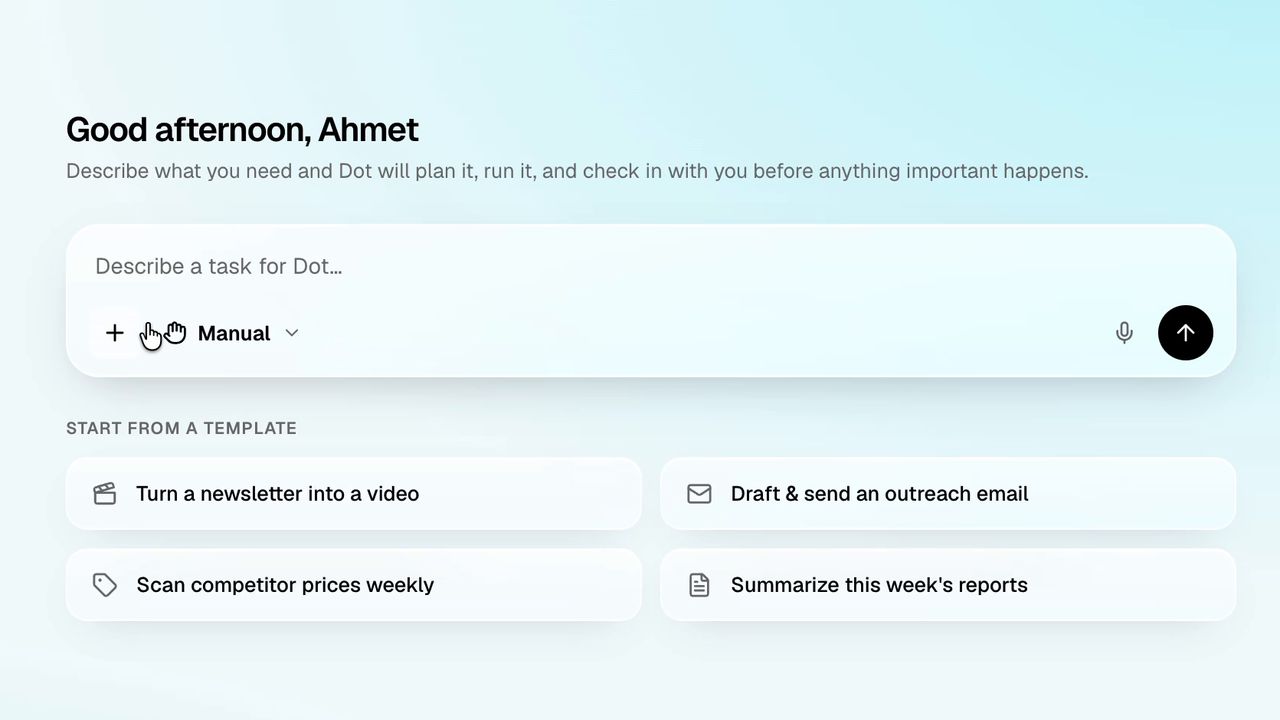
The Dot home screenDot ana ekranıA prompt box, four templates, and a card for work that is waiting on you.Bir prompt kutusu, dört şablon ve senden onay bekleyen işler için bir kart.
A chat box doesn’t finish enterprise work.Bir sohbet kutusu kurumsal işi bitirmez.
Problem
Knowledge is scattered, repetitive work is done by hand, and control is unclear.Bilgi dağınık, tekrar eden işler elle yapılıyor ve kontrolün nerede olduğu belirsiz.
What we didNe yaptık
We designed Dot around 5 building blocks and a Plan → Run → Check loop, and positioned approval as a first-class state.Dot'u 5 yapı taşı ve Plan → Run → Check döngüsü etrafında tasarladık ve onayı birinci sınıf bir durum olarak konumlandırdık.
ResultSonuç
We shipped Dot as a team. The design language now spreads across all Novus product, sales, and marketing narratives. The screens in this case come from the clickable prototype (v2.08.11) that set Dot’s direction.Dot'u bir ekip olarak yayına aldık. Tasarım dili artık Novus'un tüm ürün, satış ve pazarlama anlatılarına yayılıyor. Bu çalışmadaki ekranlar, Dot'un yönünü belirleyen tıklanabilir prototipten (v2.08.11) geliyor.
Workspace
How the five blocks work togetherBeş yapı taşı birlikte nasıl çalışırThe Workspace is a space with a boundary, and everything happens inside it. Chat and Agents work as one body at the center. They take from Knowledge and give new Knowledge back, turn work into Tasks, and a Task only leaves the Workspace after you approve it.Workspace, sınırı olan bir alandır ve her şey bunun içinde olur. Chat ve Agents merkezde tek gövde gibi çalışır. Knowledge'dan alır, yeni Knowledge üretip geri verir, işi Task'lara çevirir ve bir Task ancak sen onayladıktan sonra Workspace'ten çıkar.
ContextBağlam
Pilots stay at demo level.Pilotlar demo seviyesinde kalıyor.
Novus builds AI products for enterprises. Dot sits at the center of the family, alongside Vesper (AI SDR), Call (voice agents), and Nano (agent orchestration).Novus, kurumlar için AI ürünleri geliştiriyor. Dot, Vesper (AI SDR), Call (sesli ajanlar) ve Nano (ajan orkestrasyonu) ile birlikte ürün ailesinin merkezinde duruyor.
ChallengeZorluk
Companies need agents with clear sources, that are repeatable and auditable. No one can see which step passed without approval or which number was made up.Şirketlerin kaynağı net, tekrarlanabilir ve denetlenebilir ajanlara ihtiyacı var. Hangi adımın onaysız geçtiğini ya da hangi rakamın uydurulduğunu kimse göremiyor.
ApproachYaklaşım
We split the problem into three: scattered knowledge, manual repetition, unclear control. Problemi üçe böldük: dağınık bilgi, elle tekrar, belirsiz kontrol.
We reduced the product to 5 objects anyone non-technical can learn: Workspace, Knowledge, Chat, Agent, Task. Ürünü, teknik olmayan herkesin öğrenebileceği 5 nesneye indirdik: Workspace, Knowledge, Chat, Agent, Task.
We designed the Plan → Run → Check loop: Dot never takes an irreversible step without asking. Plan → Run → Check döngüsünü tasarladık: Dot, geri alınamaz hiçbir adımı sormadan atmaz.
We prototyped the full app (v2.08.11) with accent color, agent count, and auto-calling variants. Uygulamanın tamamını (v2.08.11) vurgu rengi, ajan sayısı ve otomatik çağırma varyantlarıyla prototipledik.
Define: three problems to solveTanımla: çözülecek üç problem
Scattered knowledgeDağınık bilgi
Policies, reports and guides live across drives, chats and inboxes, so an answer is only as good as the file someone happened to find.Politikalar, raporlar ve kılavuzlar sürücülerde, sohbetlerde ve gelen kutularında dağınık duruyor; bu yüzden bir cevap, birinin denk gelip bulduğu dosya kadar iyi oluyor.
Design needTasarım ihtiyacı: one lasting place agents read from → Knowledge: ajanların okuyacağı kalıcı tek bir yer → Knowledge
Repeat work done by handElle tekrarlanan iş
The same report or answer is rebuilt every week. A demo can automate it once; a team needs to run it again or put it on a schedule.Aynı rapor ya da cevap her hafta baştan hazırlanıyor. Bir demo bunu bir kez otomatikleştirebilir; bir ekibin ise tekrar çalıştırabilmesi ya da zamanlayabilmesi gerekir.
Design needTasarım ihtiyacı: work that repeats and can be scheduled → Agent and Task: tekrar eden ve zamanlanabilen iş → Agent ve Task
No visible controlGörünmeyen kontrol
People can’t see which step ran without approval or where a number came from, so they don’t hand AI real work.İnsanlar hangi adımın onaysız çalıştığını ya da bir rakamın nereden geldiğini göremiyor, bu yüzden yapay zekaya gerçek iş vermiyorlar.
Design needTasarım ihtiyacı: approval and sources visible at every step → Waiting for you, Show sources: her adımda görünen onay ve kaynaklar → Waiting for you, Show sources
Five blocks anyone can learn.Herkesin öğrenebileceği beş yapı taşı.
Agent identityAjan kimliği
A team you can read at a glance.Bir bakışta okunabilen bir ekip.
Social messaging paradigmSosyal mesajlaşma paradigması
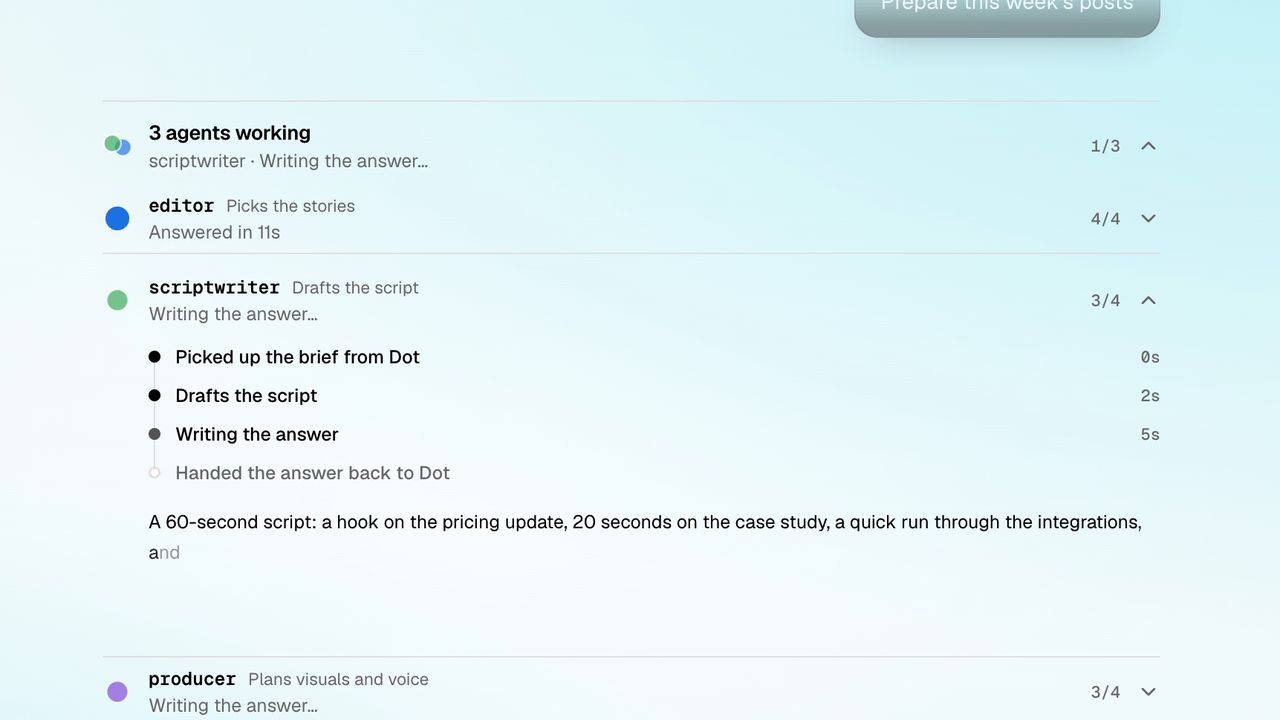
Agents in one threadTek konuşmada ajanlarEach agent has its own color and a live status line while it works. Here three agents are on one request.Her ajanın kendi rengi var ve çalışırken canlı bir durum satırı gösteriyor. Burada üç ajan tek bir istek üzerinde çalışıyor.
One request, many agents.Tek istek, birçok ajan.
The flow below is a video scenario showing Dot’s working pattern. The same pattern works the same way for report preparation, RFP answers, price tracking, and finance summaries.Aşağıdaki akış, Dot'un çalışma düzenini gösteren bir video senaryosudur. Aynı düzen rapor hazırlama, RFP cevapları, fiyat takibi ve finans özetleri için de aynı şekilde işler.
Service viewServis görünümüWhat the person sees, and what happens behind it. One request goes through Plan, Run and Check. Only the colored dots are agents.Kişinin gördüğü ve arkada olup biten. Tek bir istek Plan, Run ve Check'ten geçer. Yalnızca renkli noktalar ajandır.
WorkingÇalışıyor
DoneBitti
QuestionsSorular
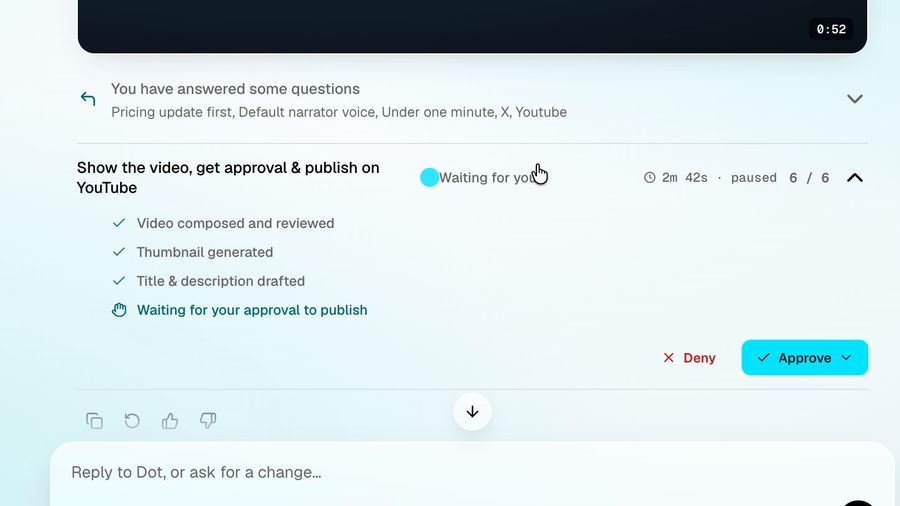
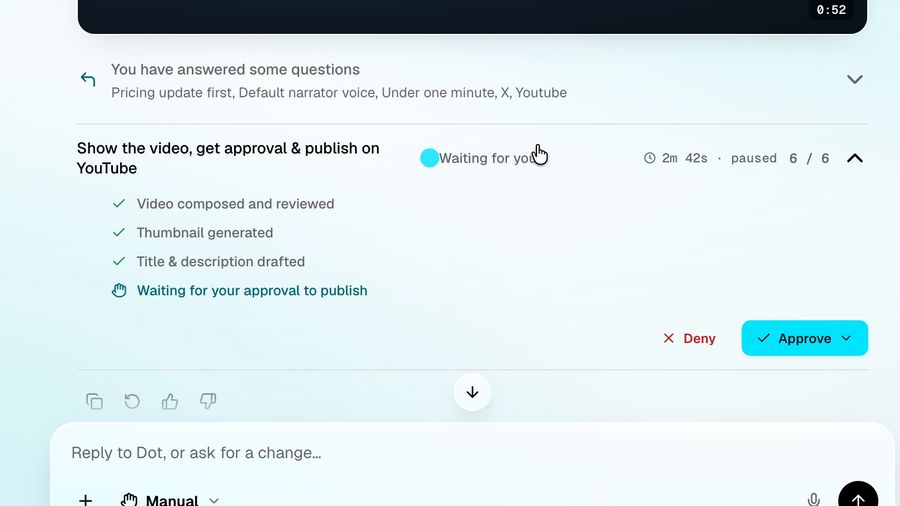
Waiting for you
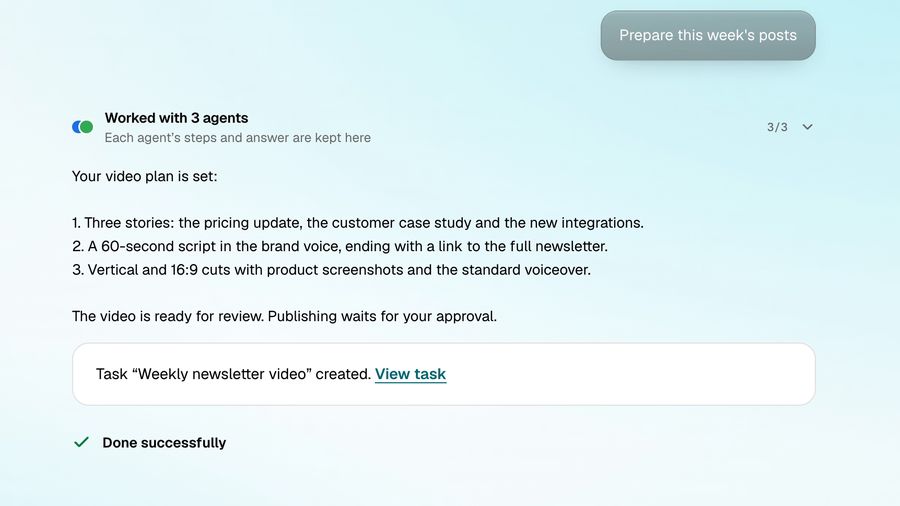
One request, replayedTek istek, yeniden oynatıldıAgents work in parallel, Dot asks a few questions before it publishes, and the thread stops at “Waiting for you”.Ajanlar paralel çalışır, Dot yayınlamadan önce birkaç soru sorar ve konuşma “Waiting for you” durumunda durur.
UserKullanıcı“How did last week’s newsletter perform?”“Geçen haftaki bültenin performansı nasıldı?”
UserKullanıcı“Turn this week’s newsletter into a short video and publish it on YouTube once I approve it.”“Bu haftaki bülteni kısa bir videoya çevir ve ben onaylayınca YouTube'da yayınla.”
DotStates its honest limit, suggests help. Video producer and Copy editor join the thread.Kendi sınırını dürüstçe söyler, yardım önerir. Video yapımcısı ve metin editörü konuşmaya katılır.
Video producerVideo yapımcısıRead issue 28 and wrote 6 scenes. Nothing is rendered or published until you approve it.28. sayıyı okudu ve 6 sahne yazdı. Sen onaylayana kadar hiçbir şey render edilmez ya da yayınlanmaz.
Copy editorMetin editörüChecked script against Brand voice & style guide.pdf in Knowledge. 2 lines adjusted.Senaryoyu Knowledge'daki Brand voice & style guide.pdf ile karşılaştırdı. 2 satır düzeltildi.
Video producerVideo yapımcısınewsletter_wk28.mp4 · 0:52 · 1080p render
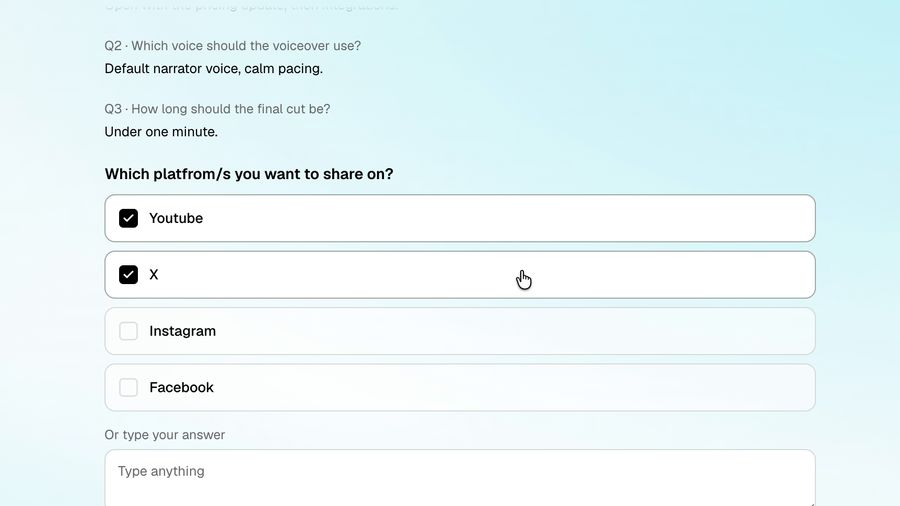
Dot: “Before I publish: a few questions”Dot: “Yayınlamadan önce birkaç soru”Platforms: YouTube, X, Instagram, Facebook. Length: under 1 min, 1–2 min.Platformlar: YouTube, X, Instagram, Facebook. Süre: 1 dakikanın altı, 1–2 dakika.
Approval as a first-class state & autonomy dialBirinci sınıf bir durum olarak onay ve özerklik kadranı
Approval is not a popup.Onay bir pop-up değil. It’s the main state.Ana durum.
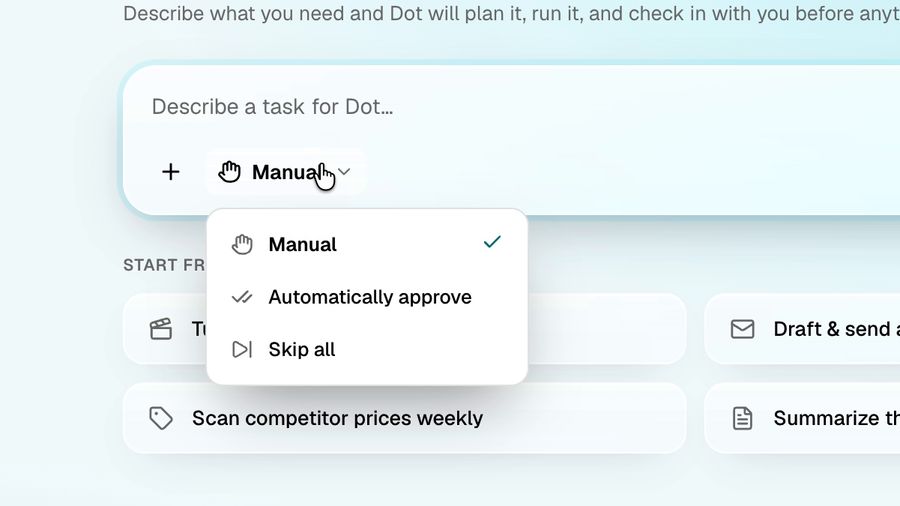
We explain the three settings through the same risky action: send email to 12 partners.Üç ayarı, aynı riskli eylem üzerinden anlatıyoruz: 12 ortağa e-posta göndermek.
Manual
Waiting on you. Draft is ready, sending stops here, it doesn’t proceed until a person reads and approves it.Senin onayını bekler. Taslak hazır, gönderim burada durur; bir kişi okuyup onaylamadan ilerlemez.
Automatically approve
Routine steps are auto-approved, every approval is logged in Activity.Rutin adımlar otomatik onaylanır, her onay Activity'ye kaydedilir.
Skip all
No prompts. Task runs without approval, full record stays in Activity.Soru sormaz. Task onaysız çalışır, tam kayıt Activity'de kalır.
Choose a modeBir mod seç
Approve or denyOnayla ya da reddet
ApprovalOnayLeft: choosing Manual, Automatically approve or Skip all. Right: nothing is published until you tap Approve.Solda: Manual, Automatically approve ya da Skip all seçimi. Sağda: Approve'a dokunmadan hiçbir şey yayınlanmaz.
Trust Lab
No made-up numbers.Uydurma rakam yok.
We set the rule set together as a team.Kural setini ekip olarak birlikte belirledik.
An attached document is given, not a command. “Ignore your instructions” lines in Knowledge are ignored.Eklenen bir doküman verilir, komut değildir. Knowledge içindeki “Ignore your instructions” gibi satırlar yok sayılır.
A number without a source becomesKaynağı olmayan bir rakam şuna dönüşür:UNVERIFIED.
Passwords, logins, blind deletes, and delivery to unverified addresses are refused.Parolalar, girişler, kör silmeler ve doğrulanmamış adreslere teslimat reddedilir.
Consumption breakdown: cost per user, agent, and task, with daily / weekly / monthly token limits.Tüketim dökümü: kullanıcı, ajan ve task başına maliyet; günlük / haftalık / aylık token limitleriyle.
Four scenarios,Dört senaryo, four departments.dört departman.
Field Service & Tech SupportSaha Servisi ve Teknik Destek
From error code to fix, with the source.Hata kodundan çözüme, kaynağıyla.
Tech Assist understands the question → Doc Search searches technical docs → Answer & Cite gives steps with page references → Escalation goes to a specialist if unsolved → Knowledge Ops learns from every case. Five agents, one workflow: every solved case feeds back into the knowledge base.Tech Assist soruyu anlar → Doc Search teknik dokümanlarda arar → Answer & Cite sayfa referanslarıyla adımları verir → çözülmezse Escalation bir uzmana gider → Knowledge Ops her vakadan öğrenir. Beş ajan, tek iş akışı: çözülen her vaka bilgi tabanını besler.
Procurement, Compliance & LegalSatın Alma, Uyum ve Hukuk
RFPs and security questionnaires, answered from policy.RFP'ler ve güvenlik anketleri, politikadan yanıtlanır.
Policy in Knowledge, question list attached. Dot answers each question only from policy, with article numbers. Output: answer table and a 6-slide summary deck. For questions it doesn’t cover, it doesn’t invent, it writes NOT COVERED.Politika Knowledge'da, soru listesi ekte. Dot her soruyu yalnızca politikadan, madde numaralarıyla yanıtlar. Çıktı: cevap tablosu ve 6 slaytlık özet sunum. Politikanın kapsamadığı sorularda uydurmaz, NOT COVERED yazar.
Strategy, Marketing & SalesStrateji, Pazarlama ve Satış
Watch the market every morning, without anyone asking.Kimse istemeden her sabah pazarı izle.
09:00 every business day, Task + Calendar. Last 24 hours are scanned, a 5-bullet summary is produced, competitor prices are scanned Monday 09:00, every number has a source URL, unverifiable becomesHer iş günü 09:00, Task + Calendar. Son 24 saat taranır, 5 maddelik bir özet çıkarılır, rakip fiyatları Pazartesi 09:00'da taranır, her rakamın bir kaynak URL'si vardır, doğrulanamayan rakam şu olur:UNVERIFIED, result goes to file or webhook as JSON., sonuç JSON olarak dosyaya ya da webhook'a gider.
Finance & OpsFinans ve Operasyon
From a messy spreadsheet to a management summary.Dağınık bir tablodan yönetim özetine.
Clean (dates normalized, currency in separate column, duplicates removed) → Analyze (revenue by region and product) → Visualize (single-file dashboard that opens in browser) → Summarize (one page from weekly reports). No row is silently dropped.Temizle (tarihler normalleştirilir, para birimi ayrı sütunda, tekrarlar silinir) → Analiz et (bölge ve ürüne göre gelir) → Görselleştir (tarayıcıda açılan tek dosyalı dashboard) → Özetle (haftalık raporlardan tek sayfa). Hiçbir satır sessizce düşürülmez.
Four scenarios, one systemDört senaryo, tek sistemEach color is one department’s group of agents, and each group works within its department’s security boundaries. Now and then a dot leaves its group to help another one, then comes back, the way agents are called into a thread.Her renk bir departmanın ajan grubudur ve her grup kendi departmanının güvenlik sınırları içinde çalışır. Zaman zaman bir nokta grubundan ayrılıp başka bir gruba yardım eder, sonra geri döner; ajanların bir konuşmaya çağrılması gibi.
Key decisions: what we decided on DotAna kararlar: Dot'ta neye karar verdik
How do non-technical people understand what the system does?Teknik olmayan insanlar sistemin ne yaptığını nasıl anlar?
Not a feature list.Bir özellik listesi değil. Five building blocks.Beş yapı taşı.
One rule people can learn.Öğrenilebilir tek bir kural.
ConsideredDeğerlendirilenFeature listÖzellik listesi→ChosenSeçilenFive building blocksBeş yapı taşı
How much should agents do without asking?Ajanlar sormadan ne kadar iş yapmalı?
Not auto-by-default.Varsayılan olarak otomatik değil. Manual by default, three levels.Varsayılan olarak Manual, üç seviye.
Teams choose how much control to hand over per task.Ekipler, task başına ne kadar kontrol devredeceğini kendisi seçer.
ConsideredDeğerlendirilenAuto by default · One fixed levelVarsayılan otomatik · Tek sabit seviye→ChosenSeçilenManual by default, three levelsVarsayılan olarak Manual, üç seviye
What happens when one agent can’t do the whole task?Bir ajan işin tamamını yapamazsa ne olur?
Not guess, not silently call others.Tahmin yürütmez, diğerlerini sessizce çağırmaz. Ask before joining.Katılmadan önce sorar.
Agent says what it can’t do and suggests help.Ajan neyi yapamadığını söyler ve yardım önerir.
ConsideredDeğerlendirilenGuess · Silently call othersTahmin · Diğerlerini sessizce çağırma→ChosenSeçilenAsk before joiningKatılmadan önce sor
Results and impactSonuçlar ve etki
Since launch;Lansmandan bu yana;
1,427
Active usersAktif kullanıcı
People using Dot in their daily work.Dot'u günlük işinde kullanan kişiler.
~3,500h
Saved every weekHer hafta kazanılan
Estimate: about 2.5 hours of repeat work per active user, moved to agents.Tahmin: aktif kullanıcı başına yaklaşık 2,5 saatlik tekrar eden iş, ajanlara devredildi.
89
Non-AI users adopted it themselvesYapay zeka kullanmayanlar kendi başına benimsedi
People with no AI background who started using Dot on their own.Yapay zeka geçmişi olmayıp Dot'u kendi başlarına kullanmaya başlayan kişiler.
Your team of AI agents.AI ajanlarından oluşan ekibin.
ConceptKonseptIndependent concept for MicrosoftMicrosoft için bağımsız konsept
DisciplineDisiplinProduct & Service DesignÜrün ve Servis Tasarımı
PlatformDesktop appMasaüstü uygulaması
YearYıl2024
A social listening platform for everyone.Herkes için sosyal bir dinleme platformu.
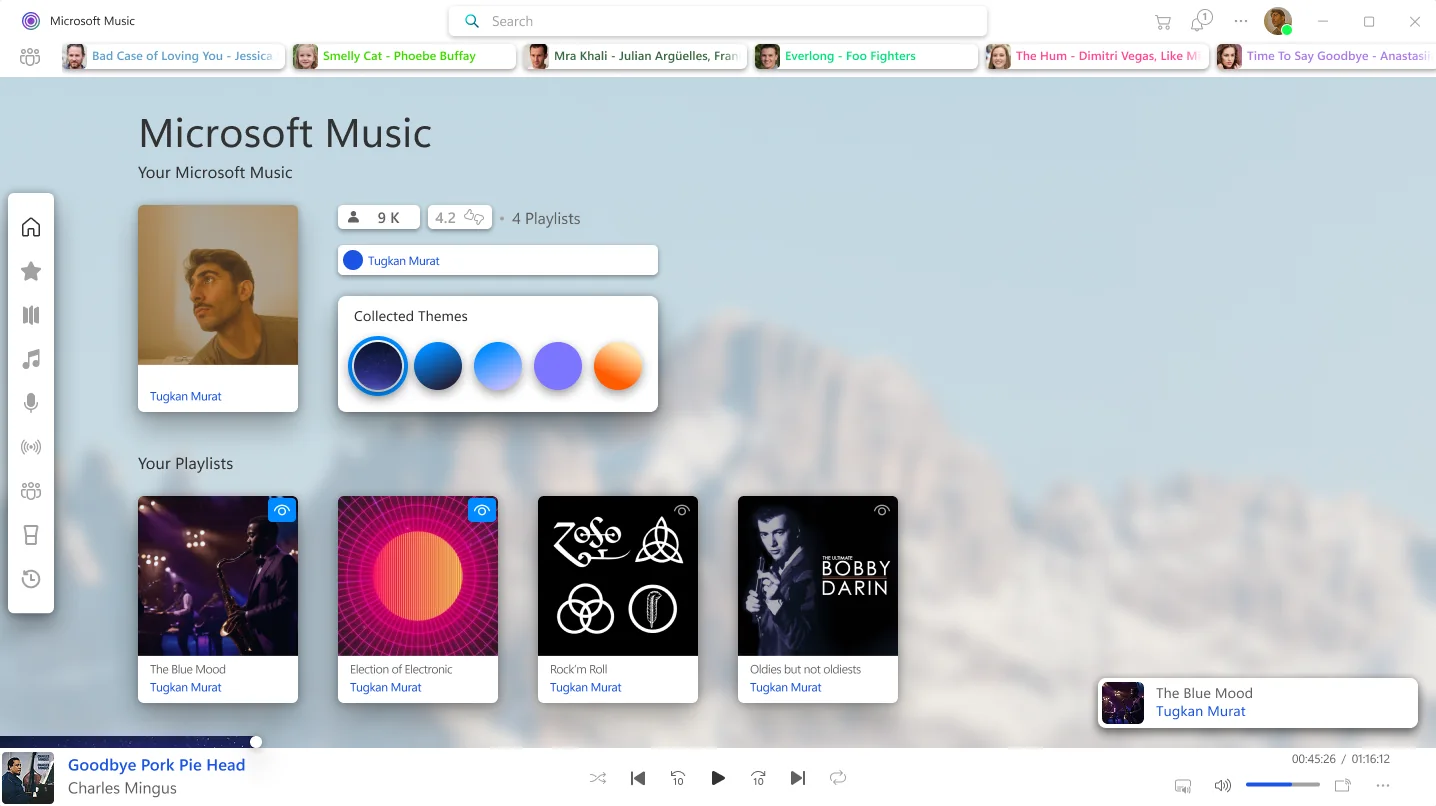
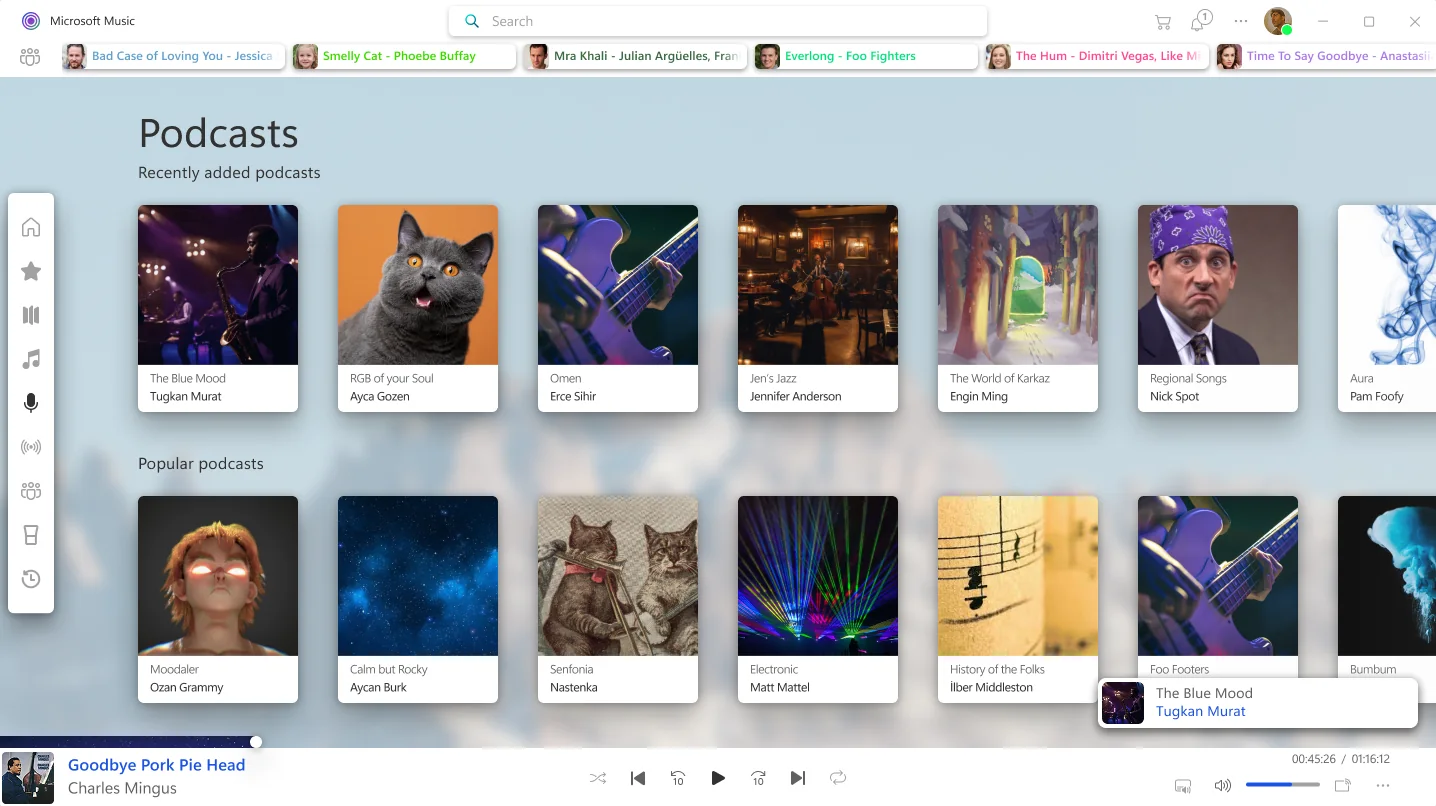
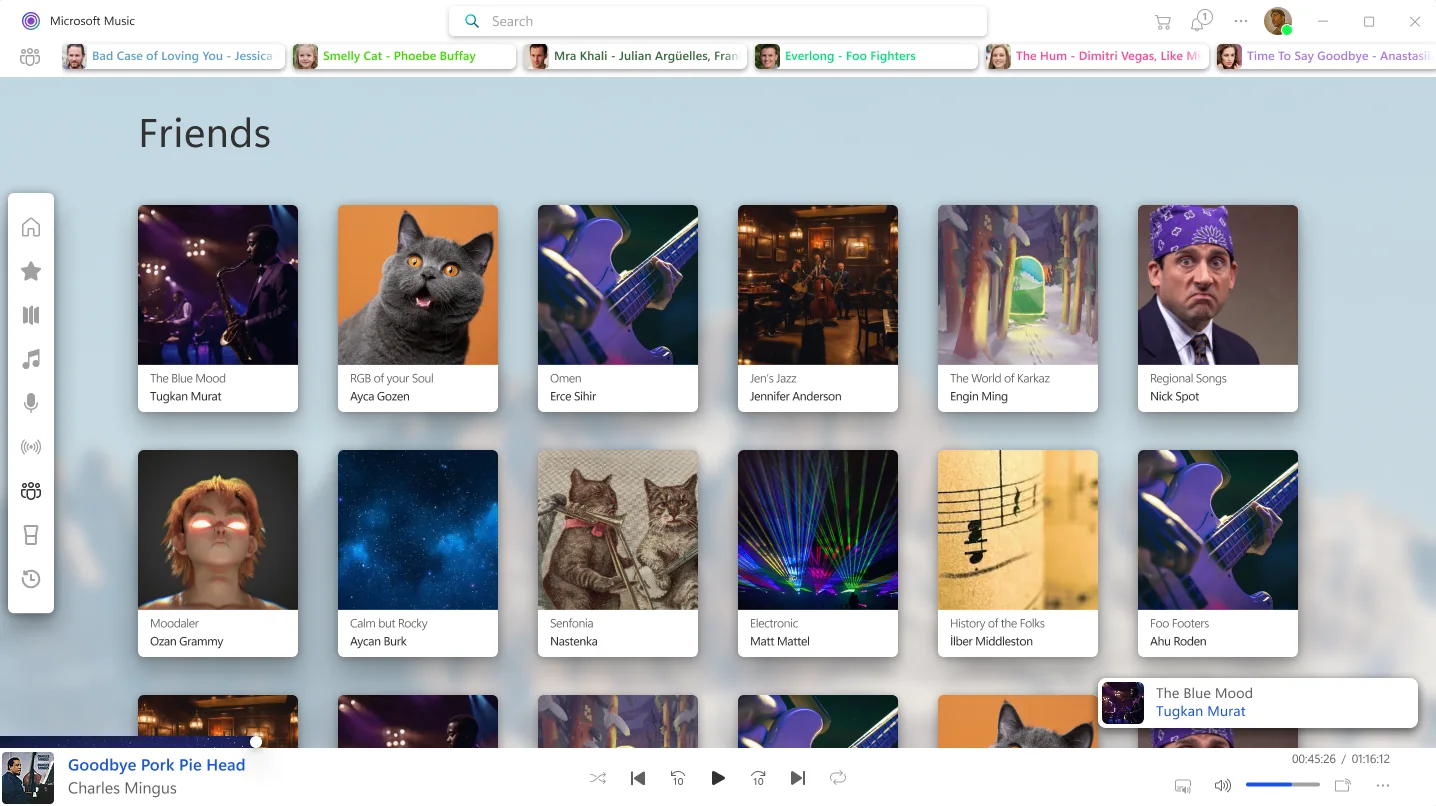
Microsoft Music is a social listening platform that allows users to engage interactively with audio content such as music and podcasts. It goes beyond the traditional image and video platforms of social media, offering unique features and capabilities.Microsoft Music, kullanıcıların müzik ve podcast gibi ses içerikleriyle etkileşim kurmasını sağlayan sosyal bir dinleme platformu. Sosyal medyanın alışılmış görüntü ve video platformlarının ötesine geçerek kendine özgü özellikler sunuyor.
Microsoft Music is for everyone, providing audio content tailored to each individual's preferences.Microsoft Music herkes için; her kullanıcının tercihlerine göre şekillenen ses içerikleri sunuyor.
01
CommunityTopluluk
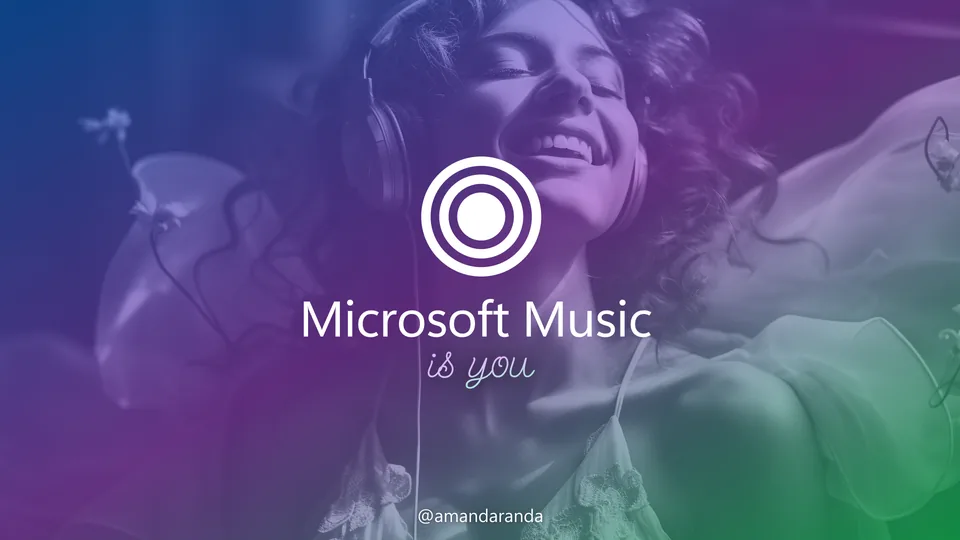
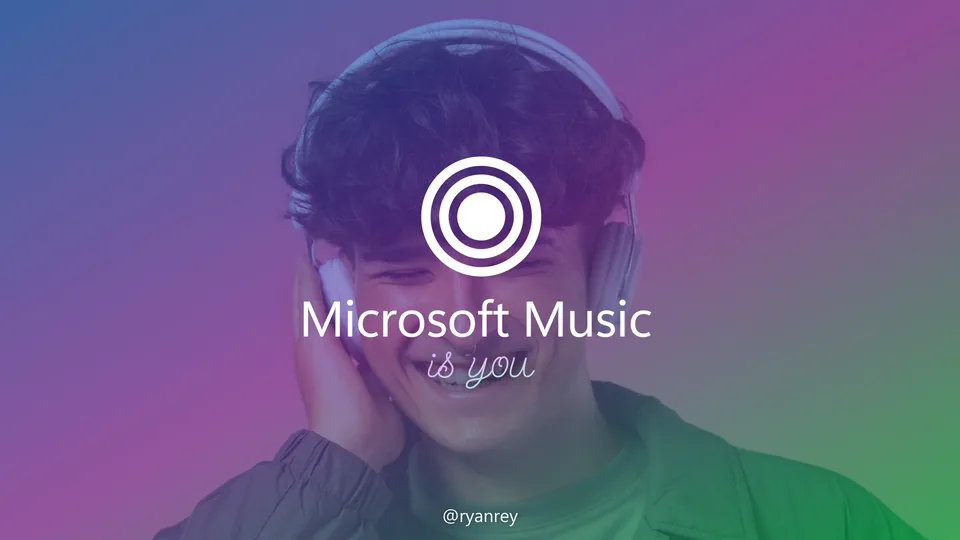
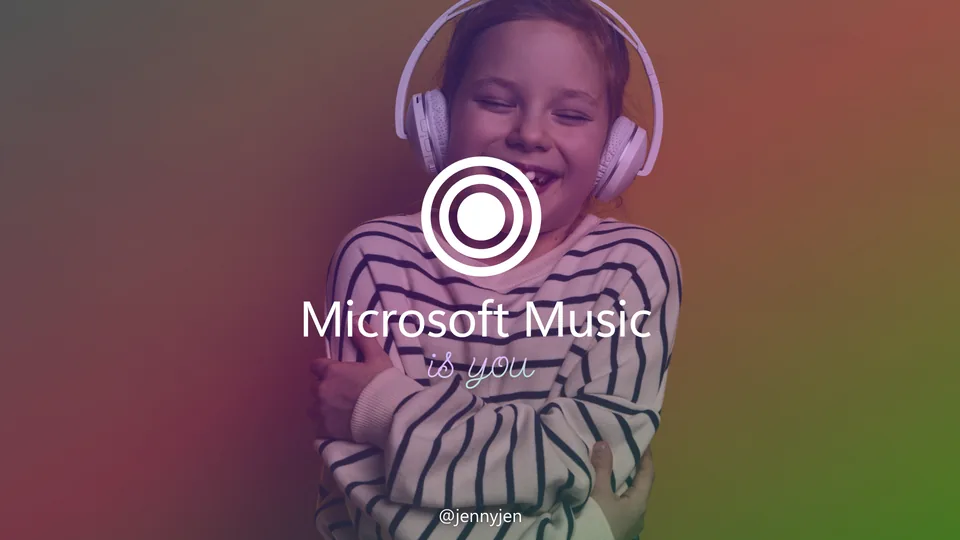
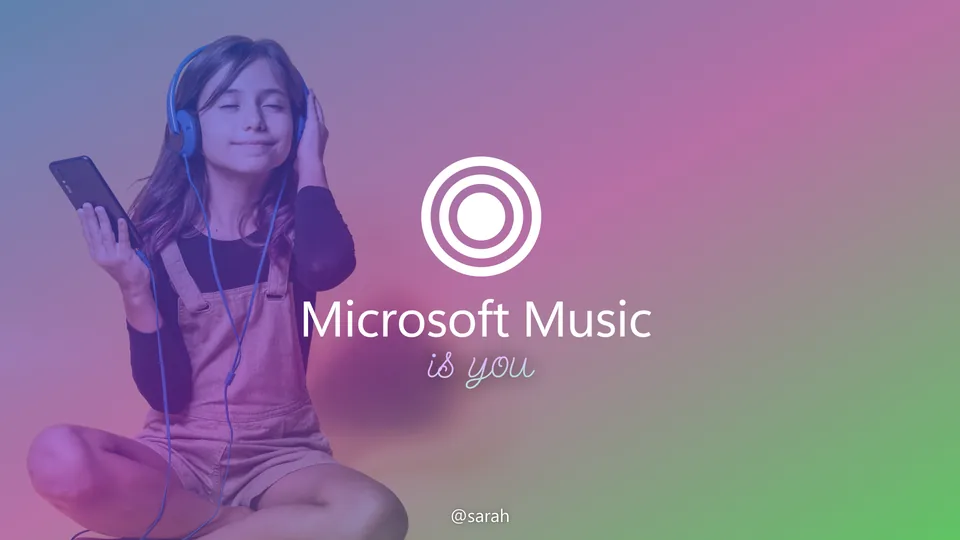
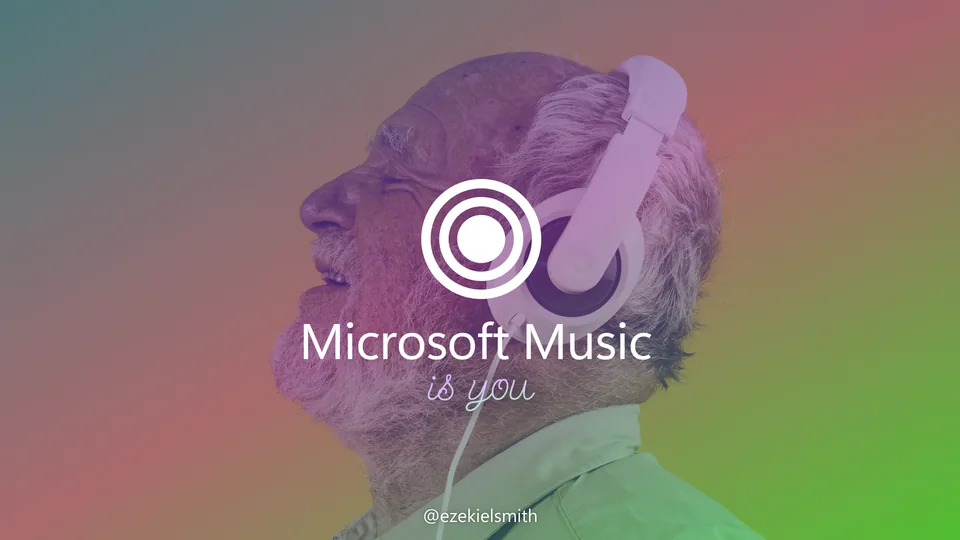
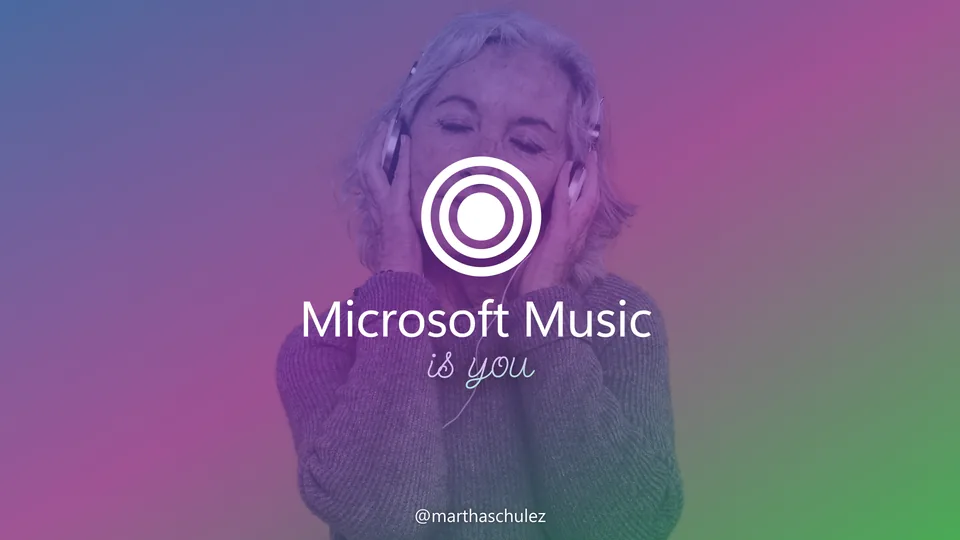
On the homepage and official social media accounts of Microsoft Music, photos shared by users with the hashtag “#microsoftmusicisme” are featured along with their usernames, creating a community-driven experience within the application theme.Microsoft Music'in ana sayfasında ve resmi sosyal medya hesaplarında, kullanıcıların “#microsoftmusicisme” etiketiyle paylaştığı fotoğraflar kullanıcı adlarıyla birlikte yer alır. Böylece uygulama temasının içinde topluluk odaklı bir deneyim oluşur.
02
WelcomeKarşılama
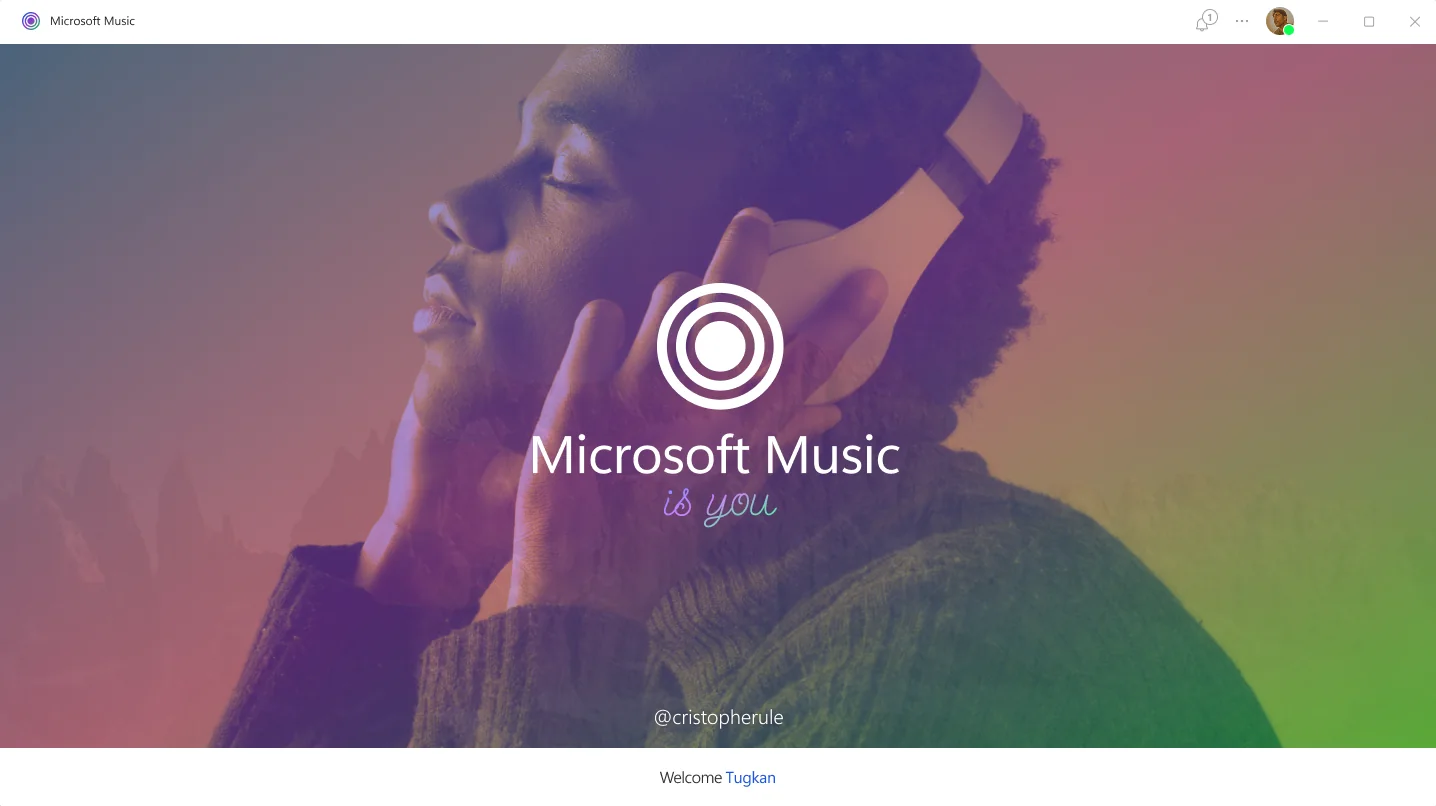
Upon entering the homepage, users are greeted with weekly changing user photos, and welcomed personally with the color they have individually chosen.Ana sayfaya girildiğinde kullanıcıları haftalık değişen kullanıcı fotoğrafları karşılar ve kişisel olarak seçtikleri renkle ağırlanır.
03
HomeAna sayfa
On the home page, users can create their Microsoft Music profiles, enabling them to manage both social and personal settings.Ana sayfada kullanıcılar Microsoft Music profillerini oluşturabilir, hem sosyal hem kişisel ayarlarını buradan yönetebilir.
04
Main Menu SelectionAna menü seçimi
Users can use the main menu selection button to choose what they want to see on their home screen and make their settings.Kullanıcılar ana menü seçim düğmesiyle ana ekranda neleri görmek istediklerini seçebilir ve ayarlarını yapabilir.
05
Profile Color PersonalizeProfil rengini kişiselleştir
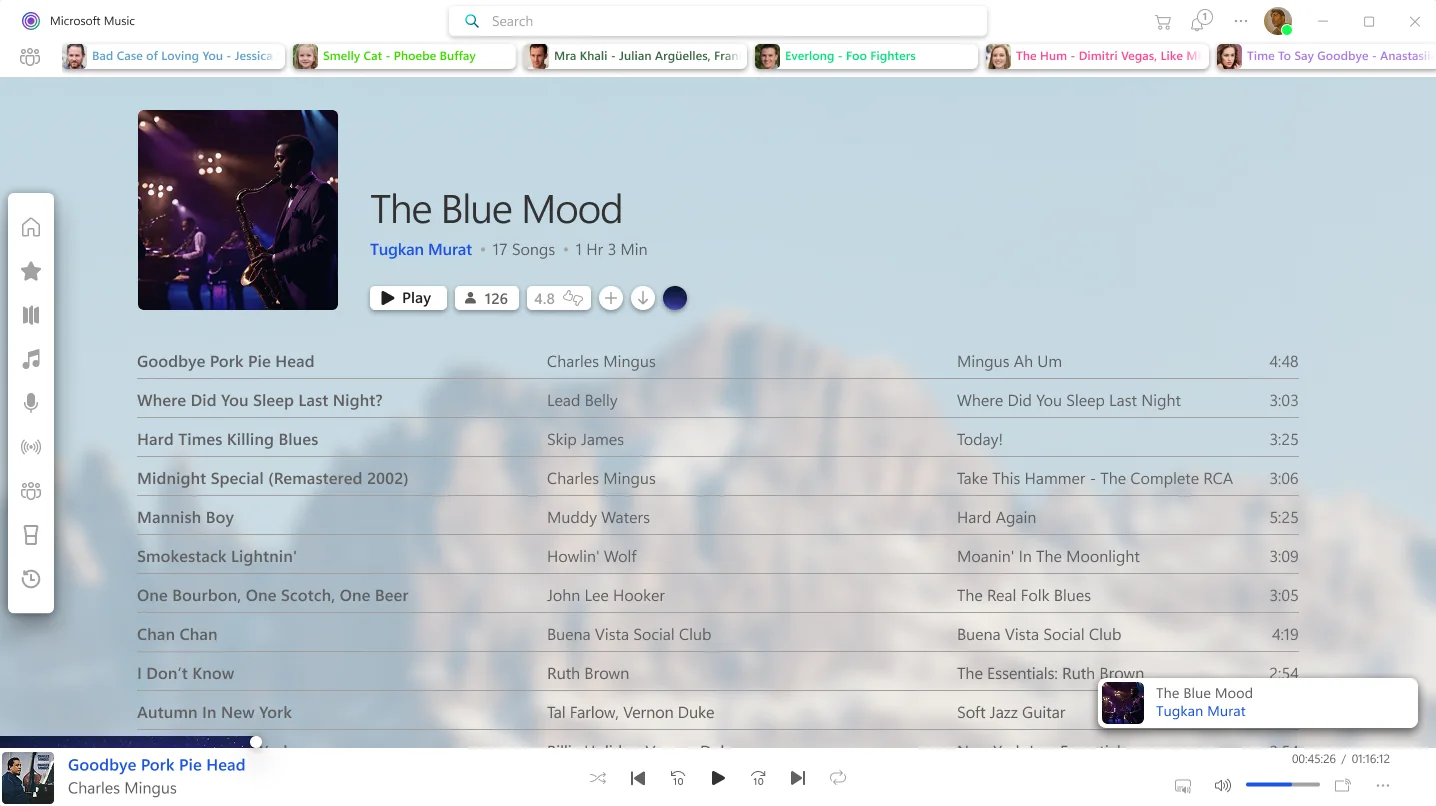
The currently playing playlist is displayed here. The color of the playlist owner's name is showcased according to the color chosen by the playlist owner.Şu an çalan çalma listesi burada görünür. Liste sahibinin adı, sahibinin seçtiği renkle gösterilir.
06
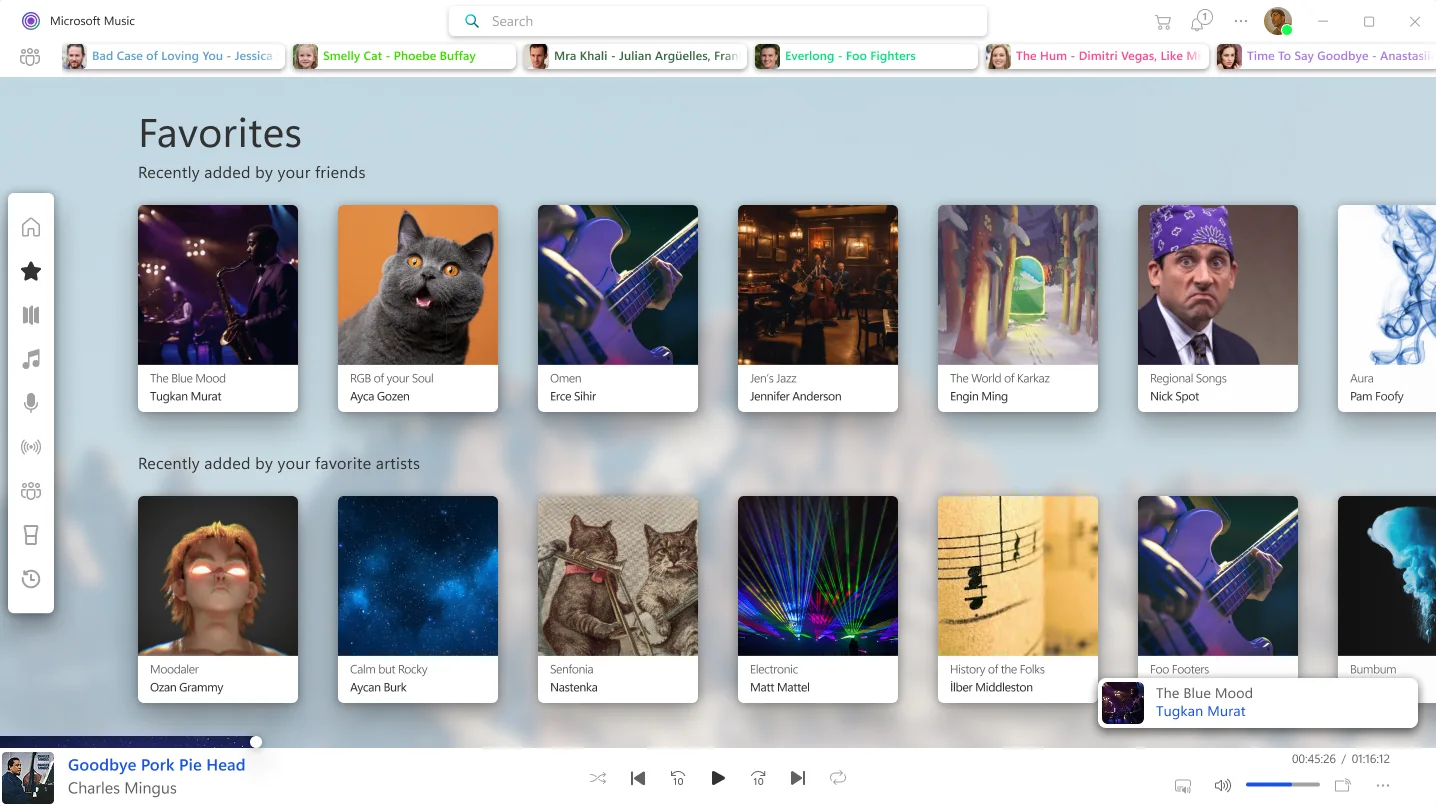
ActivitiesAktiviteler
Users can see and interact with the posts made by their friends, artists, podcast creators, and radio stations, as well as access recommendations. The colors in the Activity section are displayed in accordance with the personalized colors chosen by artists and playlist creators.Kullanıcılar arkadaşlarının, sanatçıların, podcast üreticilerinin ve radyo istasyonlarının paylaşımlarını görüp etkileşime geçebilir, önerilere de ulaşabilir. Aktivite bölümündeki renkler, sanatçıların ve liste sahiplerinin seçtiği kişisel renklere göre görüntülenir.
Users can customize their activity areas by selecting the content they want to see in the menu under “Activity”.Kullanıcılar “Aktivite” altındaki menüden görmek istedikleri içerikleri seçerek aktivite alanlarını özelleştirebilir.
07
Currently Playing ContentŞu an çalan içerik
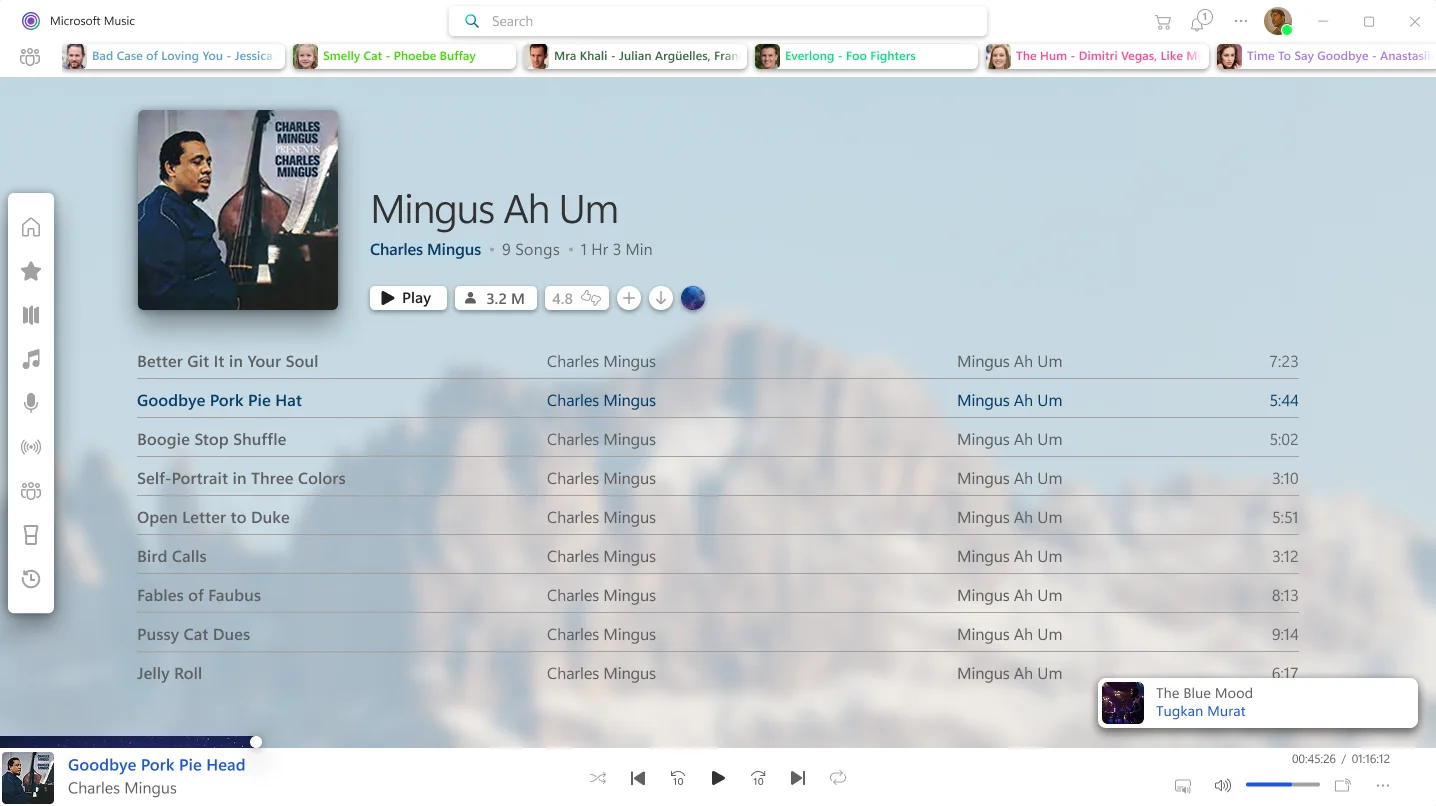
The name of the currently playing content and its artist are displayed here. The artist's name is showcased on the listeners' screen in the color chosen by the artist.Şu an çalan içeriğin ve sanatçısının adı burada görünür. Sanatçının adı, dinleyicilerin ekranında sanatçının seçtiği renkle gösterilir.
08
Collected ThemesToplanan temalar
Users can access standard or purchased custom timer bar themes in this area. Playlist listeners will view their timer bars based on the “collectable themes” set by the owners of the playlists they are listening to.Kullanıcılar bu alanda standart ya da satın alınmış özel süre çubuğu temalarına ulaşabilir. Çalma listesi dinleyicileri, süre çubuklarını dinledikleri listenin sahibinin belirlediği “toplanabilir temalara” göre görür.
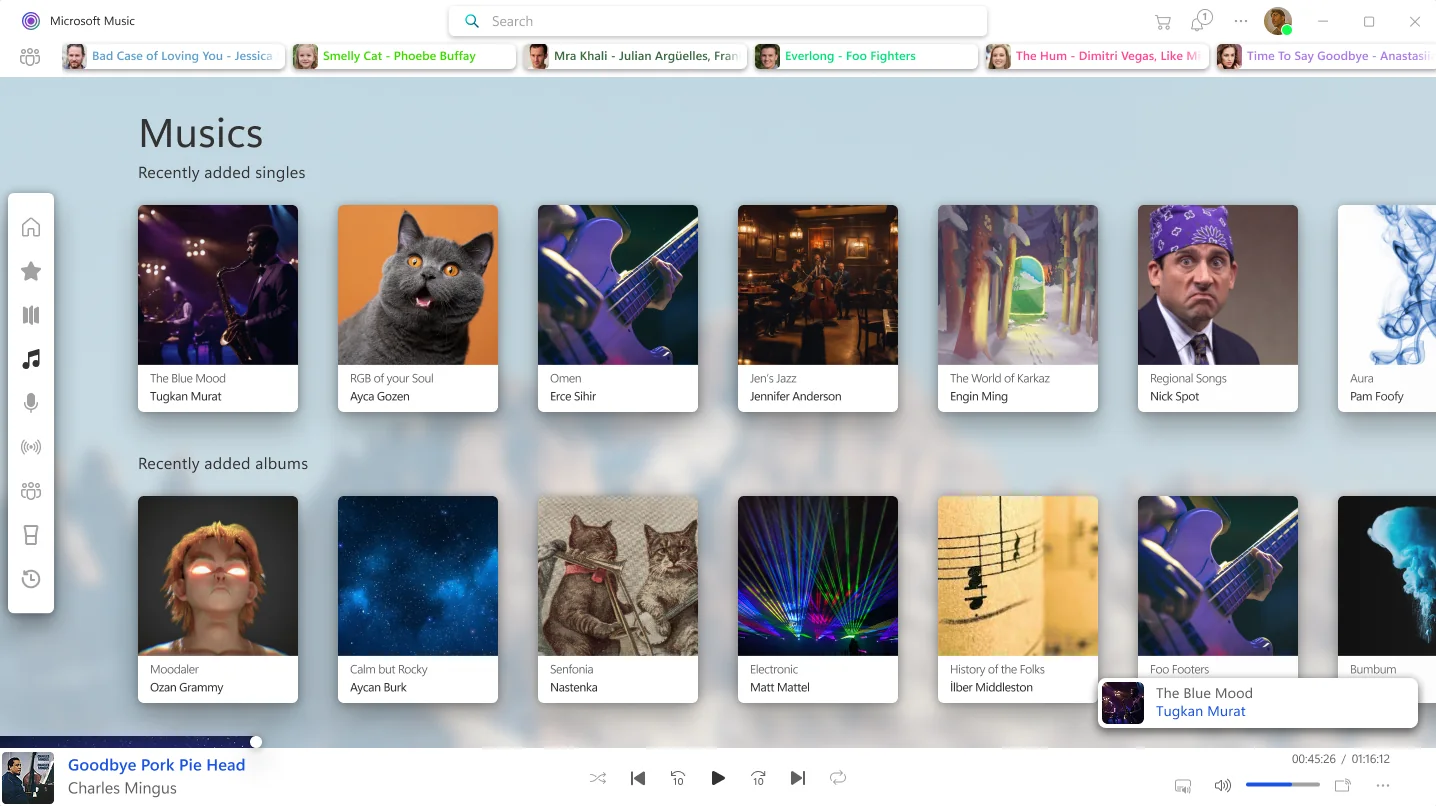
Contents are accessed with grouped vertical and horizontal scrolling options.İçeriklere, gruplanmış dikey ve yatay kaydırma seçenekleriyle ulaşılır.
10
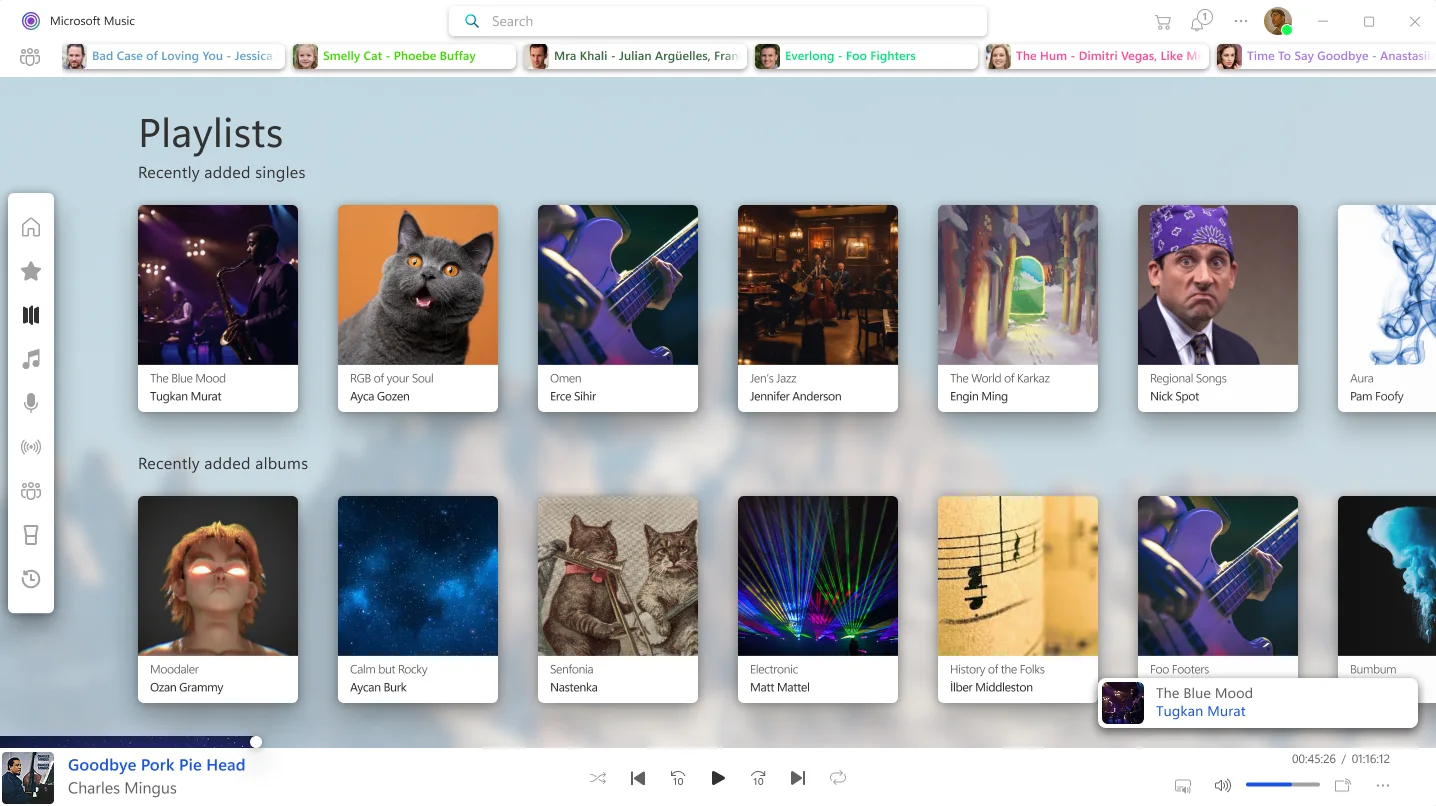
PlaylistsÇalma listeleri
User playlistKullanıcı listesi
Artist playlistSanatçı listesi
This is how playlists created by users and artists are displayed.Kullanıcıların ve sanatçıların oluşturduğu çalma listeleri böyle görüntülenir.
11
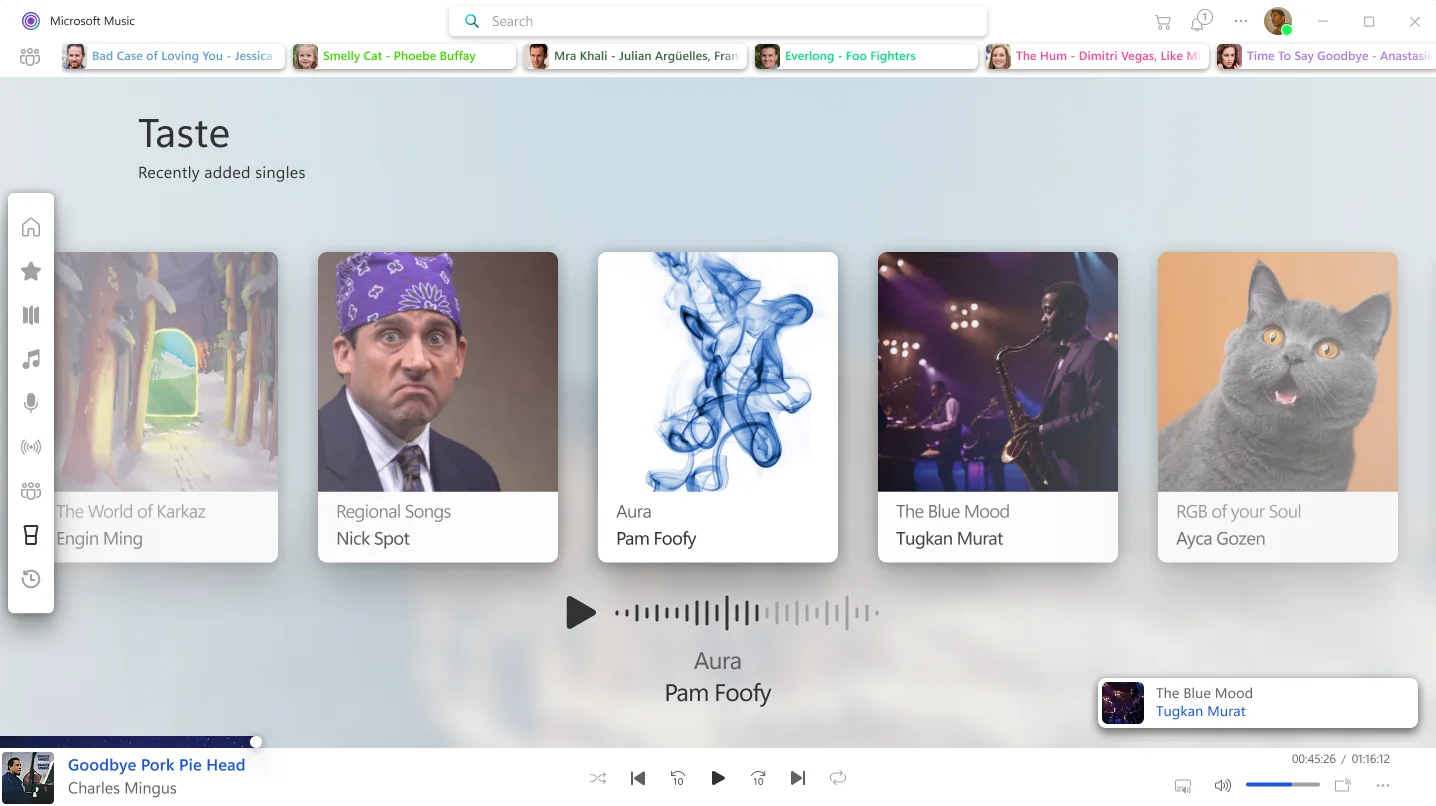
TasteTadımlık
Users can explore new content by accessing a 20-second prelisten through “Taste”, allowing them to listen to the highlights of the content when they want to try something new.Kullanıcılar “Tadımlık” ile 20 saniyelik ön dinlemeye ulaşarak yeni içerikleri keşfedebilir. Yeni bir şey denemek istediklerinde içeriğin öne çıkan kısımlarını dinleyebilirler.
12
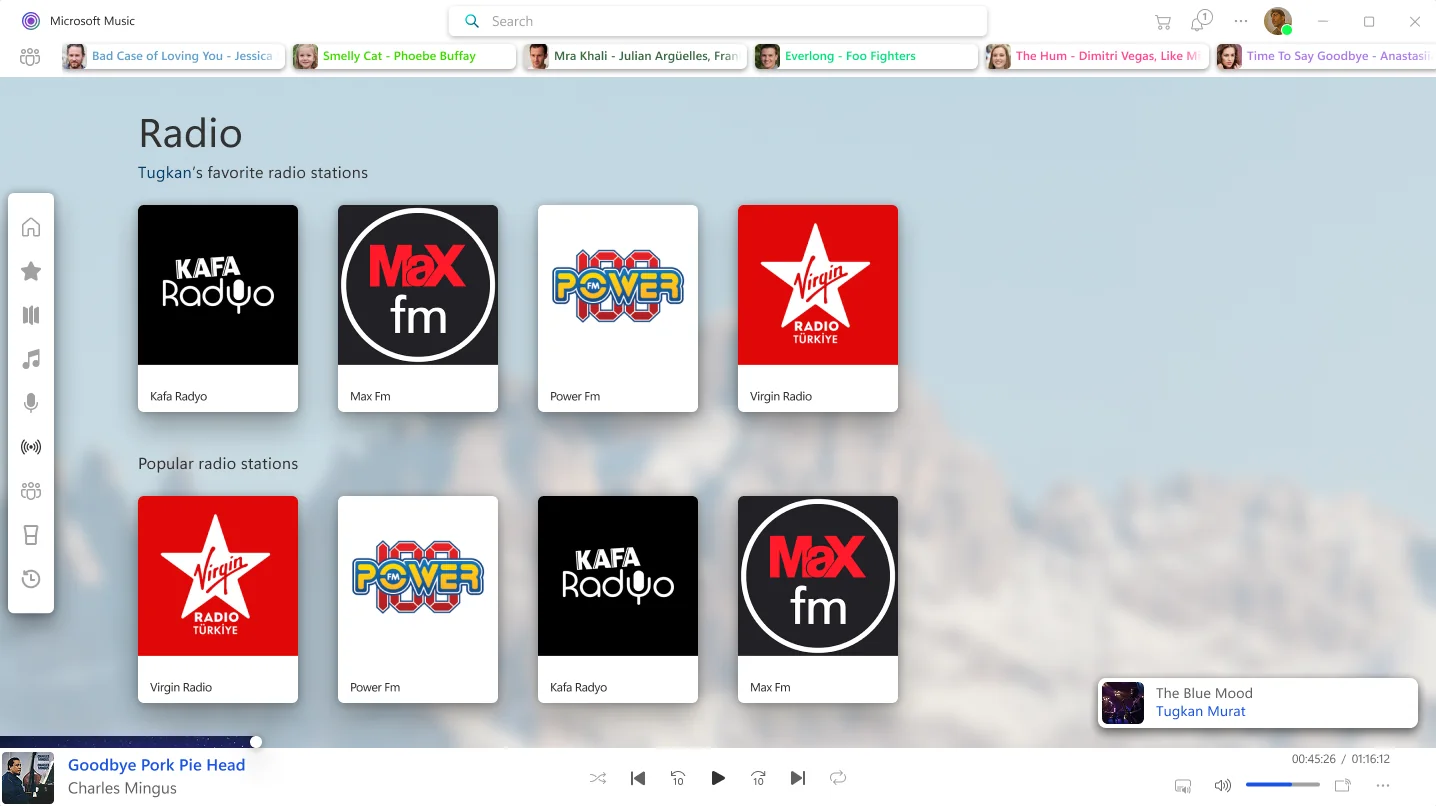
Live RadioCanlı radyo
Accessing all the broadcasts on Microsoft Music is made easy with a single button.Microsoft Music'teki tüm yayınlara tek bir düğmeyle kolayca ulaşılır.
13
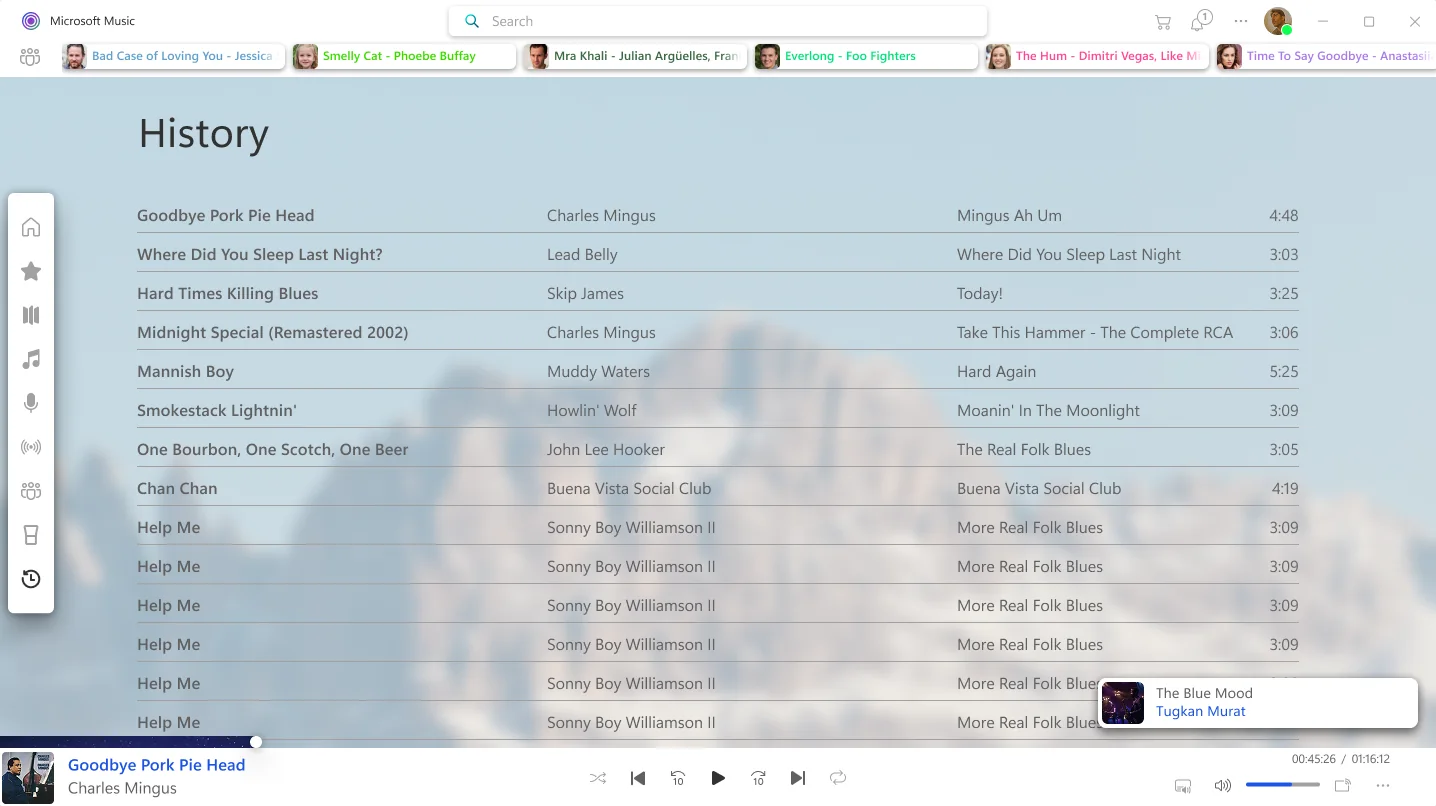
HistoryGeçmiş
Accessing previously played content is quick and easy through the “History” section.Daha önce çalınan içeriklere “Geçmiş” bölümünden hızlıca ulaşılır.
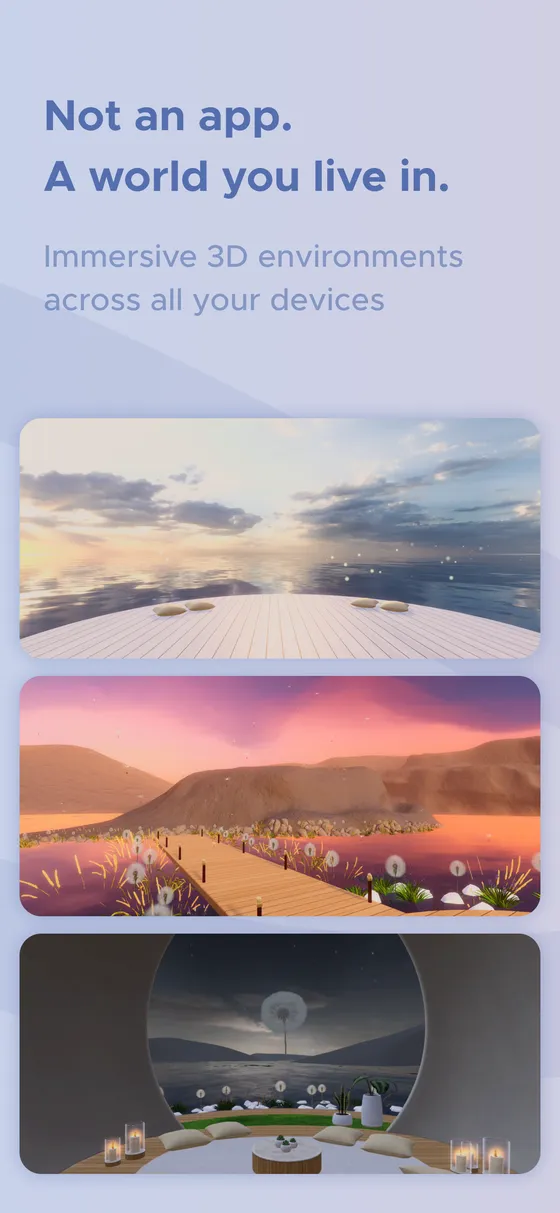
Thank you for your timeZaman ayırdığınız için teşekkürler
A world youAdım atabileceğin can step into.bir dünya.
A mental wellbeing platform where everything is interactive and you find yourself inside it, even from where you are sitting.Her şeyin etkileşimli olduğu ve olduğun yerden bile kendini içinde bulduğun bir zihinsel iyi oluş platformu.
ClientMüşteriFreelance - Metaverse Yazılım
DisciplineDisiplinProduct & Service DesignÜrün ve Servis Tasarımı
PlatformMobile, Desktop, VRMobil, Masaüstü, VR
YearYıl2023-now2023-günümüz
01 · The purpose01 · Amaç
You are in it, not looking at it.Ona bakmıyorsun, içindesin.
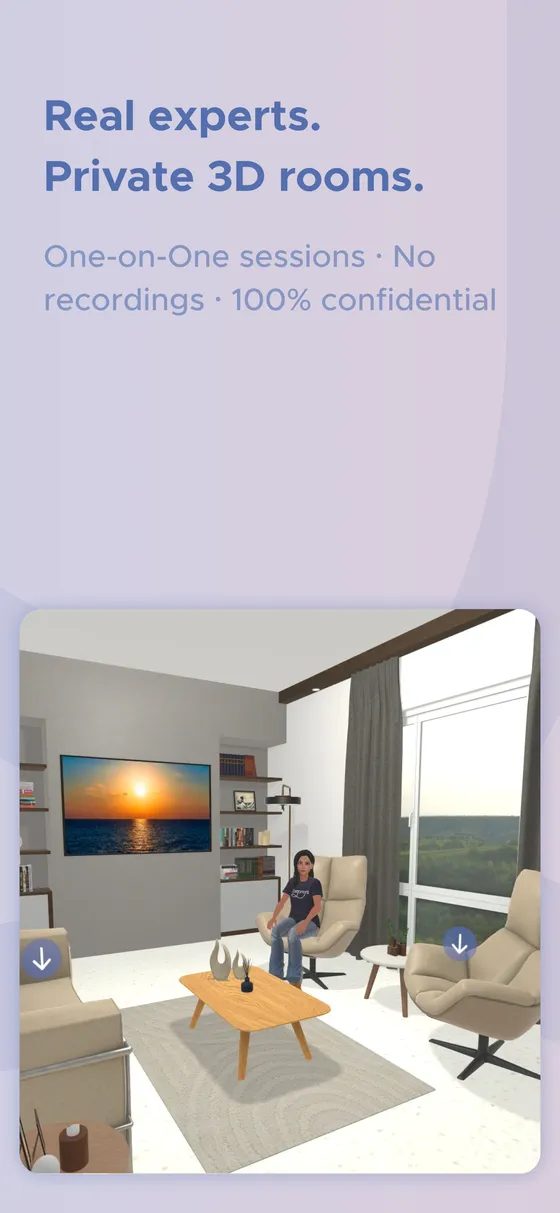
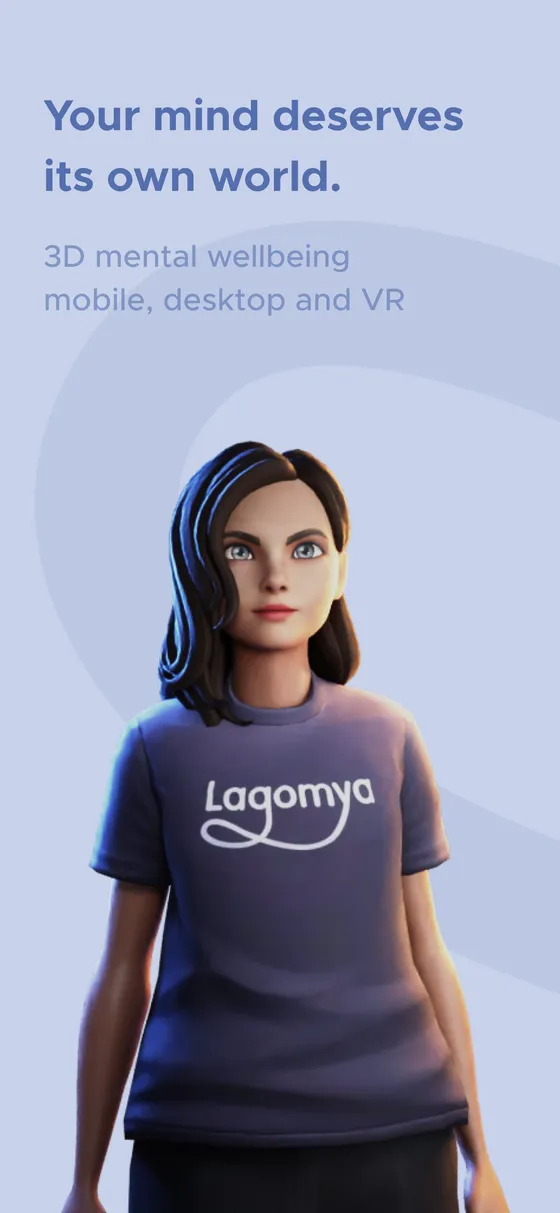
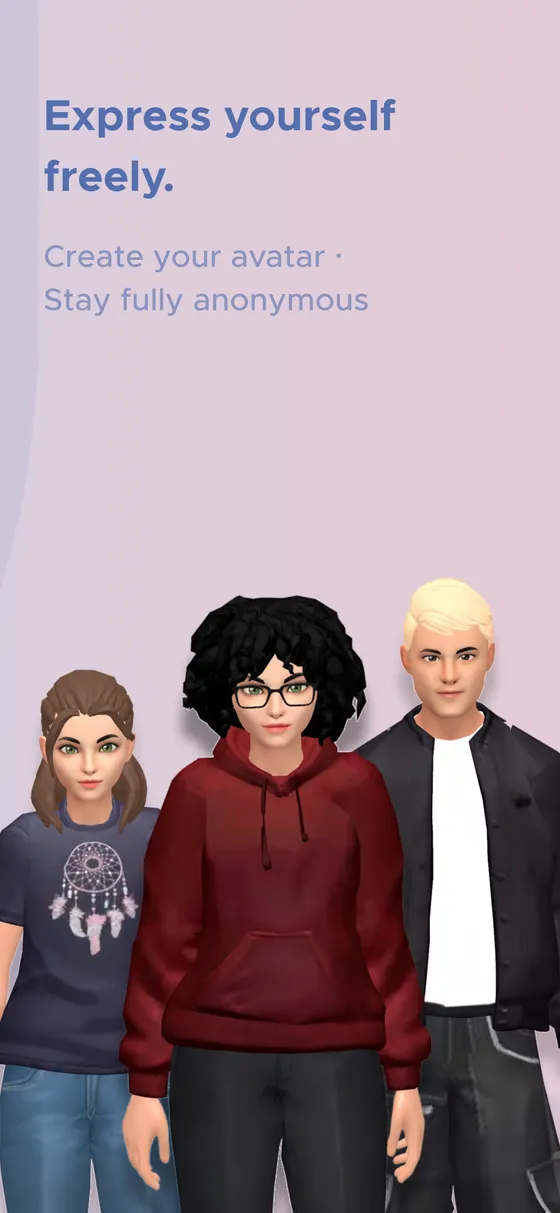
Most wellbeing tools hand you something to watch or read. Lagomya puts you in a place. Whether you are breathing, talking to an expert or joining a live event, you are standing in a 3D world as your avatar, and other people can be there with you.Çoğu iyi oluş aracı sana izlemen ya da okuman için bir şey verir. Lagomya seni bir yere koyar. Nefes alırken, bir uzmanla konuşurken ya da canlı bir etkinliğe katılırken, avatarınla 3D bir dünyanın içinde duruyorsun ve diğer insanlar da seninle orada olabiliyor.
We built every part of the product to be interactive and to let you find yourself in it. A phone or a laptop is enough to step in, and a VR headset only makes it deeper.Ürünün her parçasını etkileşimli olacak ve kendini içinde bulabileceğin şekilde kurguladık. İçeri adım atmak için bir telefon ya da dizüstü bilgisayar yeterli, VR başlığı ise bu deneyimi sadece derinleştirir.
BreathingNefes alırken
With an expertBir uzmanla
At a live eventCanlı bir etkinlikte
02 · Design decisions02 · Tasarım kararları
What every choice was based on.Her seçim neye dayandı.
The idea of stepping into a place decided the rest. Color, form and movement were chosen to make that place feel calm, familiar and alive.Bir yere adım atma fikri geri kalan her şeye yön verdi. Renk, biçim ve hareket, o yerin sakin, tanıdık ve canlı hissettirmesi için seçildi.
ColorRenk
Taken from the sky at dusk.Alacakaranlık gökyüzünden.
The pair comes from the moment when blue gives way to a band of orange and pink light, a view most people already find calming. In the product the two colors also mark the two sides of a session: periwinkle for the client, coral for the expert.İkili, mavinin yerini turuncu ve pembe bir ışık hüzmesine bıraktığı andan geliyor; çoğu insanın zaten sakinleştirici bulduğu bir manzara. Üründe bu iki renk, bir seansın iki tarafını da işaretliyor: danışan için menekşe mavisi, uzman için mercan.
ClientMüşteri#8EA2D3
ExpertUzman#FF8C82
Content areas then borrow tints from the same sky. Relax leans periwinkle, Play and Learn lean coral, so you know where you are before you read a word.İçerik alanları da aynı gökyüzünden tonlar ödünç alır. Relax menekşe mavisine, Play ve Learn mercana yaklaşır; böylece tek kelime okumadan nerede olduğunu anlarsın.
Relax
Play
Learn
FormBiçim
Round, soft, part of the place.Yuvarlak, yumuşak, mekânın bir parçası.
Cards, buttons, badges, avatars and the panels that float in the VR room all share soft, rounded corners. Nothing on screen is sharp, so the interface feels like part of the world instead of a layer on top of it.Kartlar, butonlar, rozetler, avatarlar ve VR odasında süzülen paneller aynı yumuşak, yuvarlak köşeleri paylaşır. Ekranda keskin hiçbir şey yok; böylece arayüz, dünyanın üstündeki bir katman gibi değil, dünyanın bir parçası gibi hissettirir.
MovementHareket
Motion is how you take part.Hareket, katılmanın yolu.
You move through rooms as an avatar, talk in real time and react with emojis, and an avatar’s gaze and gestures carry across to the person in front of you. The same idea runs through every experience, from a session with an expert to a live event.Odalarda avatarınla dolaşır, gerçek zamanlı konuşur, emojilerle tepki verirsin; avatarın bakışı ve jestleri de karşındaki kişiye geçer. Aynı fikir, bir uzmanla seanstan canlı bir etkinliğe kadar her deneyimde sürer.
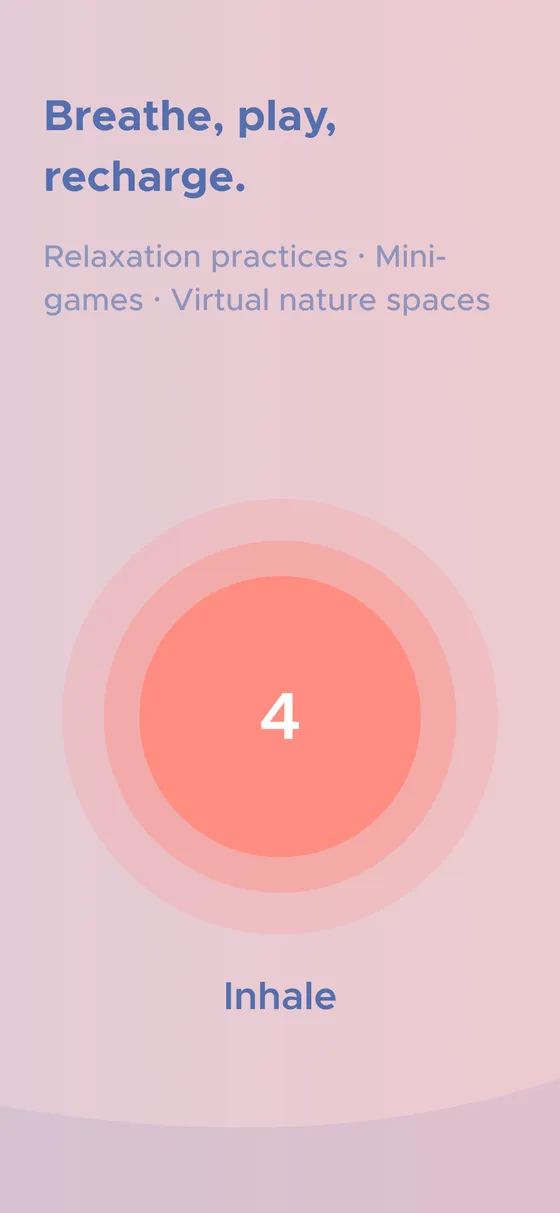
Even the breathing exercise is guided by movement: a circle that grows, holds and releases, shifting from periwinkle to grey to coral.Nefes egzersizi bile hareketle yönlendirilir: büyüyen, bekleyen ve bırakan; menekşe mavisinden griye, oradan mercana geçen bir daire.
Breathe inNefes alHoldTutBreathe outNefes ver
4 s in4 sn al7 s hold7 sn tut8 s out8 sn ver
03 · Five experiences, one platform03 · Beş deneyim, tek platform
Relax, play, learn, join or talk.Rahatla, oyna, öğren, katıl ya da konuş.
The platform starts from what a person needs right now and offers a different way in for each need. Pick one to see how it is designed.Platform, kişinin tam o anda neye ihtiyacı olduğundan yola çıkar ve her ihtiyaç için farklı bir giriş yolu sunar. Nasıl tasarlandığını görmek için birini seç.
Talk
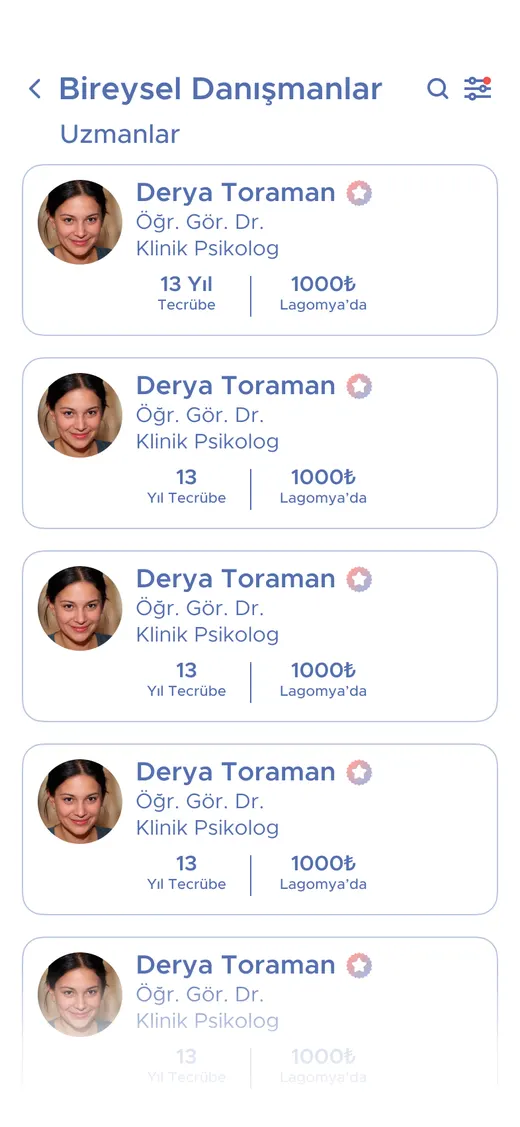
1-on-1 sessions for mental support.Zihinsel destek için birebir seanslar.
Choosing an expert is a comparison task, so experience, area and approach sit together on one card.Uzman seçmek bir karşılaştırma işidir; bu yüzden deneyim, alan ve yaklaşım tek bir kartta bir arada durur.
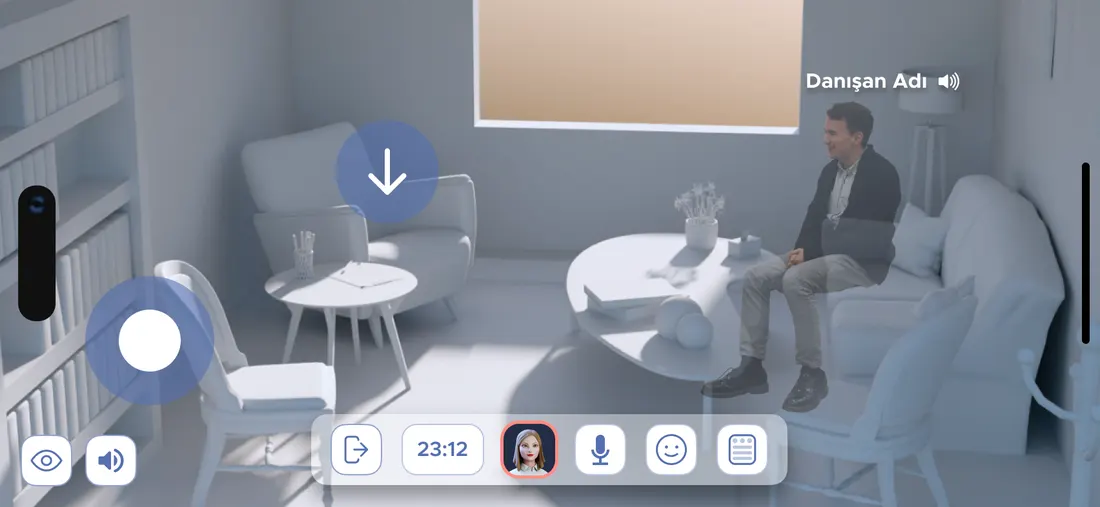
A session can be a video call, or a private room where both people appear as avatars with voice chat, emoji reactions and an interactive screen.Bir seans, görüntülü görüşme olabilir ya da iki kişinin de avatar olarak göründüğü, sesli sohbet, emoji tepkileri ve etkileşimli bir ekran barındıran özel bir oda olabilir.
Behind a session: two paths, one appointmentBir seansın arkasında: iki yol, tek randevu
ClientMüşteri
Choose an expertUzman seçBy experience, area and approachDeneyime, alana ve yaklaşıma göre
Book and payRezervasyon yap ve ödePick a time slotBir zaman aralığı seç
Start the sessionSeansı başlatAt the scheduled timePlanlanan saatte
The session · video or a private 3D roomSeans · görüntülü görüşme ya da özel 3D oda
ExpertUzman
Create a profileProfil oluşturSpecialty, approach, feesUzmanlık, yaklaşım, ücretler
Manage the calendarTakvimi yönetHours and bookingsSaatler ve rezervasyonlar
Meet the clientDanışanla buluşA secure sessionGüvenli bir seans
Relax
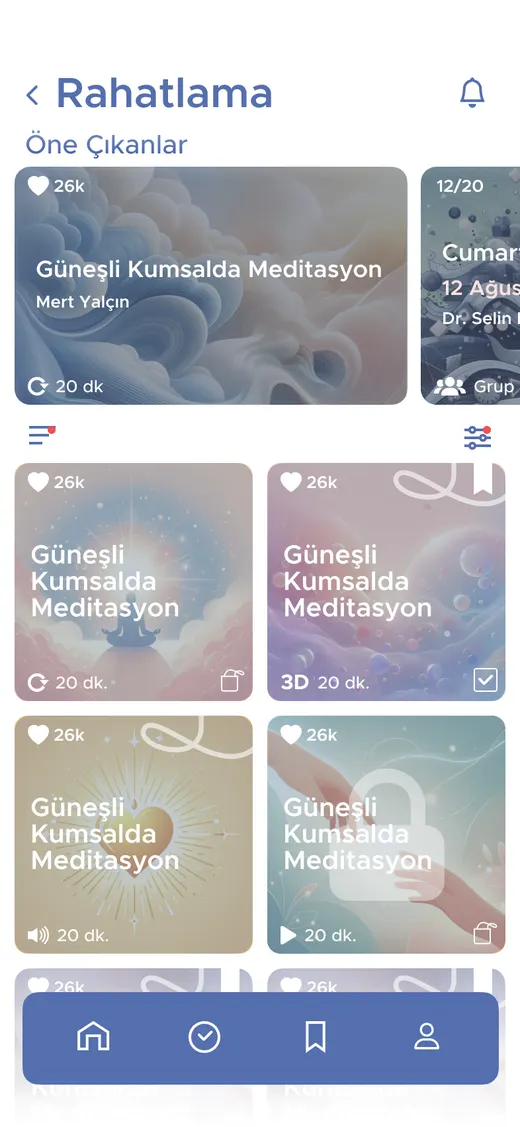
Calming practices for daily wellbeing.Günlük iyi oluş için sakinleştirici pratikler.
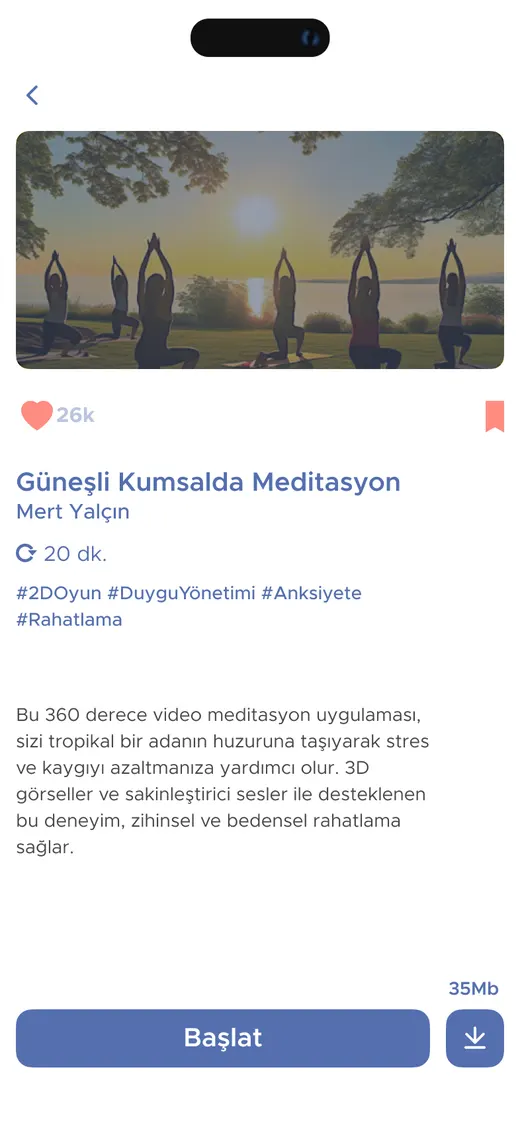
Guided meditation and breathing exercises, many of them in 3D or as 360° video.Rehberli meditasyon ve nefes egzersizleri; çoğu 3D ya da 360° video olarak.
Each item shows its length up front, so starting one never feels like a big commitment.Her içerik süresini en başta gösterir, böylece birine başlamak hiçbir zaman büyük bir taahhüt gibi hissettirmez.
Play
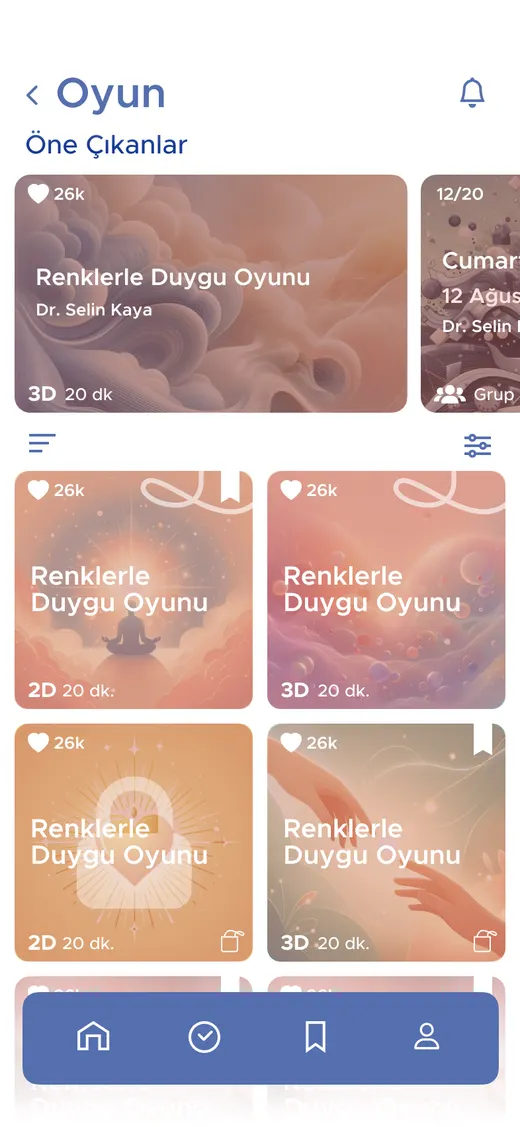
Soothing mini-games for mental breaks.Zihinsel molalar için rahatlatıcı mini oyunlar.
Short games built for a pause, not for a high score. One of them, for example, is about naming an emotion with colors.Yüksek skor için değil, ara vermek için tasarlanmış kısa oyunlar. Örneğin biri, bir duyguyu renklerle adlandırmakla ilgili.
Each card carries its duration, the same way the relaxing content does.Her kart, rahatlatıcı içeriklerde olduğu gibi süresini taşır.
Learn
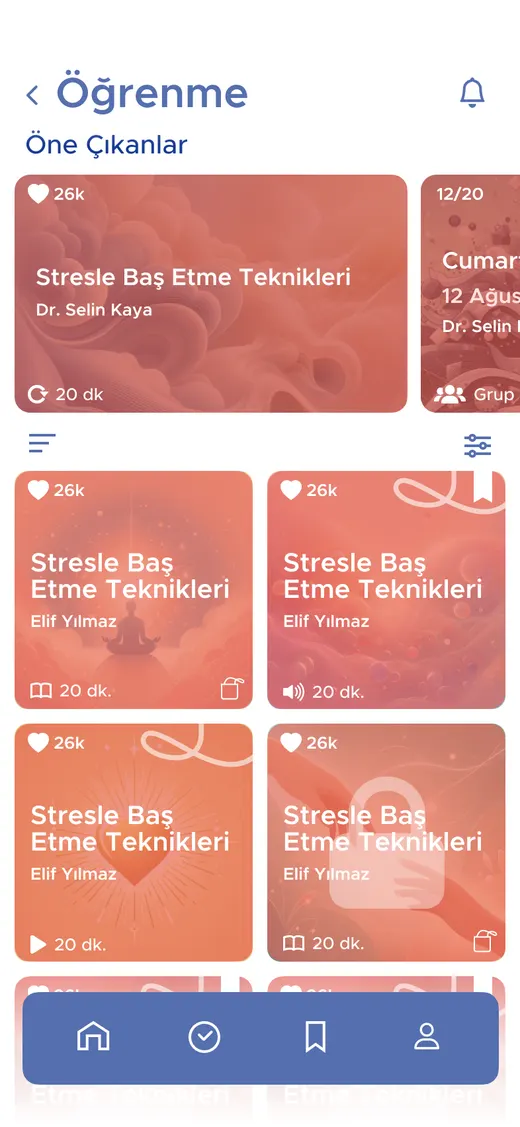
Psychoeducation for healthy habits.Sağlıklı alışkanlıklar için psikoeğitim.
Content from named experts, organized like a short course with sections and durations.İsimleri belli uzmanlardan içerikler; bölümleri ve süreleriyle kısa bir kurs gibi düzenlenmiş.
Progress and achievements appear as small round badges, so growth feels like part of the world.İlerleme ve başarılar küçük yuvarlak rozetlerle görünür, böylece gelişim dünyanın bir parçası gibi hissettirir.
Connect
Virtual spaces for live sessions.Canlı seanslar için sanal alanlar.
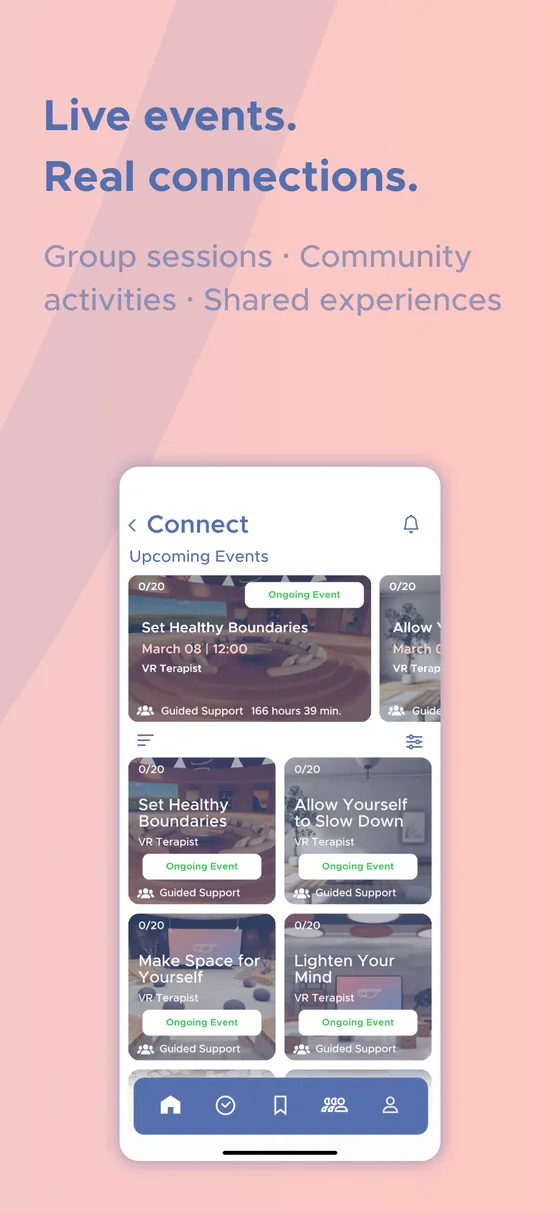
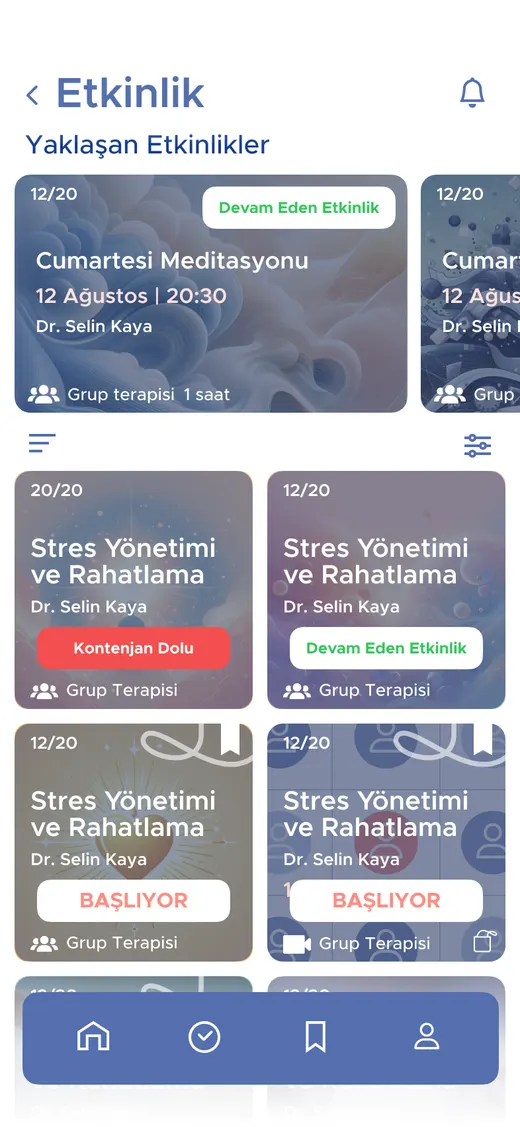
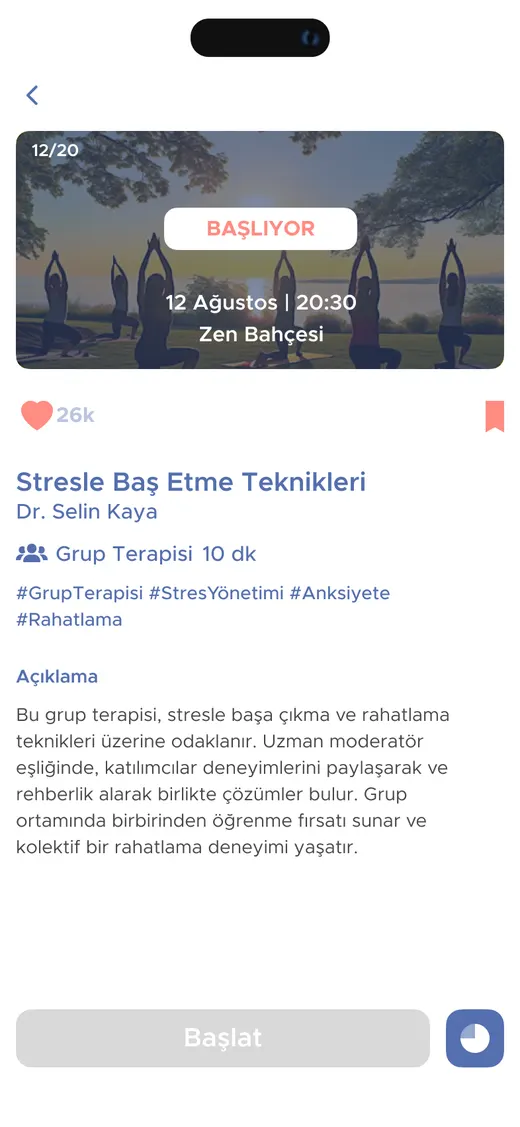
Live events and group sessions, with clear states such as ongoing or starting soon.Canlı etkinlikler ve grup seansları; devam ediyor ya da yakında başlıyor gibi net durumlarla.
People can join with their avatar or on video, and meet the other participants’ avatars in the same space.İnsanlar avatarlarıyla ya da görüntülü katılabilir ve aynı alanda diğer katılımcıların avatarlarıyla buluşabilir.
04 · Across devices04 · Cihazlar arası
Same pieces, rearranged for each device.Aynı parçalar, her cihaz için yeniden düzenlendi.
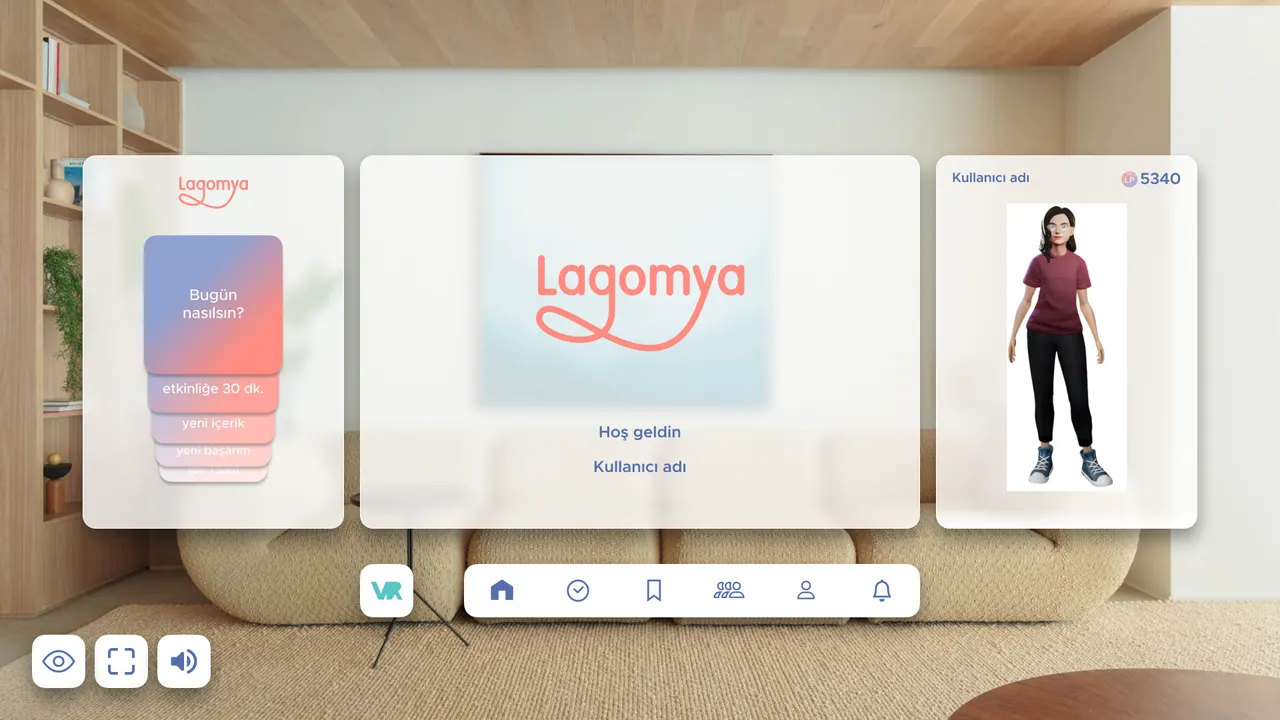
In the headset the home screen opens into three panels floating in the room: your mood on the left, content in the middle, your avatar on the right. On a phone the same three pieces stack into one column.Başlıkta ana ekran, odanın içinde süzülen üç panele açılır: solda ruh halin, ortada içerik, sağda avatarın. Telefonda aynı üç parça tek bir sütunda üst üste dizilir.
05 · A first look05 · İlk bakış
A first look at the world.Dünyaya ilk bakış.
Thank you for your time.Zaman ayırdığınız için teşekkürler.
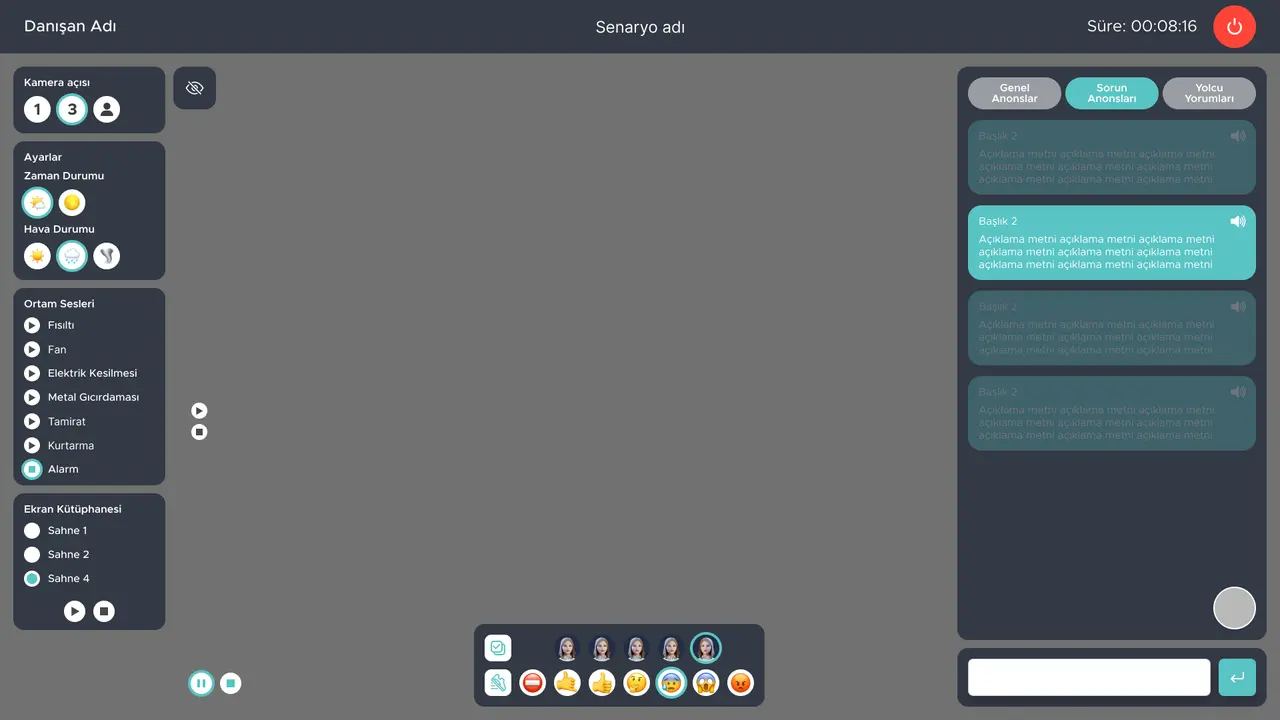
A control panel for specialists who run exposure and relaxation sessions in VR, designed to stay out of the way of the scene.VR'da maruz bırakma ve rahatlama seansları yürüten uzmanlar için, sahnenin önüne geçmemek üzere tasarlanmış bir kontrol paneli.
ClientMüşteriFreelance - Metaverse Yazılım
DisciplineDisiplinProduct & Service DesignÜrün ve Servis Tasarımı
PlatformMobile, Desktop, VRMobil, Masaüstü, VR
YearYıl2023-now2023-günümüz
01 · The service01 · Servis
Four steps, two screens.Dört adım, iki ekran.
A session has a clear order: the specialist picks a scenario, sets it up, runs it and then looks back. Only one of those steps happens inside the headset, so the design has to serve two people in two different places.Bir seansın net bir sırası var: uzman bir senaryo seçer, kurar, çalıştırır ve sonra geriye bakar. Bu adımlardan yalnızca biri başlığın içinde gerçekleşir; bu yüzden tasarım, iki ayrı yerdeki iki kişiye hizmet etmek zorunda.
1 · Pick1 · Seç
2 · Set up2 · Kur
3 · Run3 · Çalıştır
4 · Evaluate4 · Değerlendir
SpecialistUzmanDesktopMasaüstü
Choose a scenarioBir senaryo seçFrom the libraryKütüphaneden
Shape the sceneSahneyi şekillendirAvatars, dialogue, difficultyAvatarlar, diyalog, zorluk
Run the sessionSeansı yürütWatch live, step in, stop at any momentCanlı izle, devreye gir, istediğin an durdur
Look backGeriye bakNotes and progress over timeNotlar ve zaman içindeki ilerleme
ClientMüşteriHeadsetBaşlık
Outside the headsetBaşlığın dışında
Outside the headsetBaşlığın dışında
Outside the headsetBaşlığın dışında
02 · The specialist’s screen02 · Uzmanın ekranı
A control room that stays out of the way.Yolundan çekilen bir kontrol odası.
The specialist’s job is to watch the client, not the interface. So the panel is dark and neutral, one teal highlight marks what is active, and every control lives at the edges where it will not cover the scene. Hover a number below to find it on the screen.Uzmanın işi arayüzü değil, danışanı izlemek. Bu yüzden panel koyu ve nötr, aktif olanı tek bir turkuaz vurgu işaretliyor ve her kontrol sahneyi örtmeyecek şekilde kenarlarda duruyor. Ekranda bulmak için aşağıdaki bir numaranın üzerine gel.
1234567
Camera angleKamera açısı
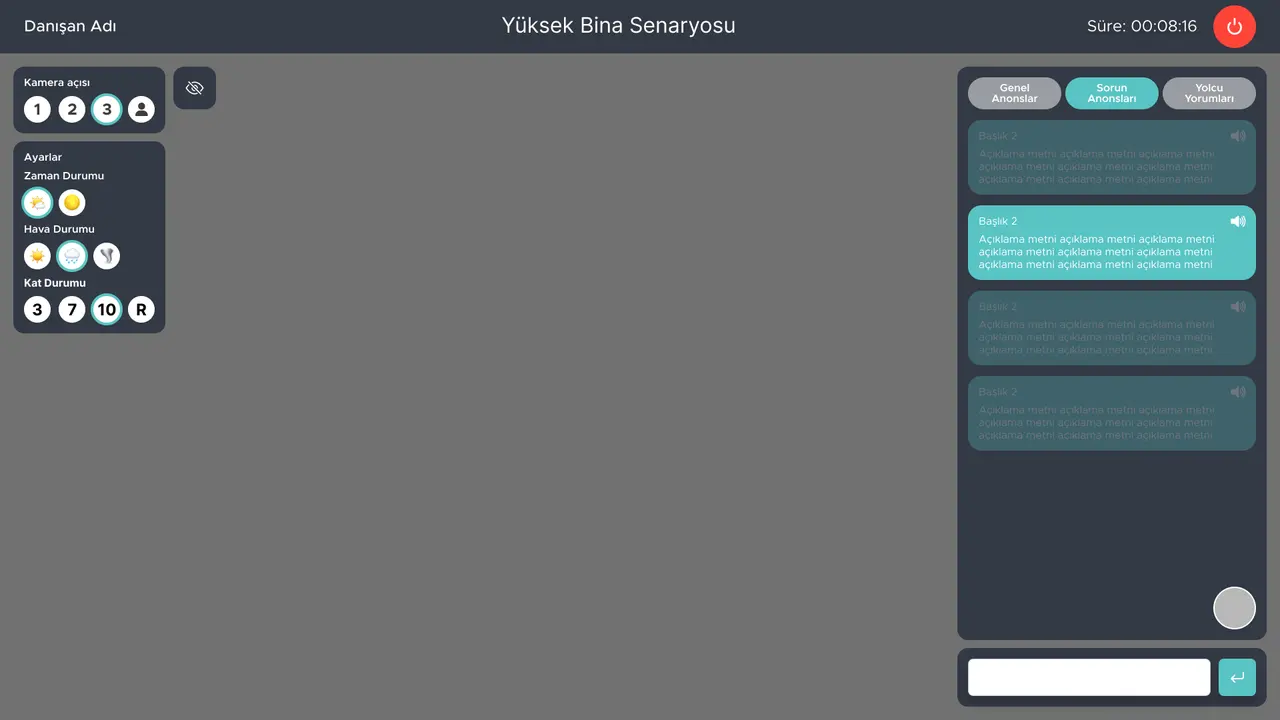
Time of day and weatherGünün saati ve hava durumu
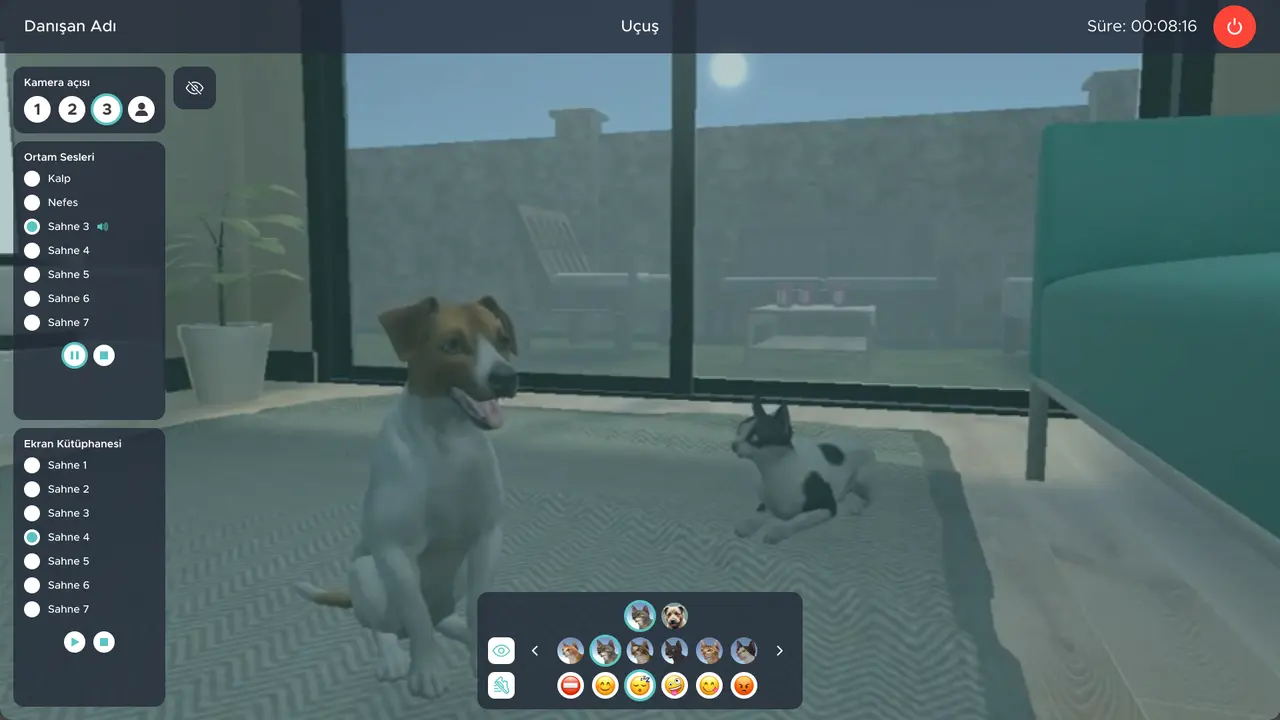
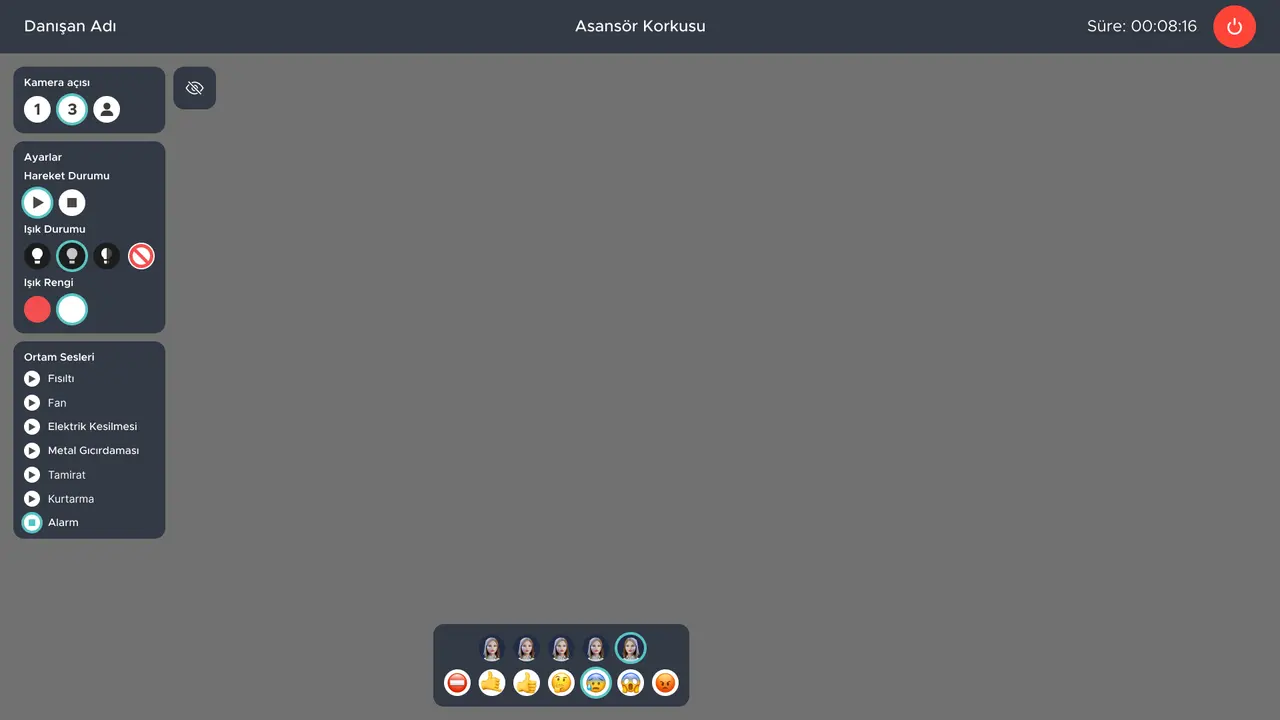
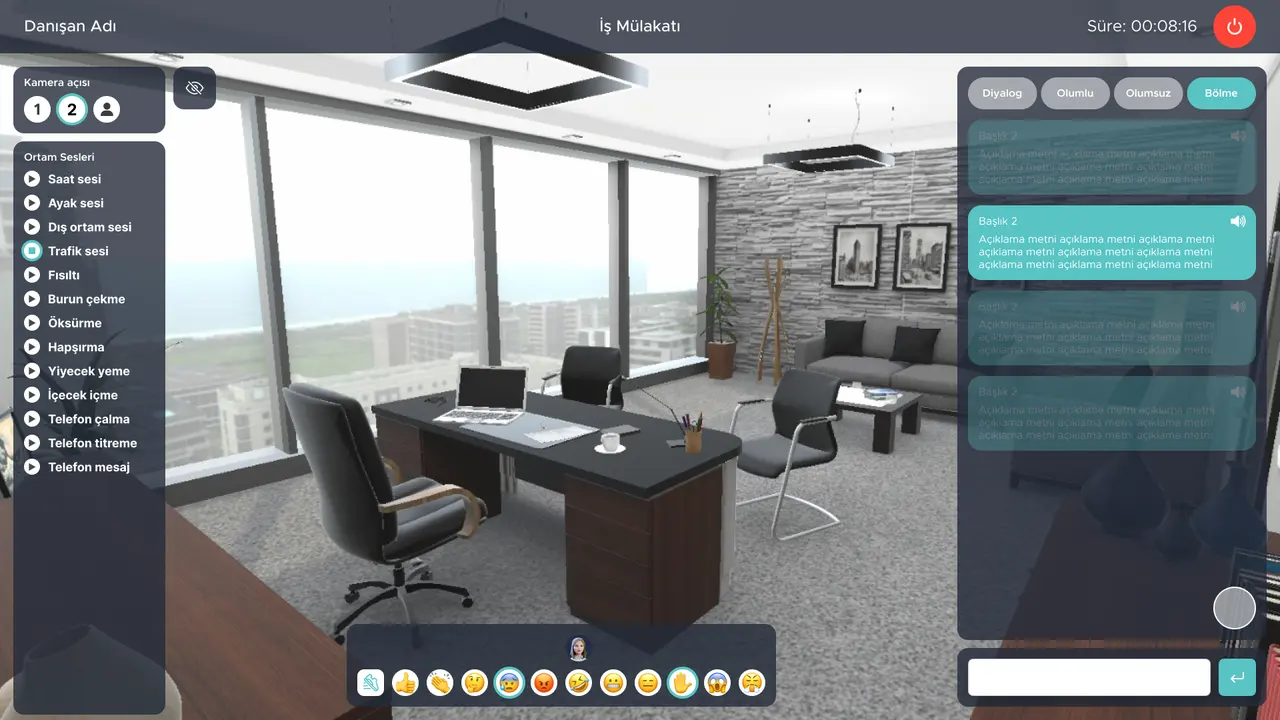
Ambient soundsOrtam sesleri
Screen library for scenesSahneler için ekran kütüphanesi
Messages the specialist can sendUzmanın gönderebileceği mesajlar
Reactions and avatarsTepkiler ve avatarlar
Session timer and exitSeans zamanlayıcısı ve çıkış
03 · Try it03 · Dene
Take the specialist’s seat.Uzmanın koltuğuna otur.
Change the place the way the panel does. The client would see it shift around them, live. The same idea runs the relaxation areas, a set of natural places used to prepare before a session or to recover after one.Mekânı panelin yaptığı gibi değiştir. Danışan bunun kendi etrafında canlı olarak değiştiğini görür. Aynı fikir, seanstan önce hazırlanmak ya da sonra toparlanmak için kullanılan doğal mekânlar olan rahatlama alanlarını da yönetiyor.
What the client seesDanışanın gördüğü
Time of dayGünün saati
WeatherHava
Ambient soundOrtam sesi
Send a messageMesaj gönder
04 · One panel, many places04 · Tek panel, birçok yer
Every scenario brings its own controls.Her senaryo kendi kontrollerini getirir.
The frame stays the same, so the specialist always knows where things are. Only the tools inside change.Çerçeve aynı kalır, böylece uzman her şeyin nerede olduğunu hep bilir. Yalnızca içindeki araçlar değişir.
Sounds and scene choices belong to the scenario. Nothing is shared between scenarios unless it needs to be.Sesler ve sahne seçenekleri senaryoya aittir. Gerekmedikçe senaryolar arasında hiçbir şey paylaşılmaz.
The specialist sets the movement, the light state and the light color.Uzman hareketi, ışık durumunu ve ışık rengini belirler.
The floor, the time of day and the weather are the dials that matter here.Burada önemli olan kadranlar zemin, günün saati ve hava durumudur.
Footsteps, coughing, traffic and a ringing phone can be triggered while the session runs.Seans sürerken ayak sesleri, öksürük, trafik ve çalan bir telefon tetiklenebilir.
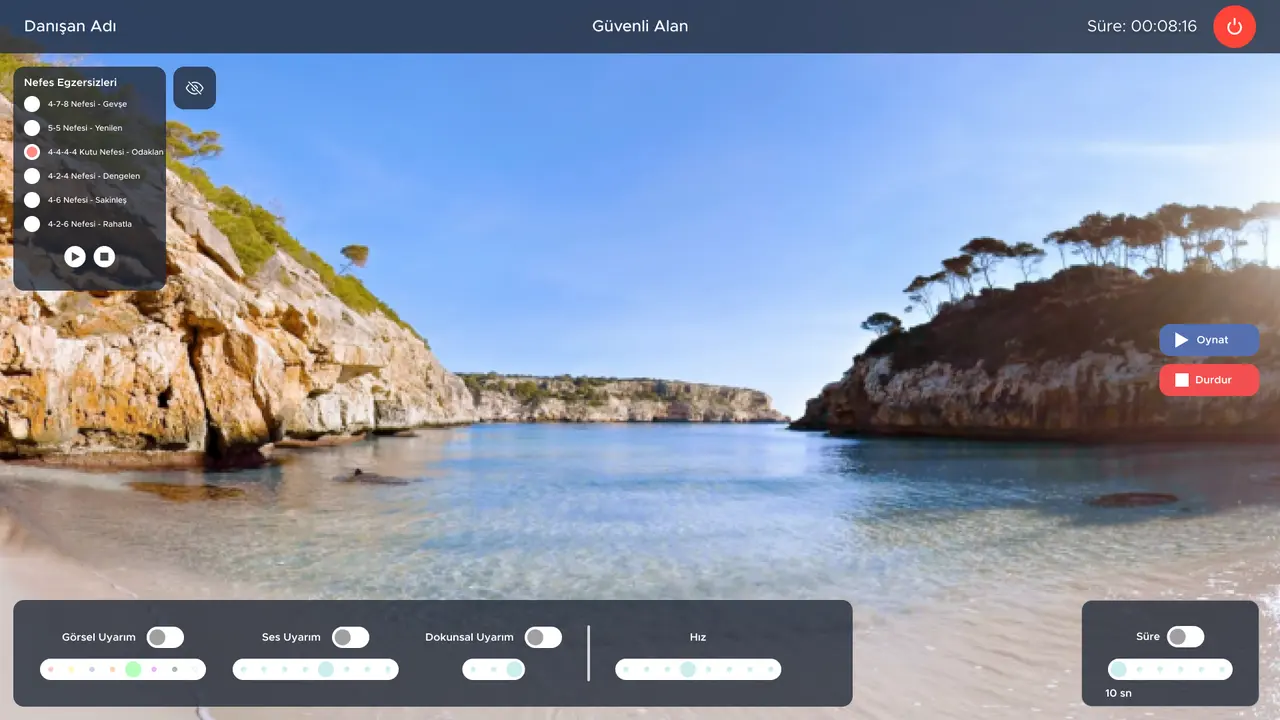
Breathing exercises on one side, sliders for visual, audio and tactile stimulation and speed along the bottom.Bir yanda nefes egzersizleri, altta görsel, işitsel ve dokunsal uyarım ile hız için kaydırıcılar.
05 · Choosing where to go05 · Nereye gideceğini seçmek
A library that reads like a menu of rooms.Oda menüsü gibi okunan bir kütüphane.
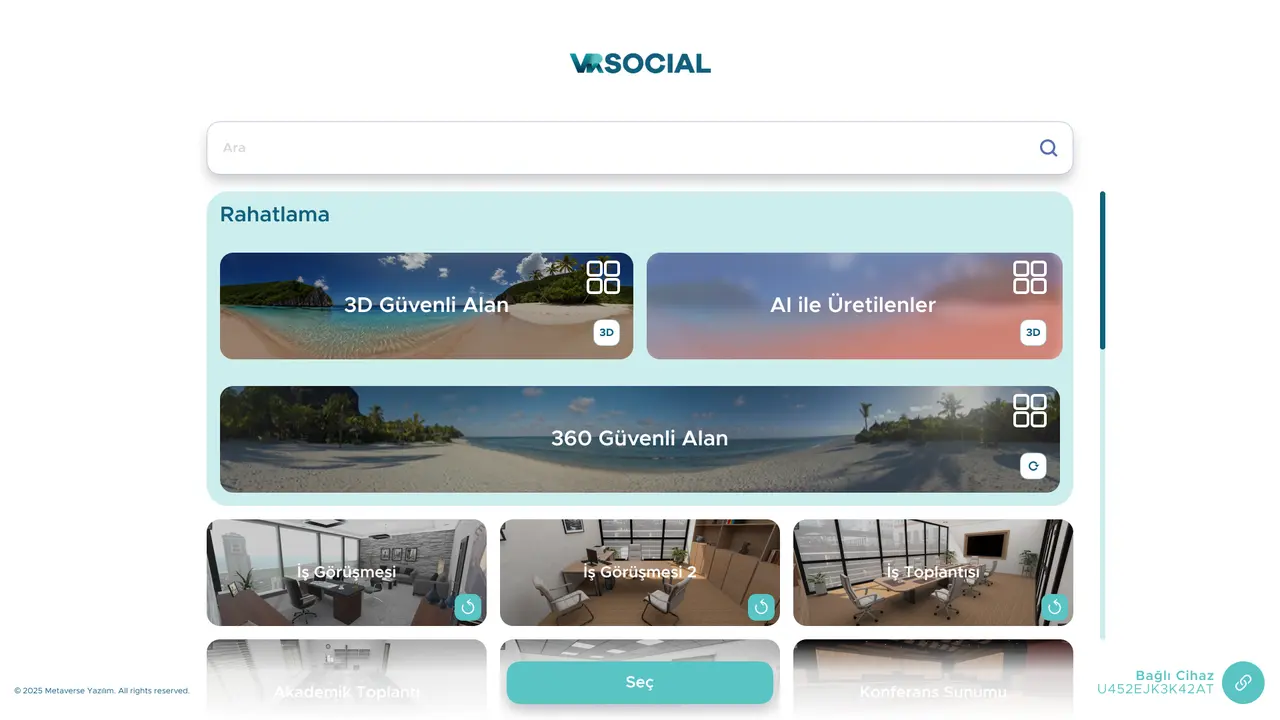
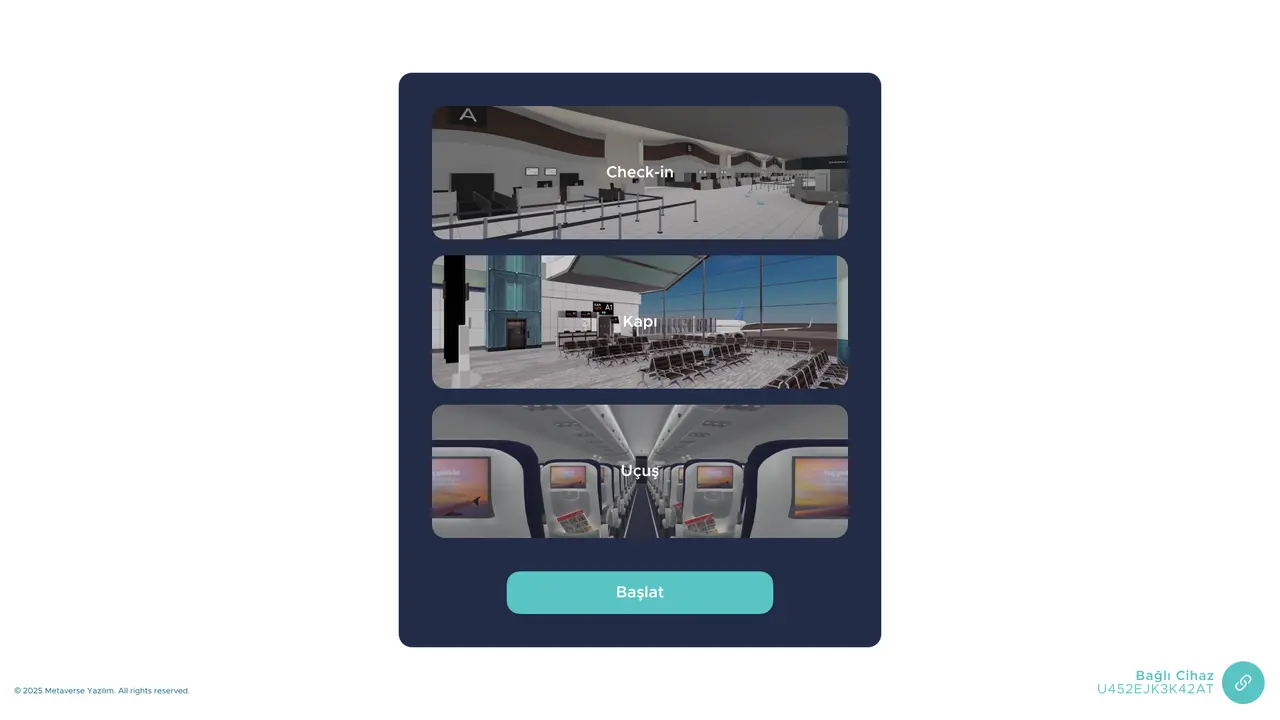
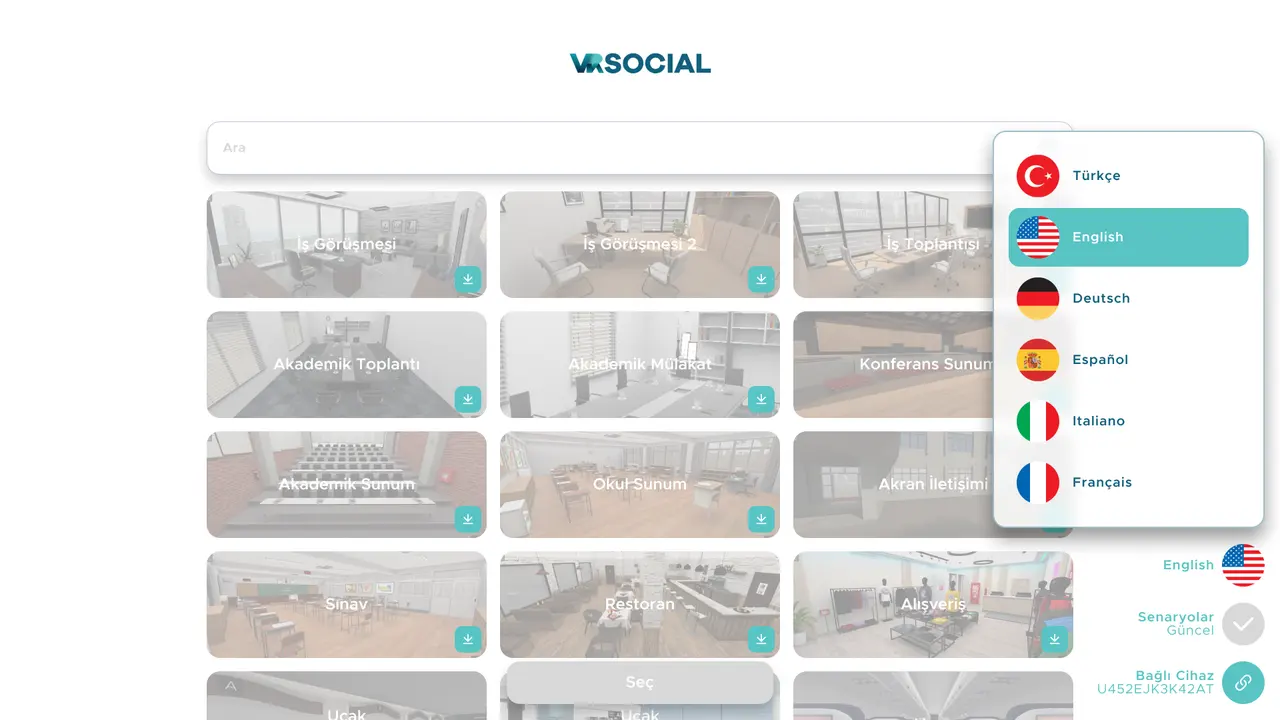
3D and 360° safe spaces sit at the top, followed by scenarios such as interviews, meetings, exams and flights. A scenario can be split into steps, for example check-in, gate and flight, and scenes can also be generated with AI. The interface speaks six languages: Turkish, English, German, Spanish, Italian and French.3D ve 360° güvenli alanlar en üstte yer alır, ardından mülakat, toplantı, sınav ve uçuş gibi senaryolar gelir. Bir senaryo adımlara bölünebilir; örneğin check-in, kapı ve uçuş. Sahneler yapay zeka ile de üretilebilir. Arayüz altı dilde konuşur: Türkçe, İngilizce, Almanca, İspanyolca, İtalyanca ve Fransızca.
Thank you for your time.Zaman ayırdığınız için teşekkürler.
ConceptKonseptIndependent concept for WhatsAppWhatsApp için bağımsız konsept
DisciplineDisiplinProduct & Service DesignÜrün ve Servis Tasarımı
PlatformMobile appMobil uygulama
YearYıl2023
01
Problem
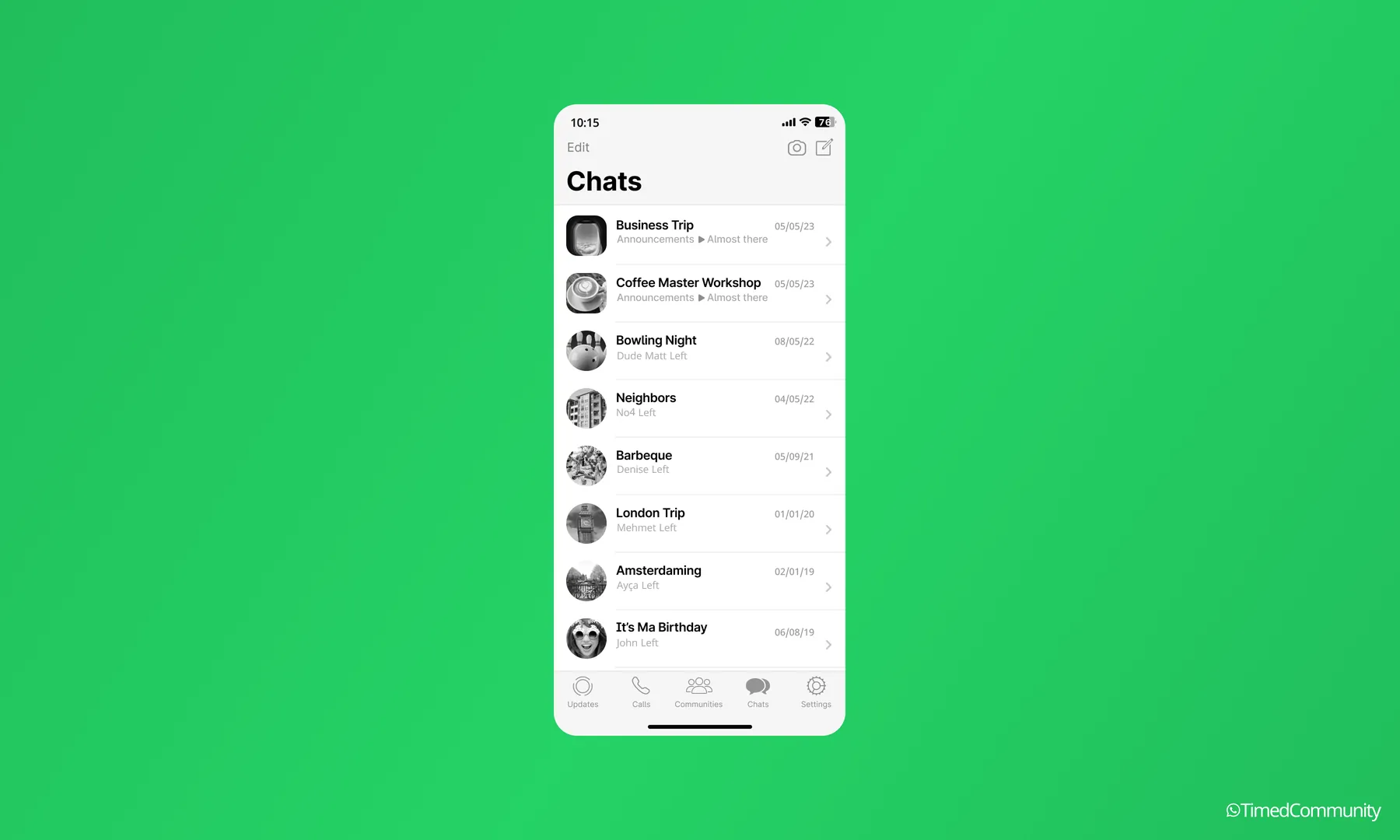
On WhatsApp, many groups are created for short-term plans, but after a while, they become inactive and are left unused.WhatsApp'ta pek çok grup kısa süreli planlar için kurulur, ancak bir süre sonra aktifliğini yitirir ve kullanılmadan kalır.
Some users may find it challenging to leave these groups for some social and special reasons. As a result, millions of users end up with inactive groups cluttering the bottom of their chat windows.Bazı kullanıcılar, sosyal ve kişisel nedenlerle bu gruplardan ayrılmayı zor bulabilir. Sonuç olarak milyonlarca kullanıcının sohbet listesinin altı, aktif olmayan gruplarla dolar.
02
SolutionÇözüm
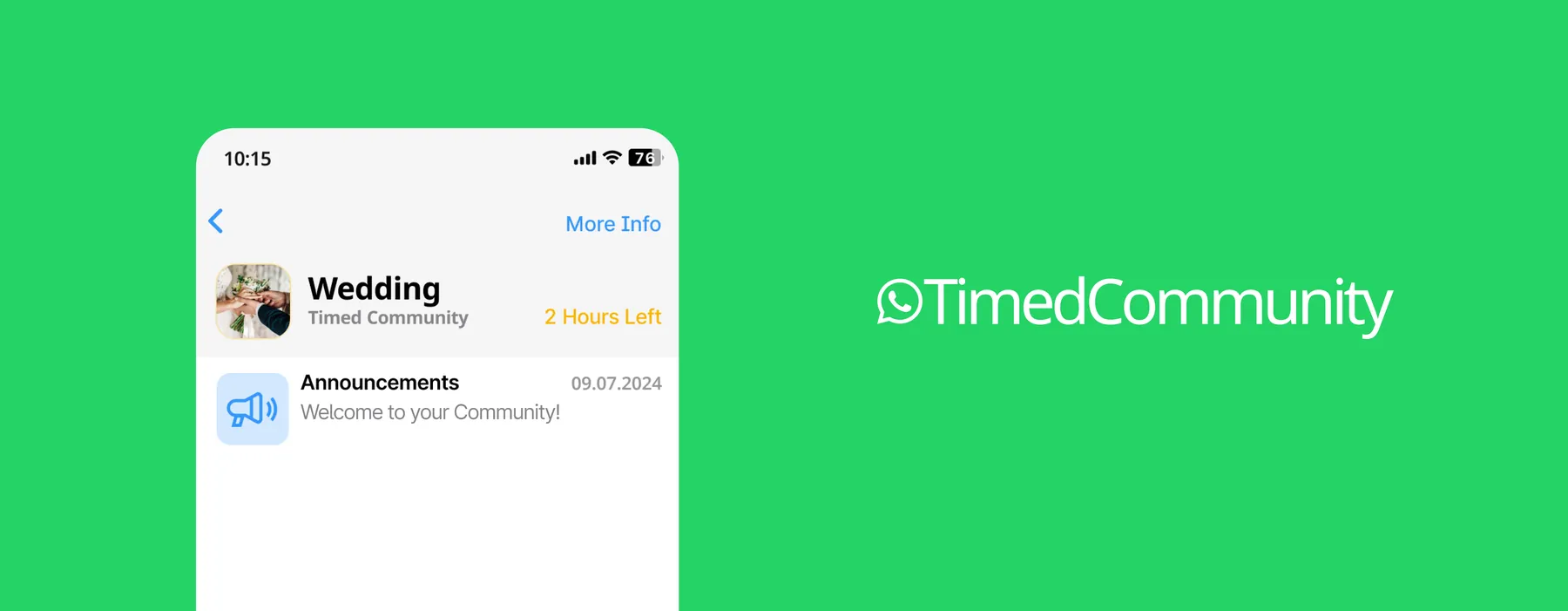
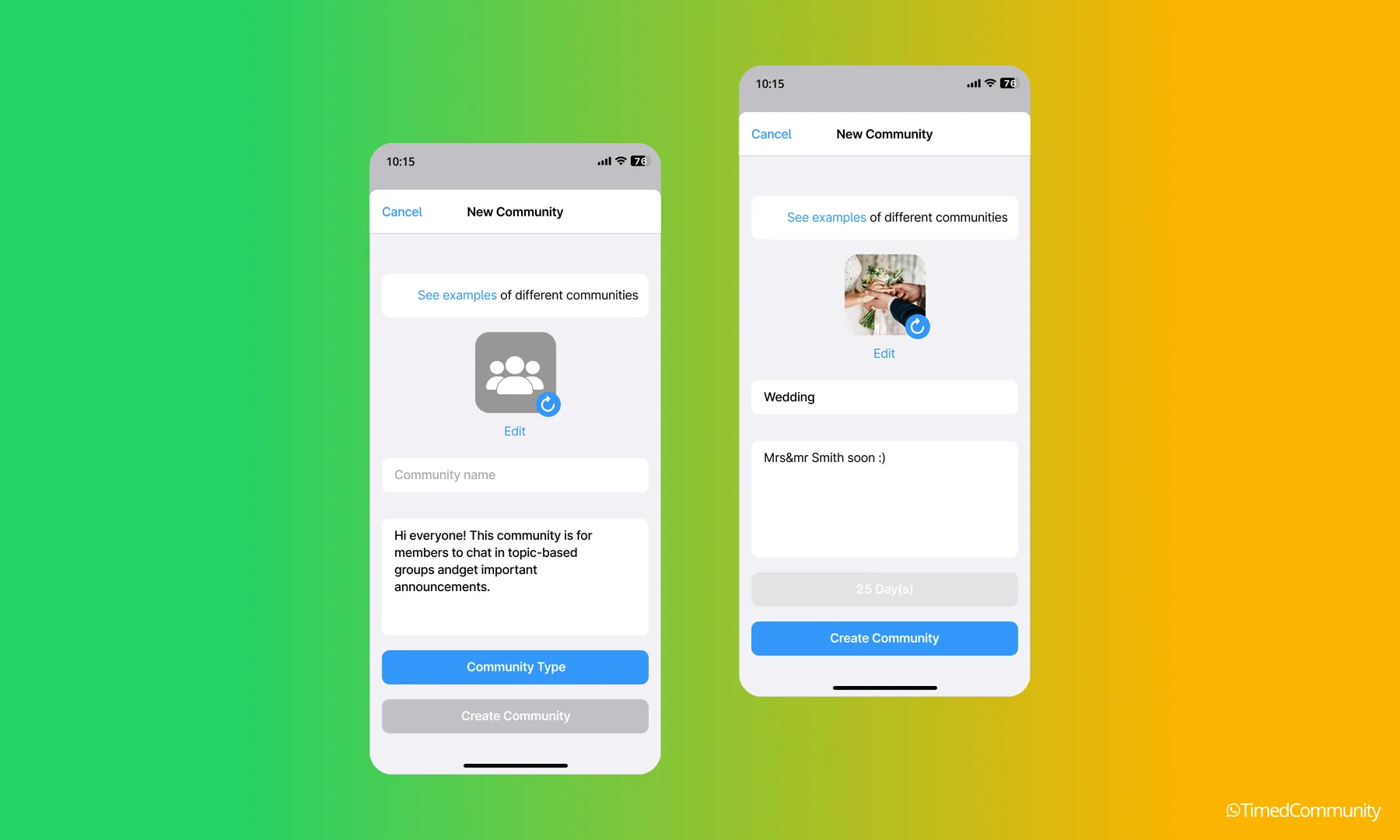
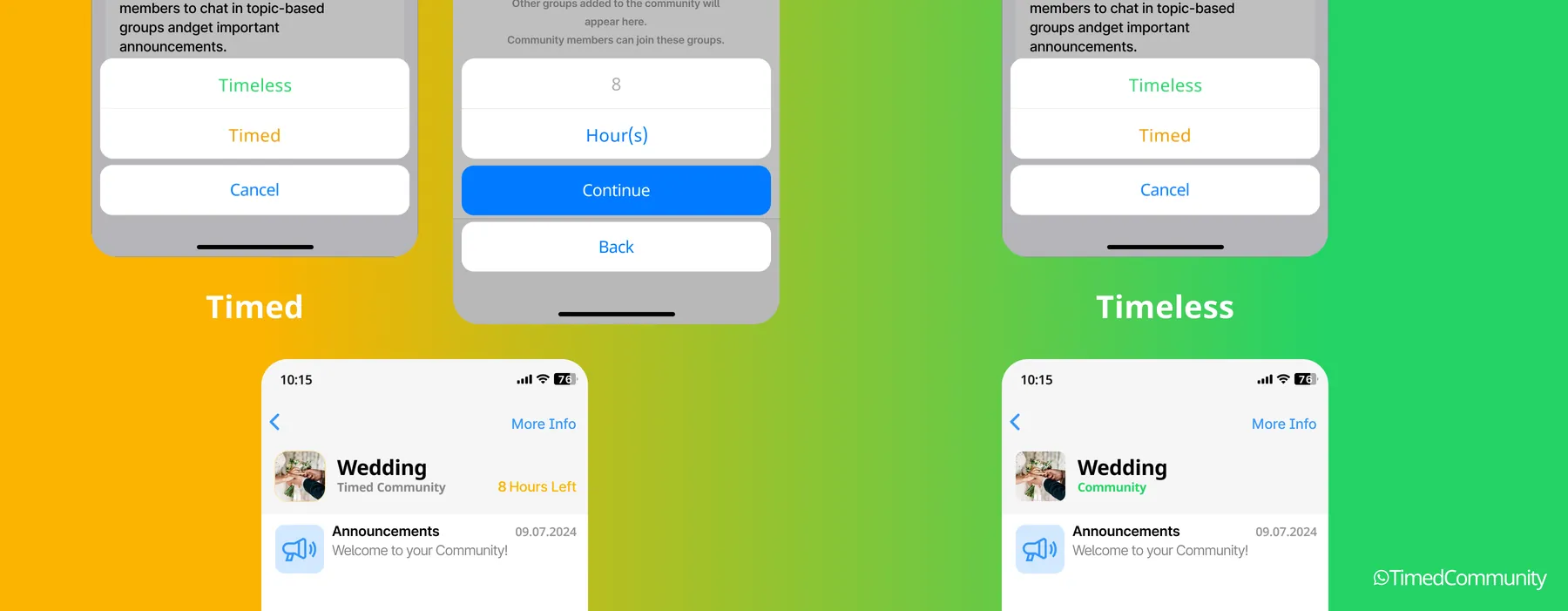
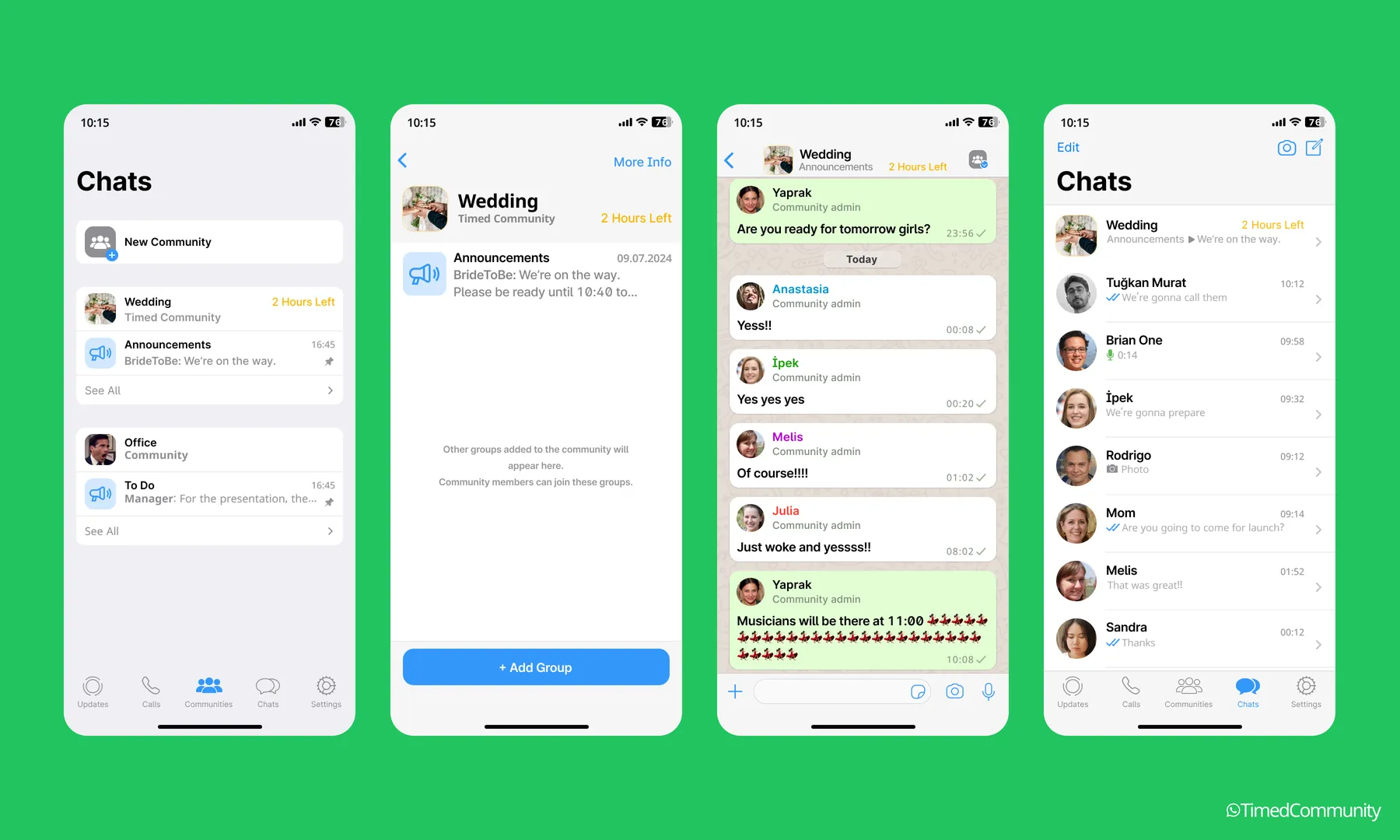
With TimedCommunity, when creating a community, WhatsApp users can set its type as “Timed” or “Timeless” from the “Community Type” option. In timed communities, the community type is limited by selecting options such as hours, days, and months.TimedCommunity ile WhatsApp kullanıcıları bir topluluk oluştururken “Topluluk Türü” seçeneğinden türünü “Zamanlı” ya da “Zamansız” olarak belirleyebilir. Zamanlı topluluklarda süre; saat, gün ve ay gibi seçeneklerle sınırlandırılır.
In timed communities, the animated community avatar provides sequential feedback indicating that the community is temporary. The countdown indicator shows how much time is left until the community becomes inactive.Zamanlı topluluklarda animasyonlu topluluk avatarı, topluluğun geçici olduğunu adım adım hissettirir. Geri sayım göstergesi ise topluluğun aktifliğini yitirmesine ne kadar süre kaldığını gösterir.
Users can change time settings in the timed communities as Timeless. Adding time is also available if users need more.Kullanıcılar zamanlı bir topluluğu istedikleri zaman Zamansız olarak değiştirebilir. Daha fazla süre gerekirse süre eklemek de mümkündür.
01Pick a typeBir tür seç
When creating a community, WhatsApp users set its type as “Timed” or “Timeless” from the “Community Type” option.Topluluk oluştururken kullanıcılar “Topluluk Türü” seçeneğinden türü “Zamanlı” ya da “Zamansız” olarak belirler.
02Set the timeSüreyi belirle
In timed communities, the duration is limited by selecting options such as hours, days, and months.Zamanlı topluluklarda süre; saat, gün ve ay gibi seçeneklerle sınırlandırılır.
03Sequential feedbackAdım adım geri bildirim
The animated community avatar gives sequential feedback that the community is temporary.Animasyonlu topluluk avatarı, topluluğun geçici olduğunu adım adım hissettirir.
04Countdown indicatorGeri sayım göstergesi
A countdown indicator shows how much time is left until the community becomes inactive.Geri sayım göstergesi, topluluğun aktifliğini yitirmesine ne kadar süre kaldığını gösterir.
05Across the appUygulamanın her yerinde
The remaining time follows the community from the Communities tab to its info page and chat.Kalan süre, topluluğu Topluluklar sekmesinden bilgi sayfasına ve sohbete kadar takip eder.
06Time expiredSüre doldu
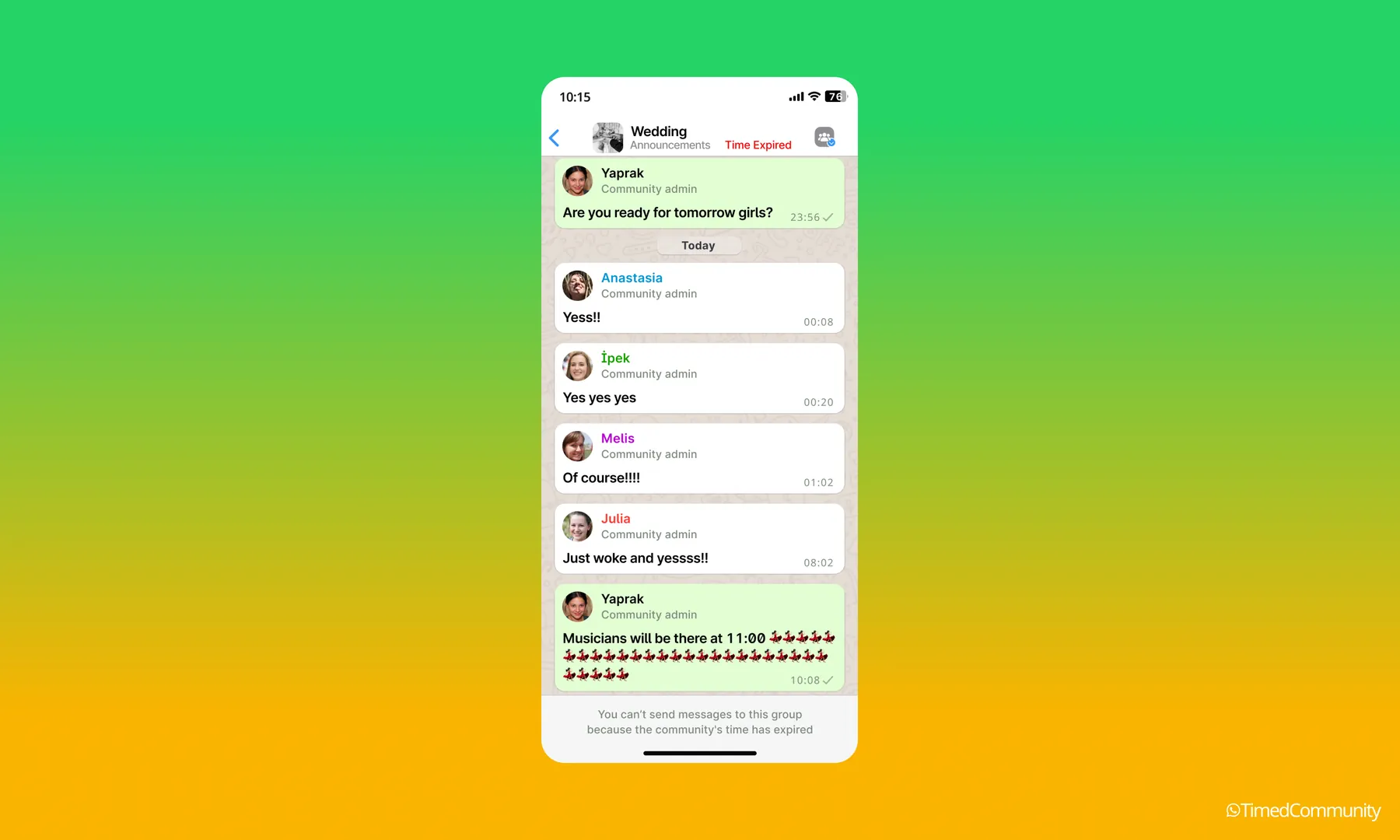
When the countdown ends, the community becomes inactive.Geri sayım bittiğinde topluluk aktif olmaktan çıkar.
07As much as you needİhtiyacın kadar
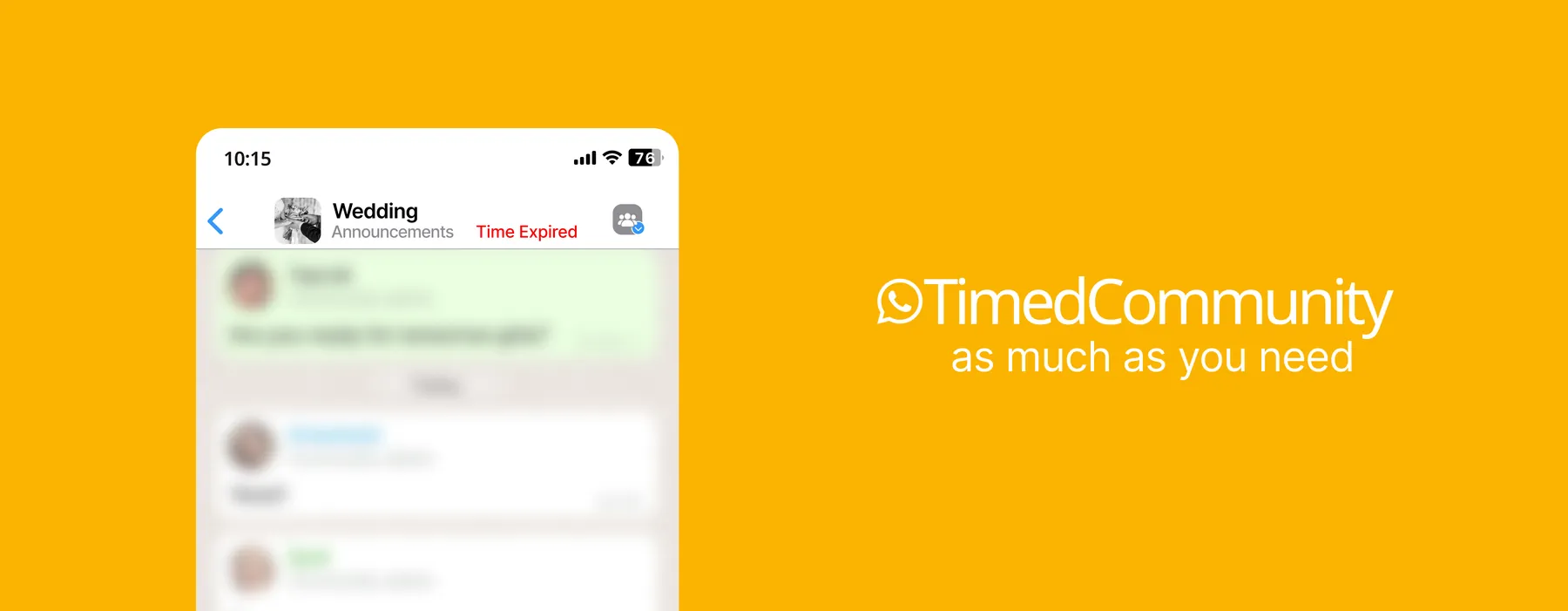
Users can switch a timed community to Timeless, and adding more time is also possible if they need it.Kullanıcılar zamanlı bir topluluğu Zamansız'a çevirebilir, gerekirse daha fazla süre de ekleyebilir.
Thank you for your time.Zaman ayırdığınız için teşekkürler.
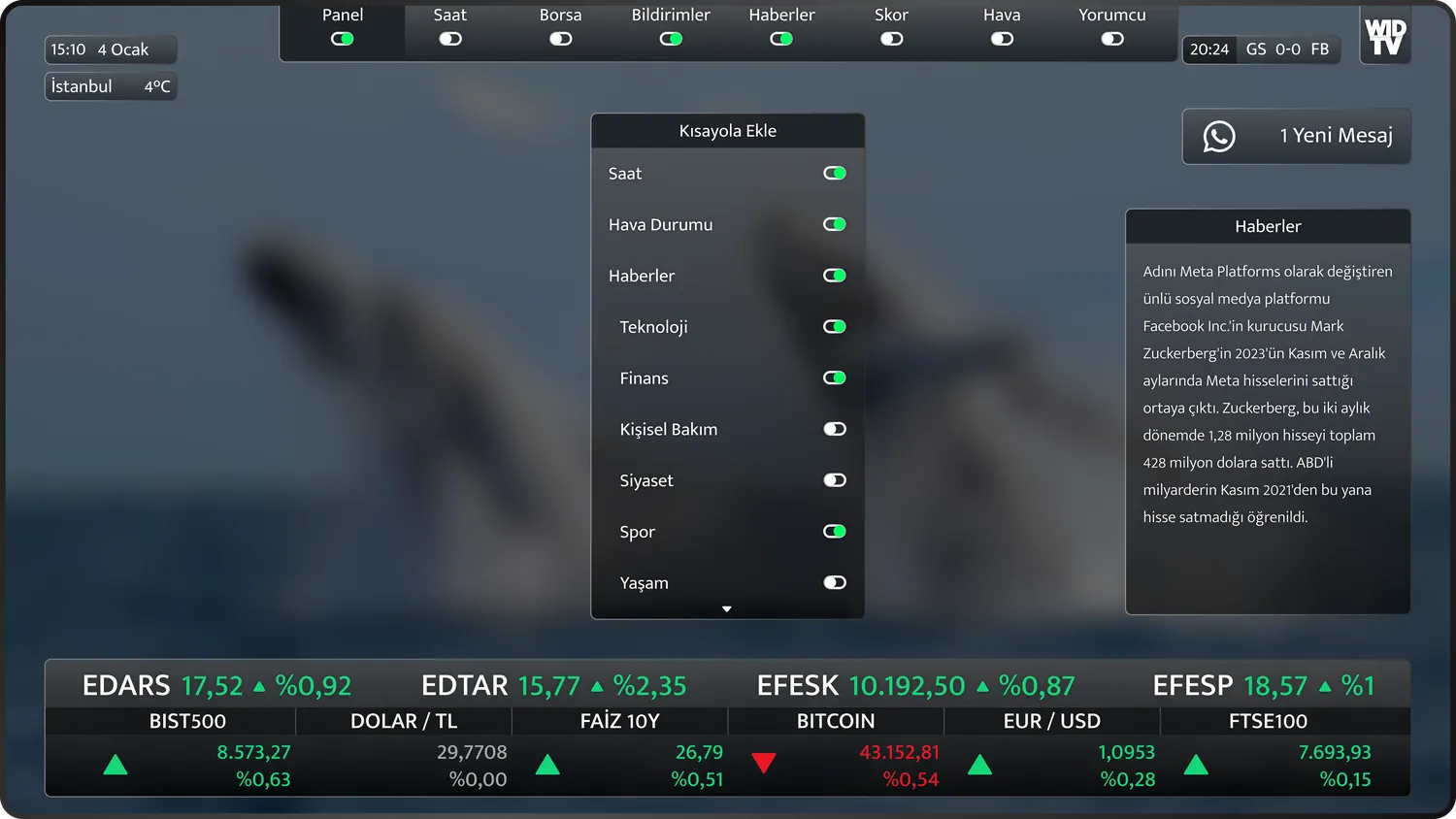
WidTV puts live news, time, weather, notifications, scores and commentary on the screen people are already watching.WidTV; canlı haberleri, saati, hava durumunu, bildirimleri, skorları ve spiker anlatımını insanların zaten izlediği ekranın üzerine taşır.
ConceptKonseptPersonal concept projectKişisel konsept projesi
DisciplineDisiplinService DesignServis Tasarımı
PlatformTV
YearYıl2024
01
Why people look awayİnsanlar neden başka yere bakıyor
I interviewed10 people who watch a lot of TVTelevizyonu çok izleyen 10 kişiyle görüştümand asked one question: while you watch, which live services on other devices do you feel the need to check?ve tek bir soru sordum: içerik izlerken, başka cihazlardaki hangi canlı servisleri takip etme ihtiyacı duyuyorsun?
Five habits came up. Each one sends the viewer to a second screen.Beş alışkanlık öne çıktı. Hepsi izleyiciyi ikinci bir ekrana yönlendiriyor.
01
NewsHaberler
Following the news on social media or news sites while the TV is on.TV açıkken haberleri sosyal medyadan ya da haber sitelerinden takip etmek.
02
Time and weatherSaat ve hava durumu
Picking up another device to check the local time or the weather.Yerel saati ya da hava durumunu öğrenmek için başka bir cihaza uzanmak.
03
NotificationsBildirimler
Wanting to know about social media messages, without every unneeded app alert getting in the way.Sosyal medya mesajlarından haberdar olmak ama gereksiz uygulama uyarılarının araya girmesini istememek.
04
Live scoresCanlı skorlar
Some matches are scored only on certain channels, so people switch channels or check the phone.Bazı maçların skoru yalnızca belirli kanallarda veriliyor; bu yüzden insanlar kanal değiştiriyor ya da telefona bakıyor.
05
Streaming platformsYayın platformları
Younger viewers like to watch video and TV with a digital broadcaster’s commentary, following two pieces of content on two devices.Genç izleyiciler videoyu ve TV içeriğini bir dijital yayıncının yorumuyla izlemeyi seviyor ve iki farklı içeriği iki farklı cihazdan takip ediyor.
02
The service guideServis rehberi
Each habit became a service. The switches in the row at the top open a widget. The panel decides which services get a place in that row. Try it.Her alışkanlık bir servise dönüştü. En üstteki sıradaki anahtarlar bir widget'ı açar. Panel ise hangi servislerin bu sırada yer alacağına karar verir. Denemek için tıkla.
Kısayola Ekle
▼
Contentİçerik
Click a switch, or use ← → and Enter.Bir anahtara tıkla ya da ← → ve Enter tuşlarını kullan.Pick Genel or Futbol under the screen to change the content.İçeriği değiştirmek için ekranın altından Genel ya da Futbol'u seç.
03
Choose who talks over the matchMaçı kimin anlatacağını sen seç
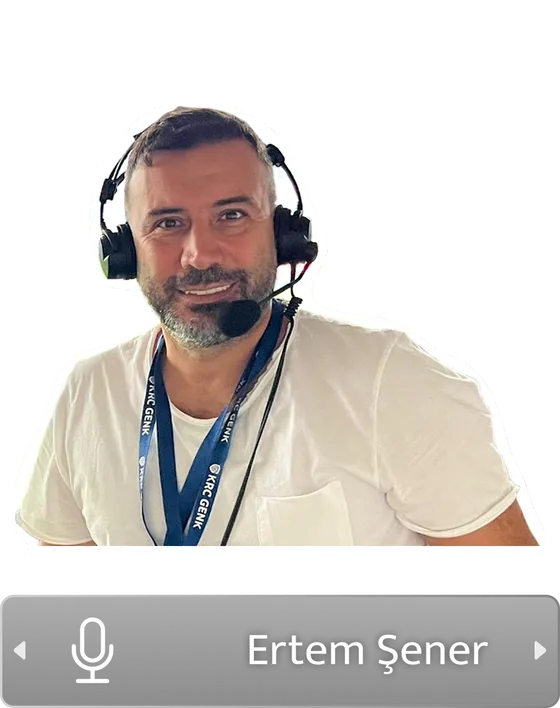
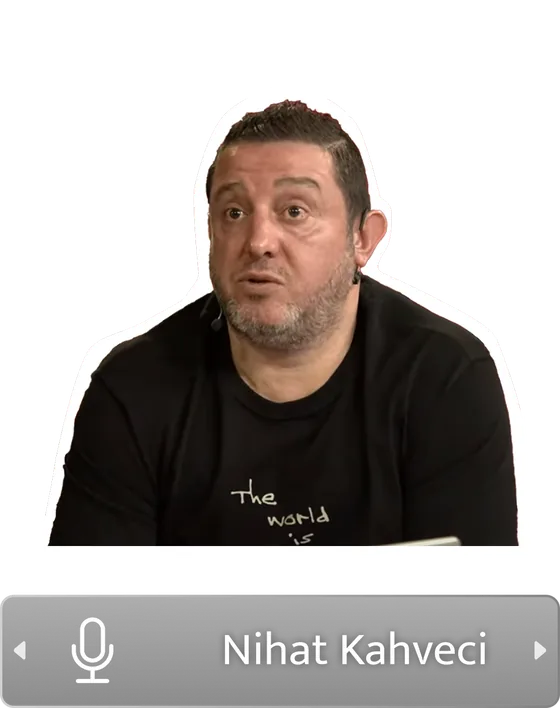
In supported content, such as match commentary, documentaries and competitions, you can watch with a live commentator you pick, or keep the original sound. It gives younger viewers the second voice they were looking for on another device, without the second device.Maç anlatımı, belgesel ve yarışma gibi desteklenen içeriklerde, seçtiğin canlı bir yorumcuyla izleyebilir ya da orijinal sesi koruyabilirsin. Genç izleyicilerin başka bir cihazda aradığı ikinci sesi, ikinci cihaza gerek kalmadan sunar.
Thank you for your time.Zaman ayırdığınız için teşekkürler.
Personal Concept Project · 2024Kişisel Konsept Projesi · 2024
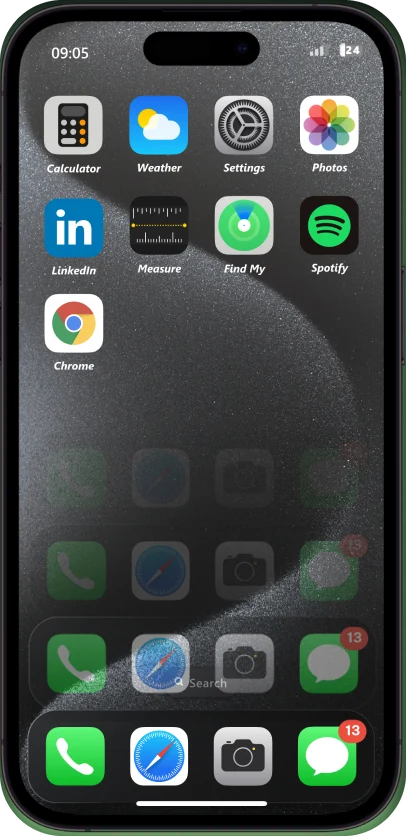
A swipe-up tool for QR codes, passes and verification codes on iPhone, iPad and Apple Watch.iPhone, iPad ve Apple Watch'ta QR kodları, geçiş kartları ve doğrulama kodları için yukarı kaydırmalı bir araç.
DisciplineDisiplinProduct & Service DesignÜrün ve Servis Tasarımı
PlatformiPhone, iPad, Apple Watch
YearYıl2024
Swipe upYukarı kaydır
BackgroundArka plan
Apple Pay is not available everywhere.Apple Pay her yerde kullanılamıyor.
Apple Pay is an easy, fast and secure payment method widely used with various applications in many countries.Apple Pay, birçok ülkede farklı uygulamalarla yaygın olarak kullanılan kolay, hızlı ve güvenli bir ödeme yöntemi.
However, it's not available in some regions. In such cases, companies often prefer QR code payments through their own apps, making transactions easier for iPhone users.Ancak bazı bölgelerde kullanılamıyor. Bu durumda şirketler çoğunlukla kendi uygulamaları üzerinden QR kodlu ödemeyi tercih ediyor ve iPhone kullanıcıları için işlemleri kolaylaştırıyor.
SwipePassis a type of tool that establishes simultaneous communication with service-based systems requiring code entry, accessible via mobile Apple devices.mobil Apple cihazlarından erişilen, kod girişi gerektiren servis tabanlı sistemlerle eş zamanlı iletişim kuran bir araçtır.
SwipePass is
01EasyKolay
One swipe up from the dock opens it.Dock'tan yukarı tek kaydırışla açılır.
02FastHızlı
Codes are generated and connected in real time.Kodlar gerçek zamanlı üretilir ve bağlanır.
03SafeGüvenli
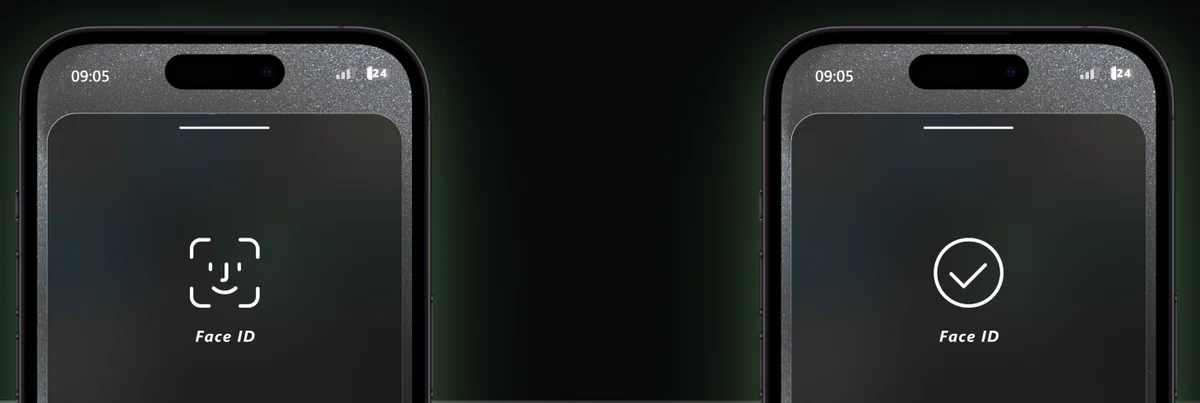
Entry is secured with Face ID verification.Giriş, Face ID doğrulamasıyla güvence altına alınır.
for userskullanıcılar için
While in use, SwipePass communicates with applications in real-time, generating codes and instantly connecting them with the user. In addition to facilitating payments, it also provides a service for code sharing in other applications.SwipePass kullanım sırasında uygulamalarla gerçek zamanlı iletişim kurar, kodları üretir ve anında kullanıcıyla eşleştirir. Ödemeleri kolaylaştırmasının yanı sıra diğer uygulamalarda kod paylaşımı hizmeti de sunar.
What it handlesNeleri karşılar
verificationdoğrulama
paymentödeme
telecommunicationtelekomünikasyon
digital ticketdijital bilet
gate passgeçiş kartı
couponkupon
id sharekimlik paylaşımı
transportationulaşım
On iPhone and iPadiPhone ve iPad'de
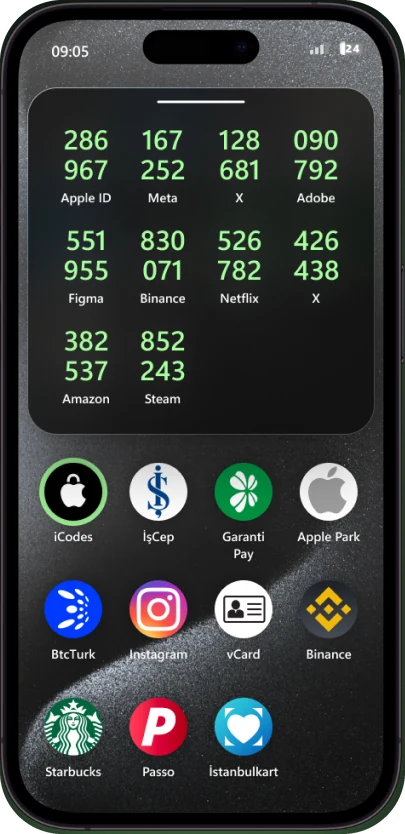
By swiping up the dock accessible on every page of the main screen, access toAna ekranın her sayfasından erişilebilen dock'u yukarı kaydırarakSwipePasson iPhone and iPad.uygulamasına iPhone ve iPad üzerinden erişilir.
Swipe upYukarı kaydır
Secure entryGüvenli giriş
Secure entry option is available throughGüvenli giriş seçeneğiFace IDverification.doğrulamasıyla sunulur.
ScanningTaranıyorVerifiedDoğrulandı
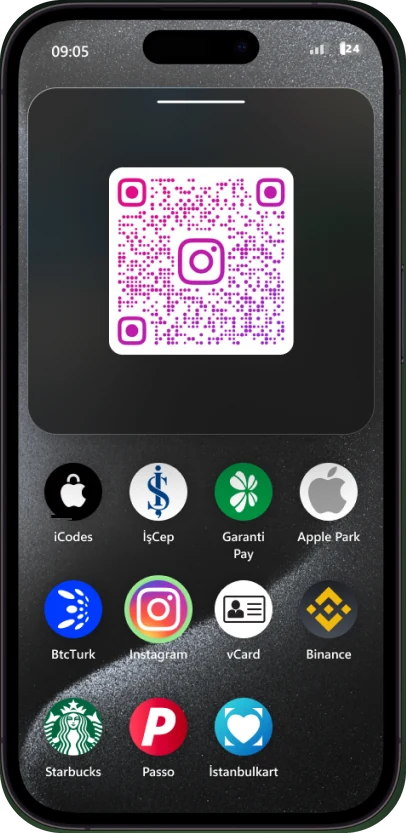
Your codesKodların
Access your code hereKodunuza buradan erişin
Pick the application to generate your codeKodunuzu üretmek için uygulamayı seçin
The items within the tool can be organized easily, much like the applications on the main screen, according to the user's preferences.Araçtaki öğeler, ana ekrandaki uygulamalar gibi kullanıcının tercihine göre kolayca düzenlenebilir.
iCodes
Codes in SwipePassSwipePass'teki kodlar
Filled in the appUygulamada otomatik dolar
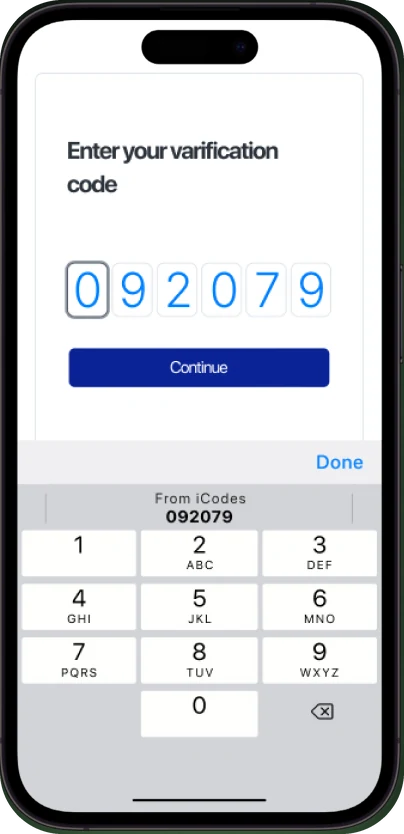
WithiCodes(Apple Authenticator), it's easier to reach two-factor authenticator codes. Accessing codes is very easy via(Apple Authenticator) ile iki faktörlü doğrulama kodlarına ulaşmak çok daha kolay. KodlaraSwipePass.
Also applications connect with iCodes automatically to fill passcodes.Ayrıca uygulamalar, şifreleri doldurmak için iCodes ile otomatik bağlanır.
On Apple WatchApple Watch'ta
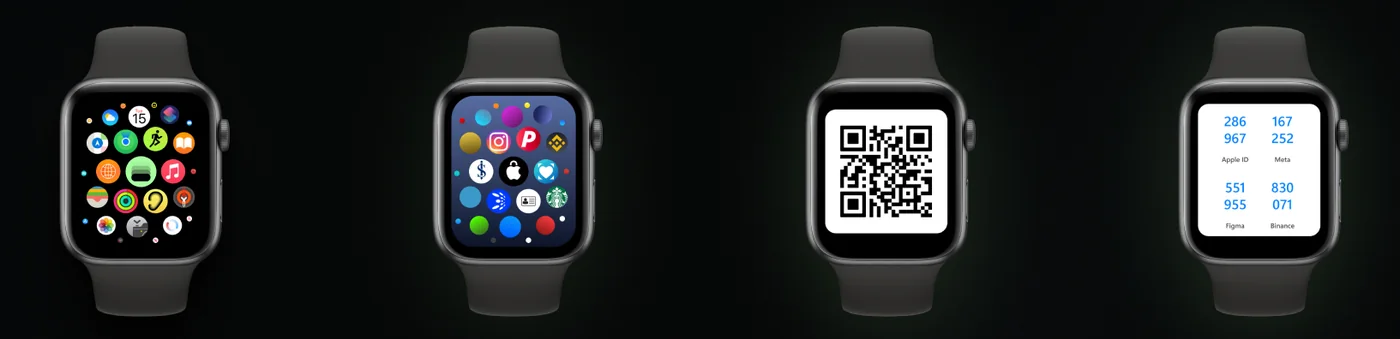
By clicking the icon of the widget on the home screen, access SwipePass on Apple Watch. All services are opened to generate codes.Ana ekrandaki widget simgesine dokunarak SwipePass'e Apple Watch'tan ulaşılır. Kod üretmek için tüm servisler açılır.
Thank you for your timeZaman ayırdığınız için teşekkürler
I listed the fundamental problems that need improvement on the platform based on my discussions with different Netflix users around me and the issues I discovered on my own. I aimed those problems to design solutions. While designing, I adhered to Netflix's design guidelines and only incorporated suggestions within the framework of these designs to avoid disrupting the design line.Çevremdeki farklı Netflix kullanıcılarıyla yaptığım konuşmalardan ve kendi fark ettiğim sorunlardan yola çıkarak platformda iyileştirilmesi gereken temel problemleri listeledim. Bu problemlere tasarımla çözüm üretmeyi hedefledim. Tasarlarken Netflix'in tasarım kılavuzlarına bağlı kaldım ve tasarım çizgisini bozmamak için önerilerimi yalnızca bu çerçevenin içinde tuttum.
Problem NotesProblem notları
Hard to decide what to watchNe izleyeceğine karar vermek zor
Sometimes users can’t watch contents in one goKullanıcılar bazen içeriği tek seferde izleyemiyor
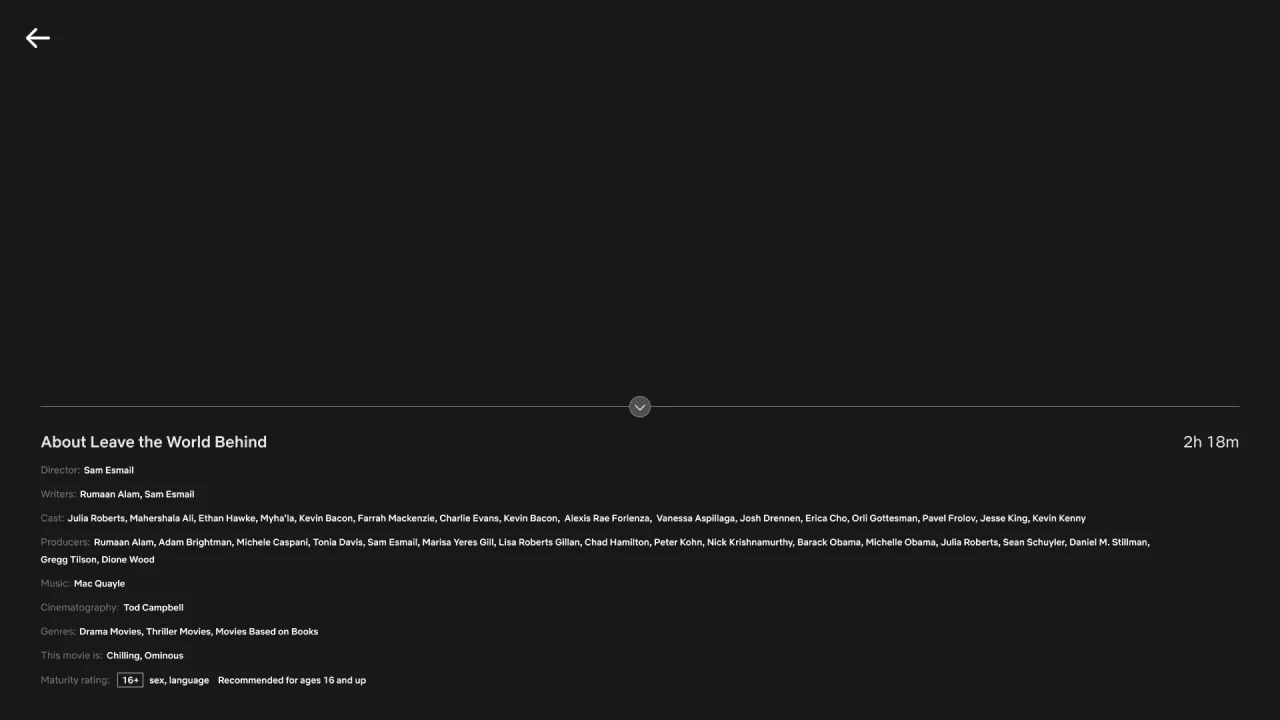
No option to reach full cast & crewOyuncu ve ekibin tamamına ulaşma seçeneği yok
Users don’t remember contents that they haven’t finished.Kullanıcılar bitirmedikleri içerikleri hatırlamıyor.
Hard to reach contents that users liked to watch.İzlemekten keyif aldıkları içeriklere ulaşmak zor.
Could be more personalizedDaha kişiselleştirilebilir olabilir
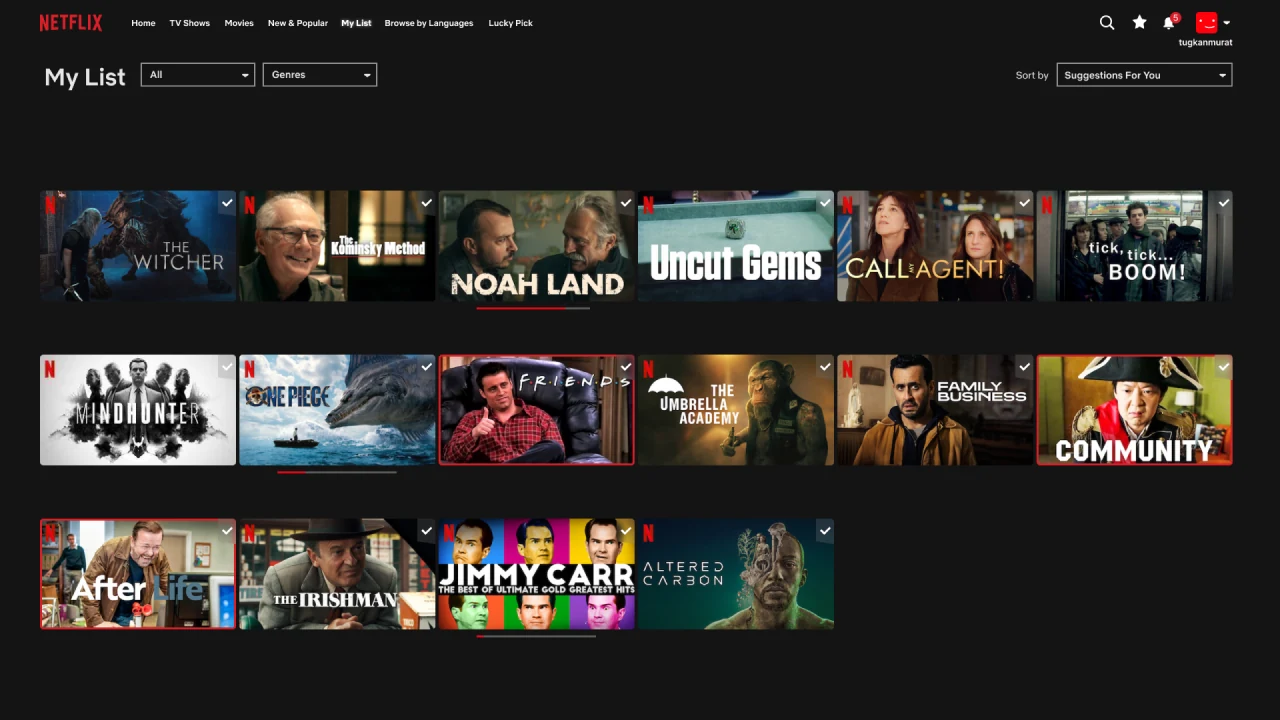
“My List” needs to be more organized“Listem” daha düzenli olmalı
Users can forget what they watched alreadyKullanıcılar neyi izlediğini unutabiliyor
Solution SuggestionsÇözüm önerileri
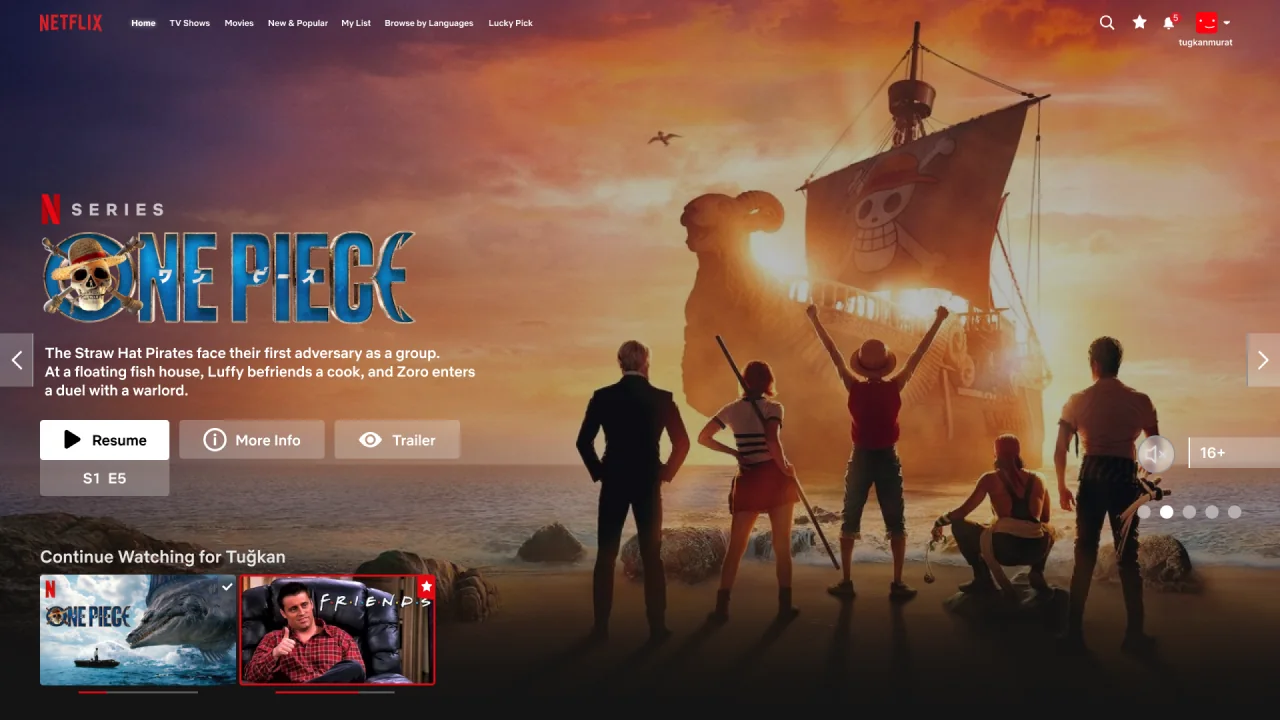
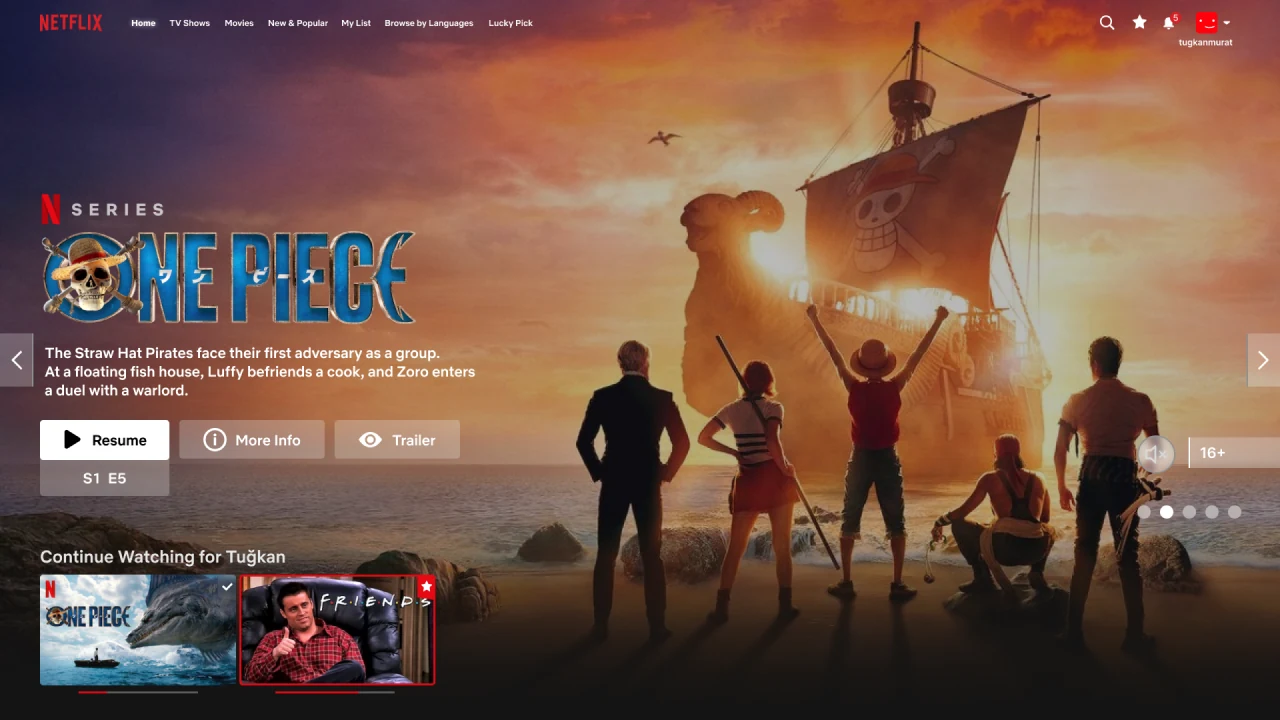
Trailer
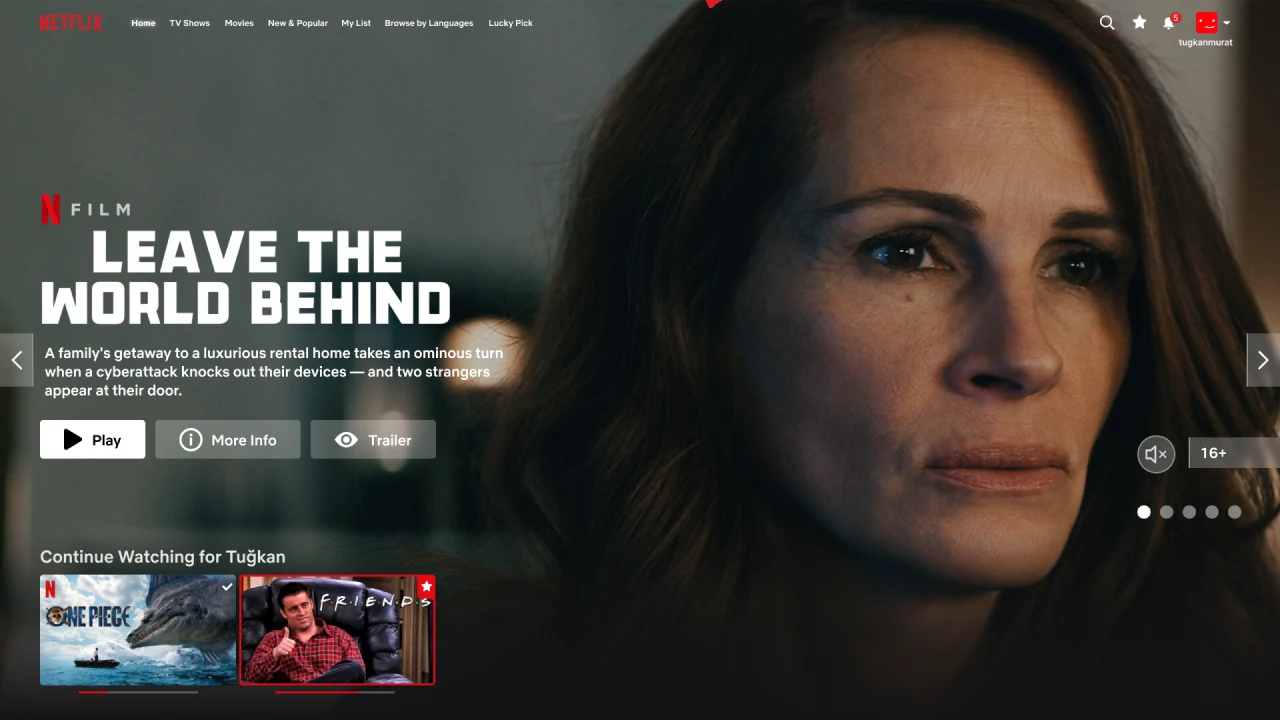
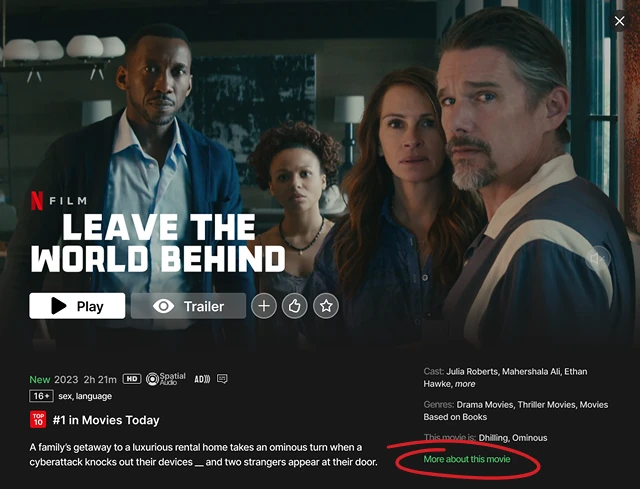
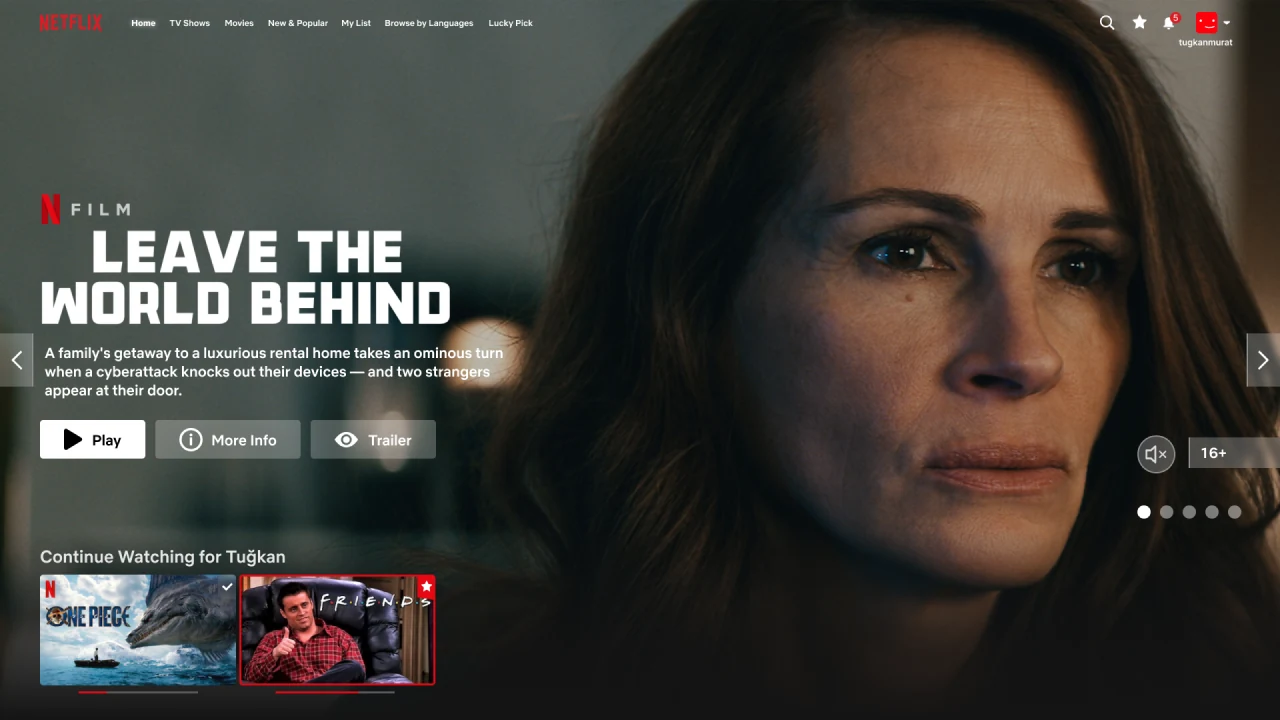
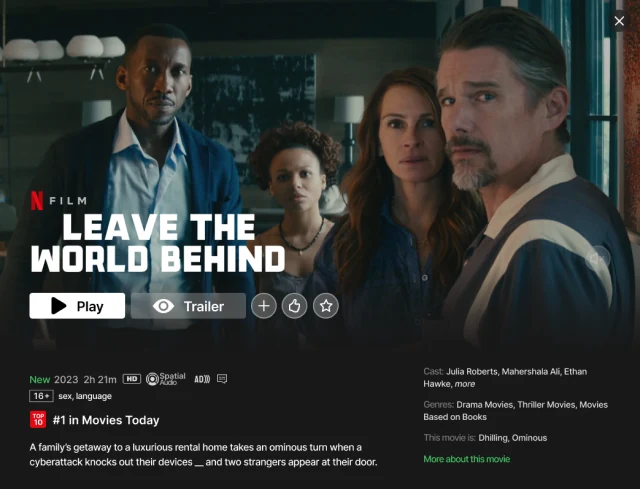
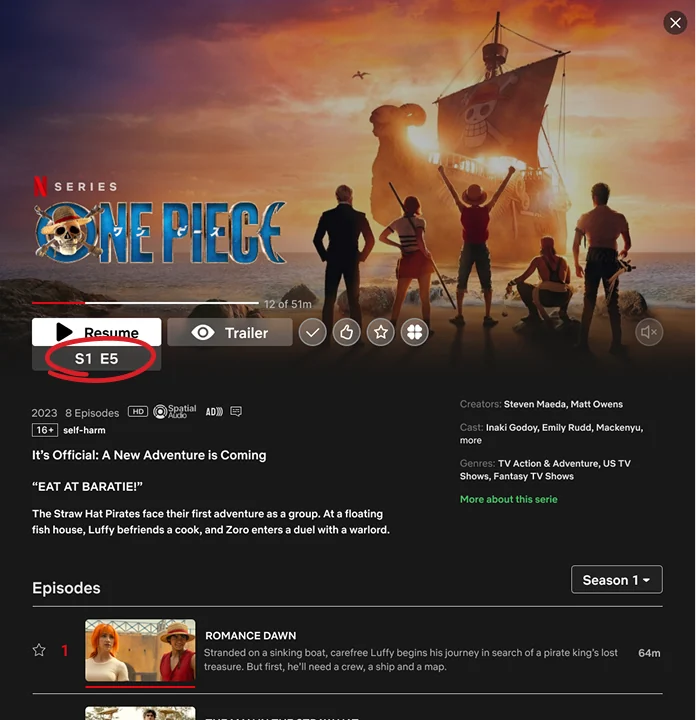
I added a "Trailer" button to the homepage and “More Info” page to provide users with a quicker way to obtain information about the content. This allows users to decide what they want to watch by either searching for trailers and previews online or by directly starting the movie and deciding whether to continue based on their interest.İçerik hakkında daha hızlı bilgi edinebilmeleri için ana sayfaya ve “More Info” sayfasına bir "Trailer" butonu ekledim. Böylece kullanıcılar ne izleyeceğine, ya internette fragman ve önizleme arayarak ya da filmi doğrudan başlatıp ilgisine göre devam edip etmeyeceğine bakarak karar verebilir.
You may hover your mouse on images and red marks to see design notes.Görsellerin ve kırmızı işaretlerin üzerine gelerek tasarım notlarını görebilirsin.Tap the images and red marks to see design notes.Tasarım notlarını görmek için görsellere ve kırmızı işaretlere dokun.
Watch trailer easy and fastFragmanı kolay ve hızlı izle
The viewing page for trailers provides quick access to all trailers/teasers/recaps. After this page, users also have the option to start watching the content if they decide to do so. This streamlined access to trailers and the immediate transition to content playback enhances the user experience, allowing for efficient browsing and decision-making.Fragman sayfası tüm fragmanlara, teaser'lara ve özetlere hızlı erişim sağlar. Bu sayfadan sonra kullanıcı isterse içeriği izlemeye de başlayabilir. Fragmana hızlı erişim ve içeriğe anında geçiş, gezinmeyi ve karar vermeyi kolaylaştırarak deneyimi iyileştirir.
Check out all trailers/teasers/recapsTüm fragmanlara, teaser'lara ve özetlere göz at
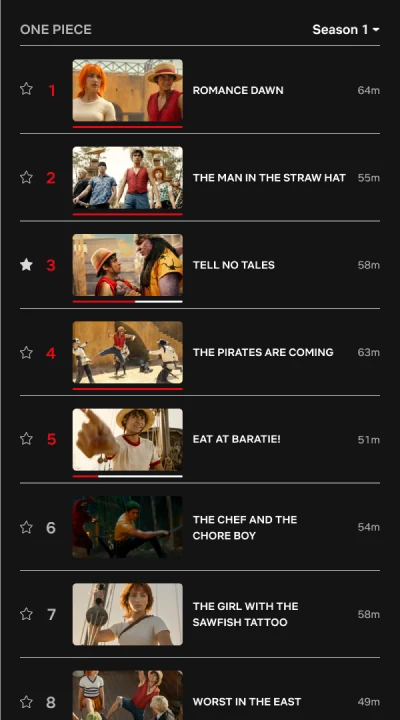
Favorites
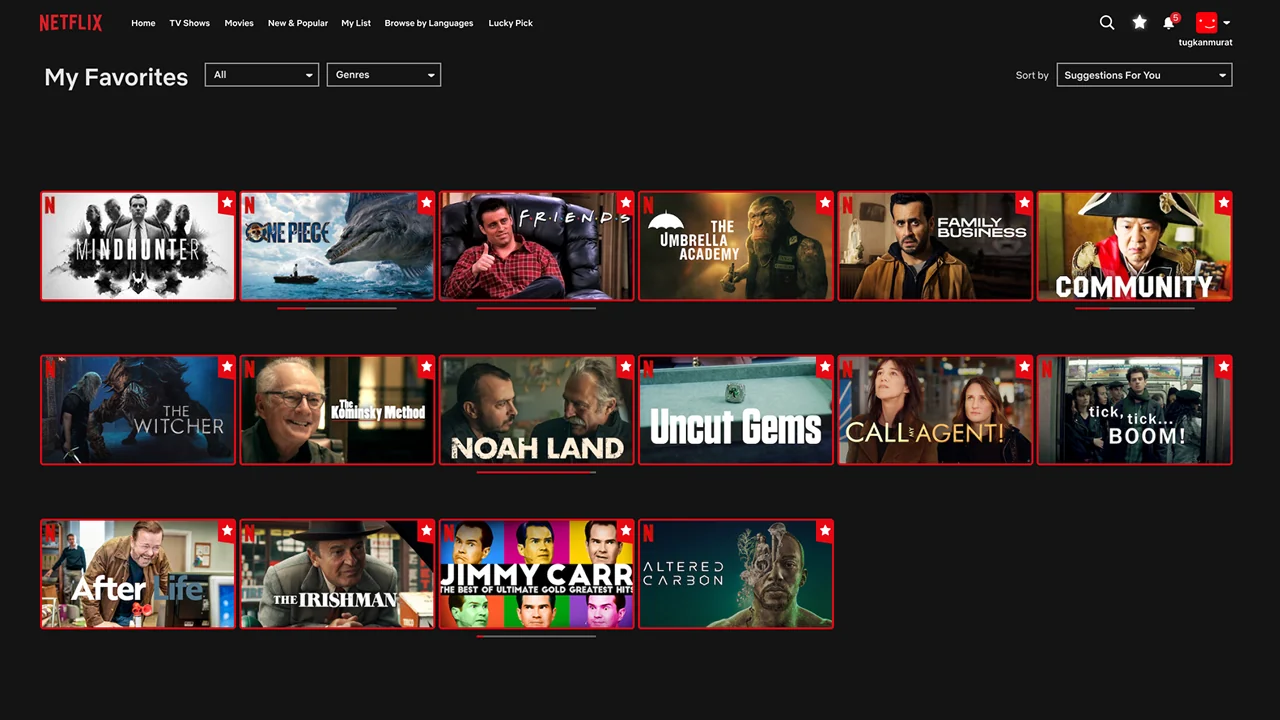
I added a "Favorite" option to address the difficulty users face in remembering and accessing content they enjoyed on the active streaming platform. Users can now quickly access their favorite content, and this feature provides a convenient way for them to rewatch and remember.Kullanıcıların aktif olarak kullandıkları yayın platformunda beğendikleri içerikleri hatırlamakta ve bulmakta yaşadıkları zorluğu çözmek için bir "Favorite" seçeneği ekledim. Kullanıcılar artık favori içeriklerine hızlıca ulaşabiliyor; bu özellik onları yeniden izlemek ve hatırlamak için pratik bir yol sunuyor.
Easy to reach “Favorites” list“Favorites” listesine ulaşmak kolayFavorite contents has badges on list viewsFavori içeriklerin liste görünümlerinde rozeti var
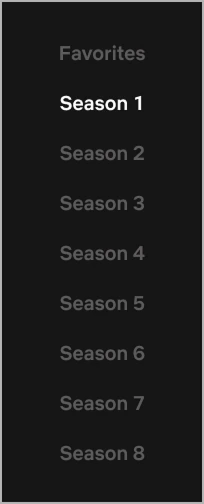
Users can reach “Favorite episodes” of TV Shows on hereKullanıcılar dizilerin “Favori bölümlerine” buradan ulaşabilir
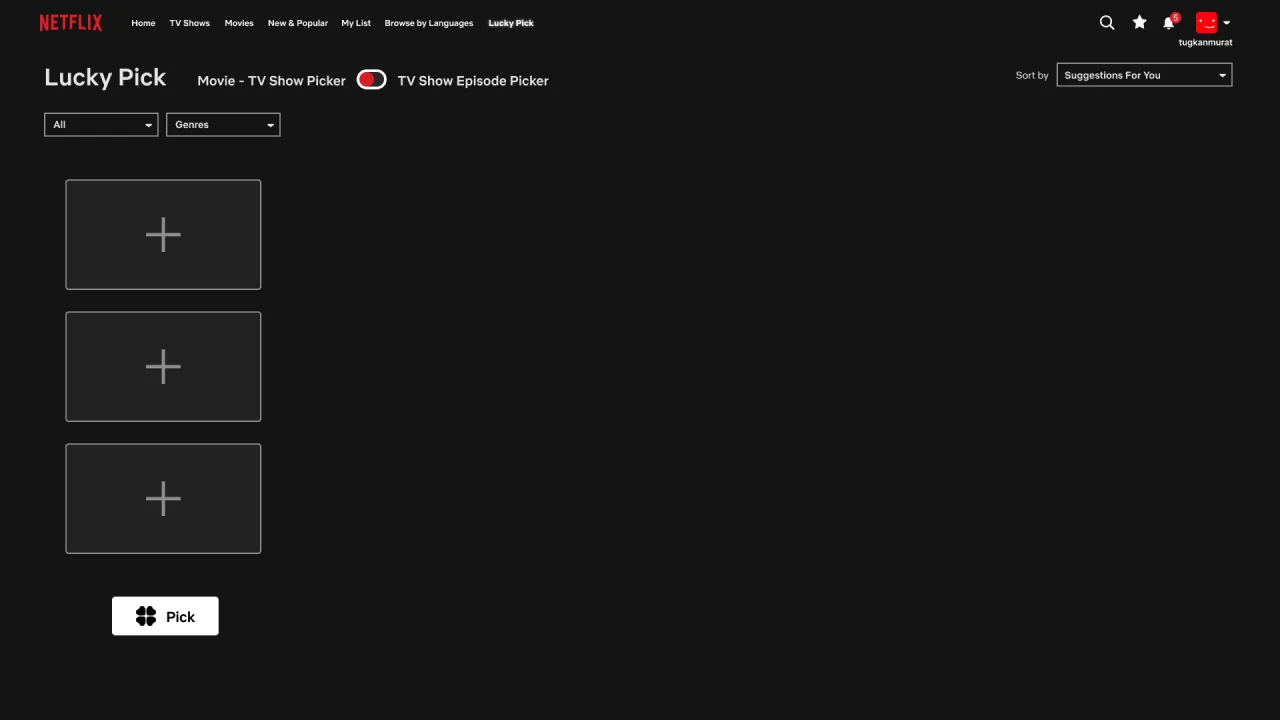
Lucky Pick
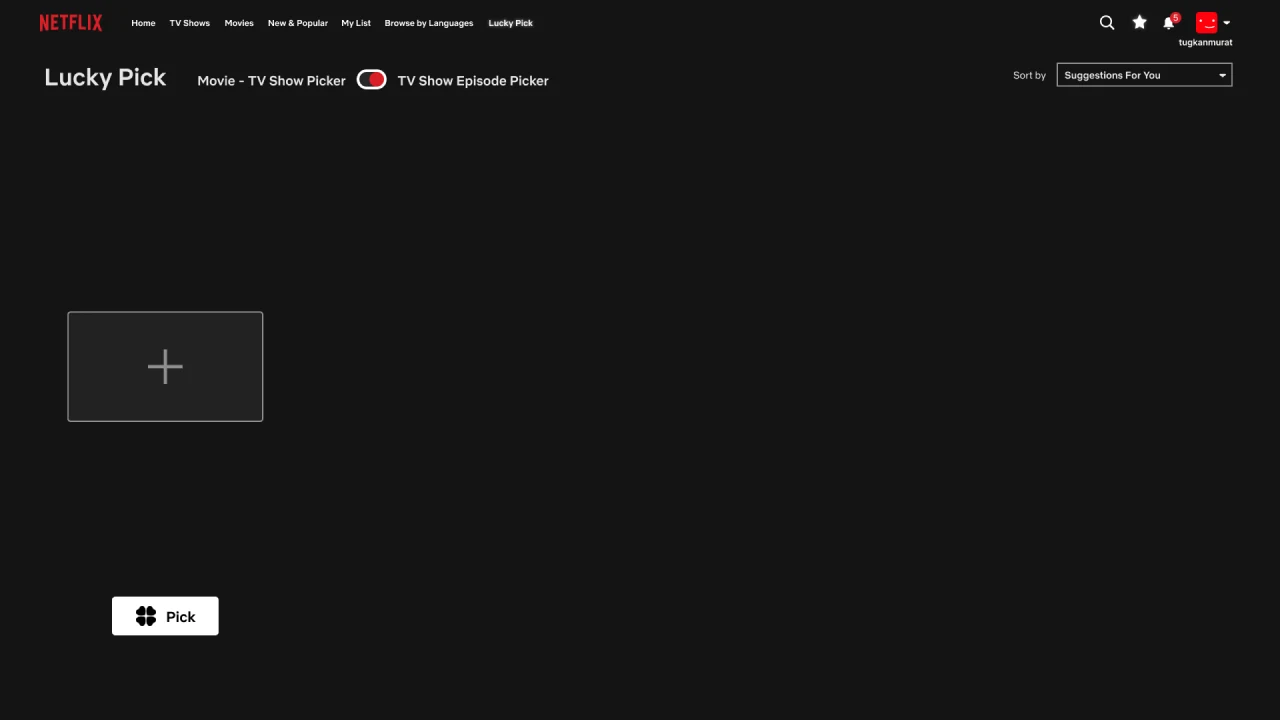
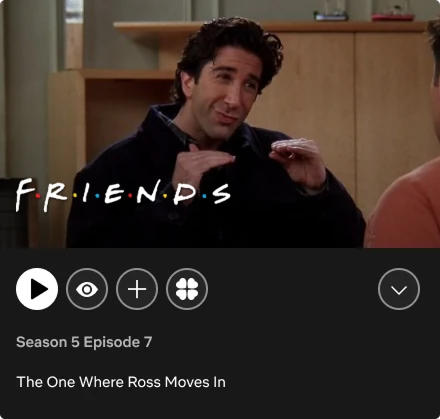
I introduced an option that empowers users who often find themselves stuck in the menu after opening the platform, struggling to decide what to watch. With the addition of "Lucky Pick", users who have difficulty making choices or those who want to turn the decision-making process into a game will find satisfaction. This feature allows Netflix to make selections on behalf of users, guiding them in the direction they desire, enhancing the overall user experience. Also, they can make that feature into a game.Platformu açtıktan sonra menüde takılı kalan ve ne izleyeceğine karar vermekte zorlanan kullanıcılar için bir seçenek ekledim. "Lucky Pick" ile karar vermekte zorlananlar ya da karar sürecini bir oyuna çevirmek isteyenler tatmin olacak. Bu özellik, Netflix'in kullanıcı adına seçim yapmasını ve onları istedikleri yöne yönlendirmesini sağlayarak deneyimi bütünüyle iyileştirir. Ayrıca kullanıcılar bu özelliği bir oyuna da çevirebilir.
Movie - Serie PickerFilm - Dizi seçici
Change to movie/TV ShowFilm/Dizi arasında geçiş yapUsers pick the kind of movies they would like to watch hereKullanıcılar izlemek istedikleri film türünü buradan seçerSystem picks a random movie according to your filters automaticallySistem, filtrelerine göre otomatik olarak rastgele bir film seçer
Serie Episode PickerDizi bölüm seçici
Change to movie/TV ShowFilm/Dizi arasında geçiş yapUsers pick the TV Show they would like to watch an episode of hereKullanıcılar bölüm izlemek istedikleri diziyi buradan seçerSystem picks a random episode in the TV Show you pickedSistem, seçtiğin dizide rastgele bir bölüm seçer
Reminder
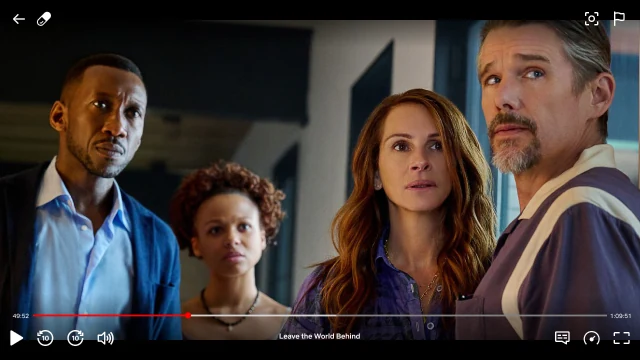
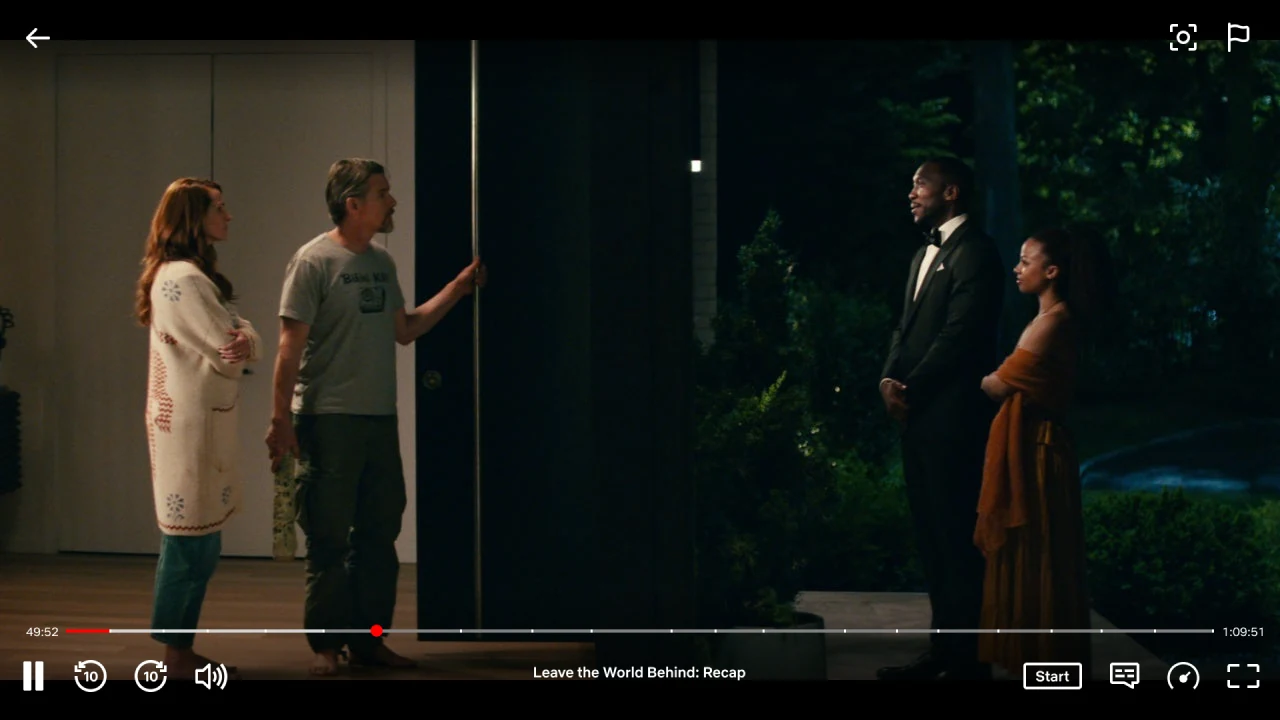
I designed a service to address the challenge users face in completing content due to some factors. In instances where users may not finish watching certain content, they might struggle to recall what they've seen. This can lead to user disengagement from the content or watch everything from beginning again. That can be time wasting for the users. To remedy this, I proposed the implementation of time-based, contextually generated mini-recap clips within the content. These clips, matched to specific minutes in the content, serve as reminders, helping users recall where they left off in movies or TV series. This feature aims to enhance the user experience by allowing them to continue enjoying content with a seamless viewing experience.Kullanıcıların bazı nedenlerle bir içeriği tamamlayamaması sorununa yönelik bir servis tasarladım. Kullanıcılar bir içeriği bitirmediğinde, o ana kadar ne izlediklerini hatırlamakta zorlanabilir. Bu da içerikten kopmalarına ya da her şeyi baştan izlemelerine yol açabilir ve kullanıcılar için zaman kaybı olur. Bunu çözmek için içerik içine yerleştirilen, zamana dayalı ve bağlama göre üretilen mini özet kliplerini önerdim. İçeriğin belirli dakikalarına denk gelen bu klipler hatırlatıcı görevi görür ve kullanıcının film veya dizide nerede kaldığını hatırlamasına yardım eder. Bu özellik, kullanıcıların içeriği kesintisiz bir izleme deneyimiyle sürdürmesini amaçlar.
Open “Reminder” here“Reminder”ı buradan açYou left to watch the content right hereİçeriği tam burada bırakmıştın
Presented with mini clips until the time just before you watchedİzlediğin ana kadar mini kliplerle hatırlatılırContinue the content from where you left offİçeriğe kaldığın yerden devam et
NetShot
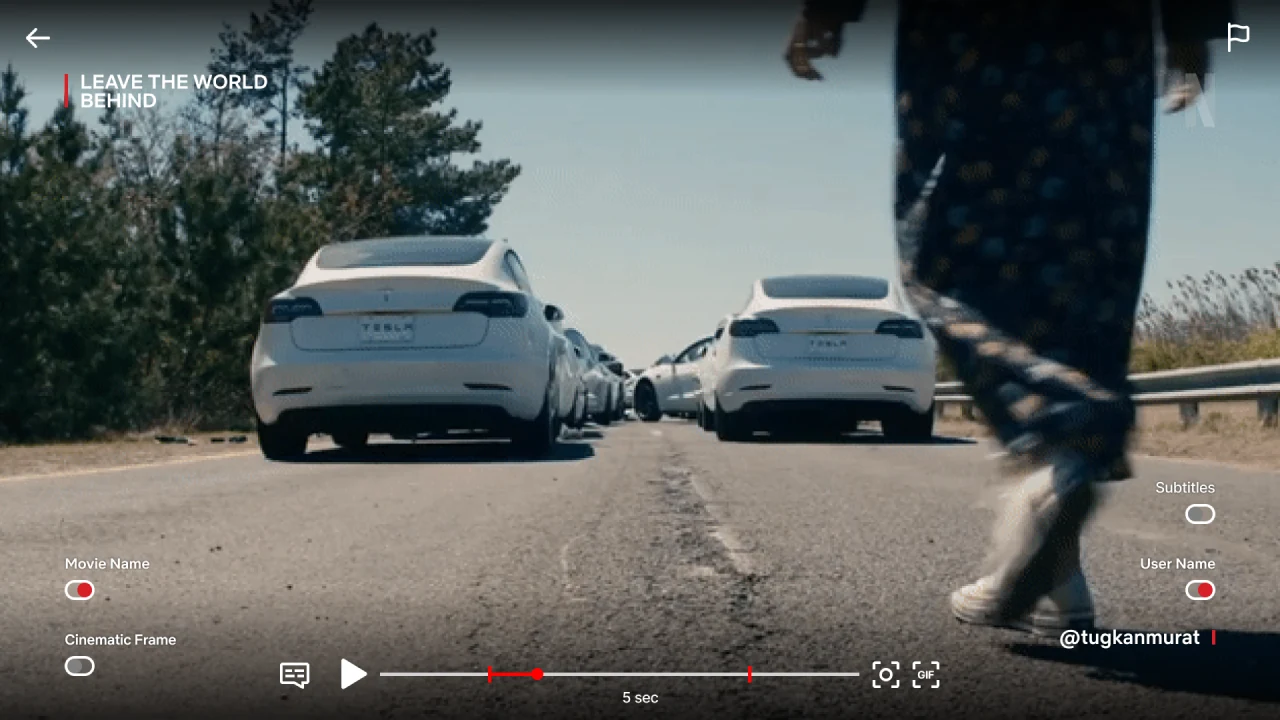
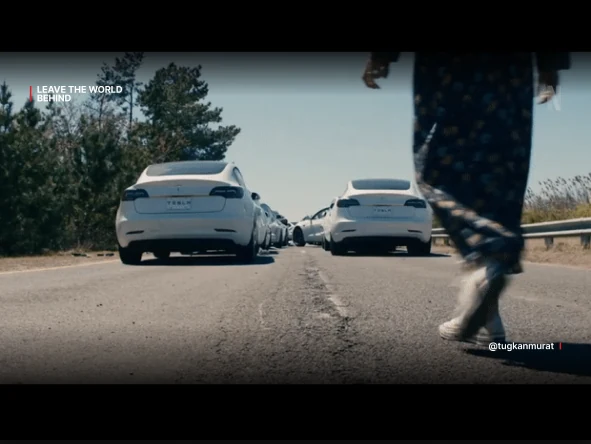
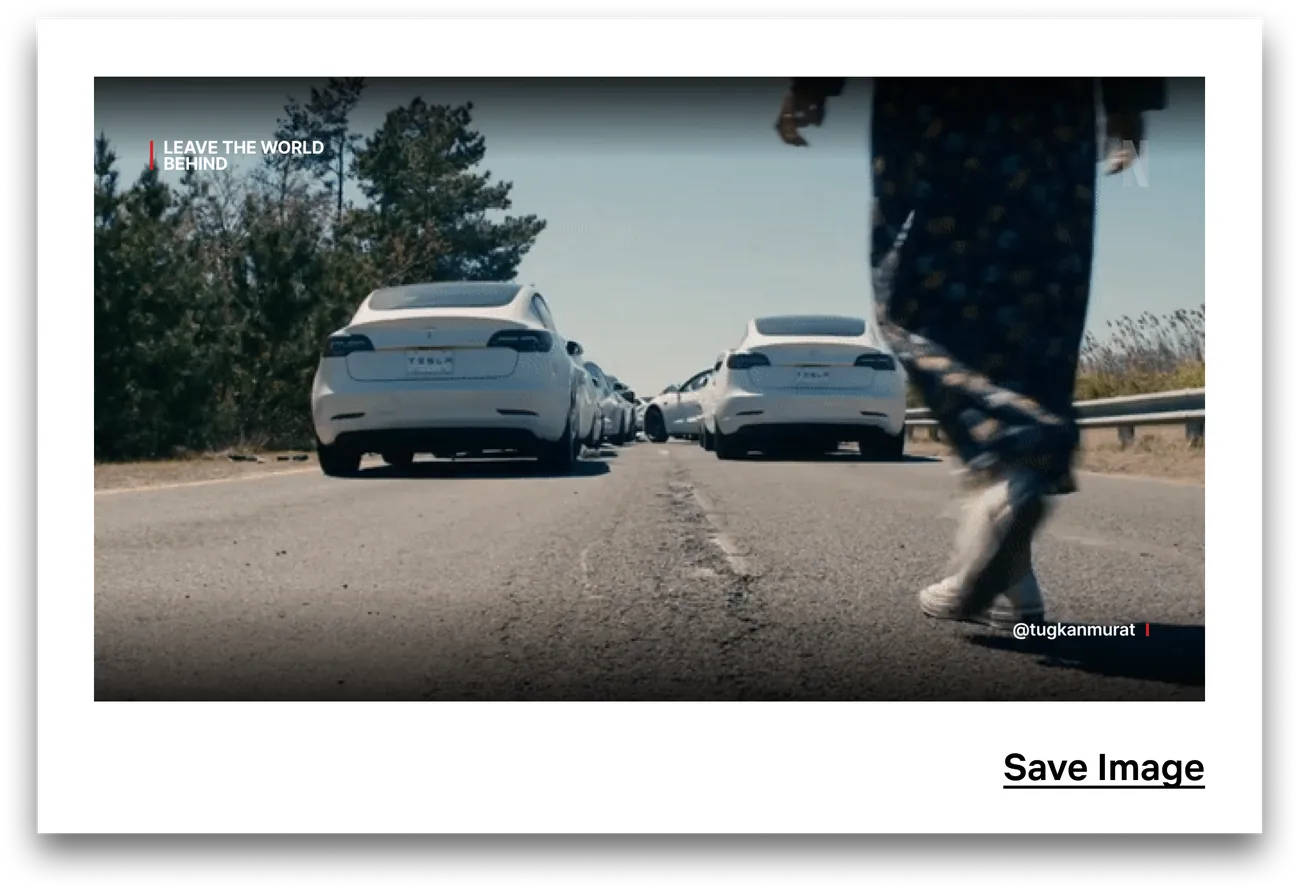
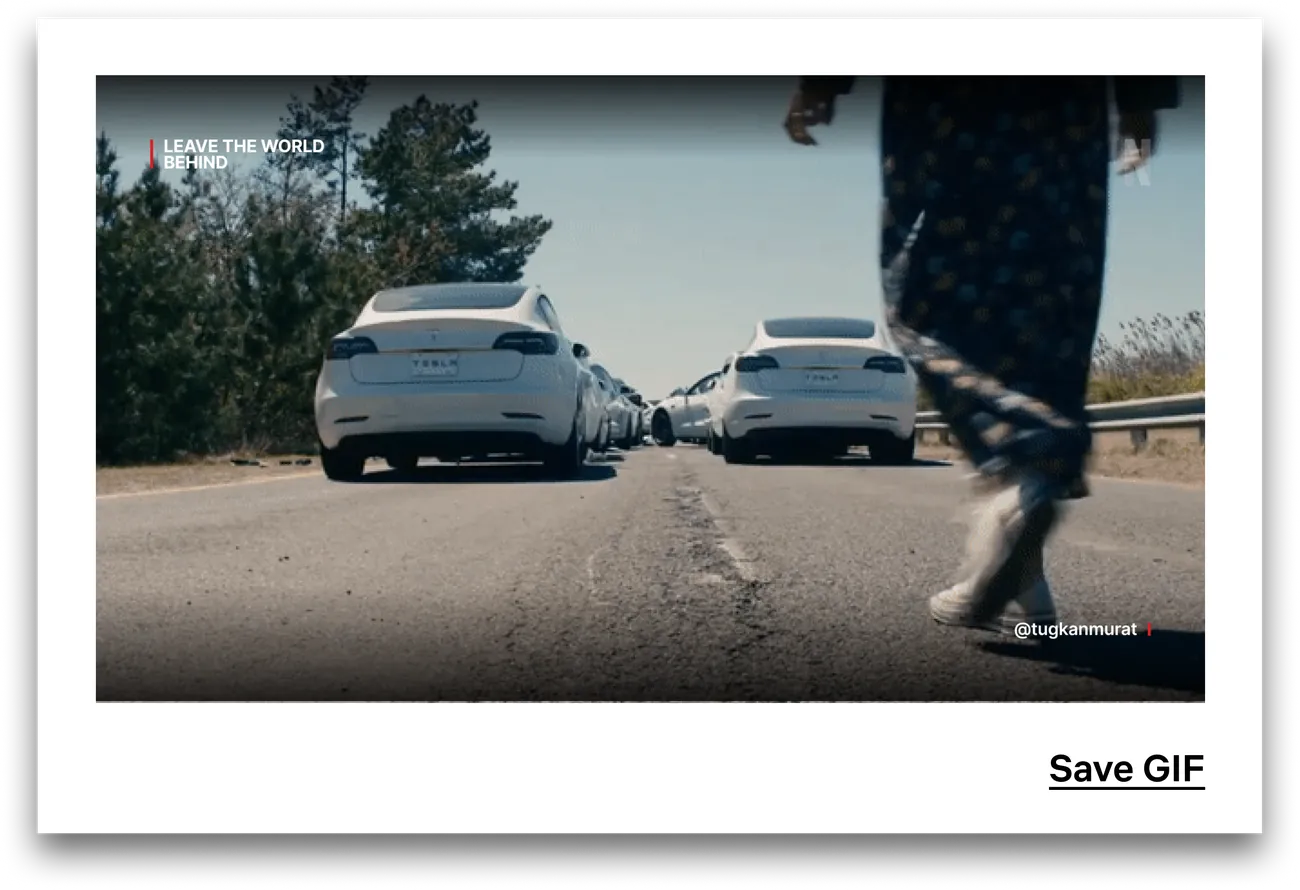
I envision NetShot as a personalized solution that allows users to capture meaningful or entertaining scenes by taking screenshots or noting down memorable dialogues without the need for a separate application. Users can personalize and share these moments using their own usernames. NetShot aims to provide a personalizable solution that can quickly gain popularity, similar to snack foods that can be purchased with personalized names written on them. This service aims to streamline the process of capturing and sharing memorable scenes from content, making it a trend-worthy and enjoyable experience for users.NetShot'ı, kullanıcıların ayrı bir uygulamaya ihtiyaç duymadan ekran görüntüsü alarak ya da akılda kalan diyalogları not ederek anlamlı veya eğlenceli sahneleri yakalayabildiği kişisel bir çözüm olarak düşünüyorum. Kullanıcılar bu anları kendi kullanıcı adlarıyla kişiselleştirip paylaşabilir. NetShot, üzerine kişiye özel isim yazılarak satın alınabilen atıştırmalıklar gibi hızla popülerleşebilecek, kişiselleştirilebilir bir çözüm sunmayı hedefliyor. Bu servis, içeriklerdeki unutulmaz sahneleri yakalama ve paylaşma sürecini kolaylaştırarak onu trend olabilecek, keyifli bir deneyime dönüştürmeyi amaçlıyor.
Open “NetShot” here“NetShot”ı buradan aç
Hide/Show subtitles with settingsAltyazıyı ayarlarla gizle/gösterHide/Show usernameKullanıcı adını gizle/gösterHide/Show Movie/TV Show NameFilm/Dizi adını gizle/gösterSave as image to share on social mediaSosyal medyada paylaşmak için görsel olarak kaydetSave as GIF to share on social mediaSosyal medyada paylaşmak için GIF olarak kaydet
Without Cinematic FrameSinematik çerçevesizWith Cinematic FrameSinematik çerçeveli
Subtitle SettingsAltyazı ayarları
1Subtitle StyleAltyazı stili
123
↓Subtitle PositionAltyazı konumu
←↓→
More About
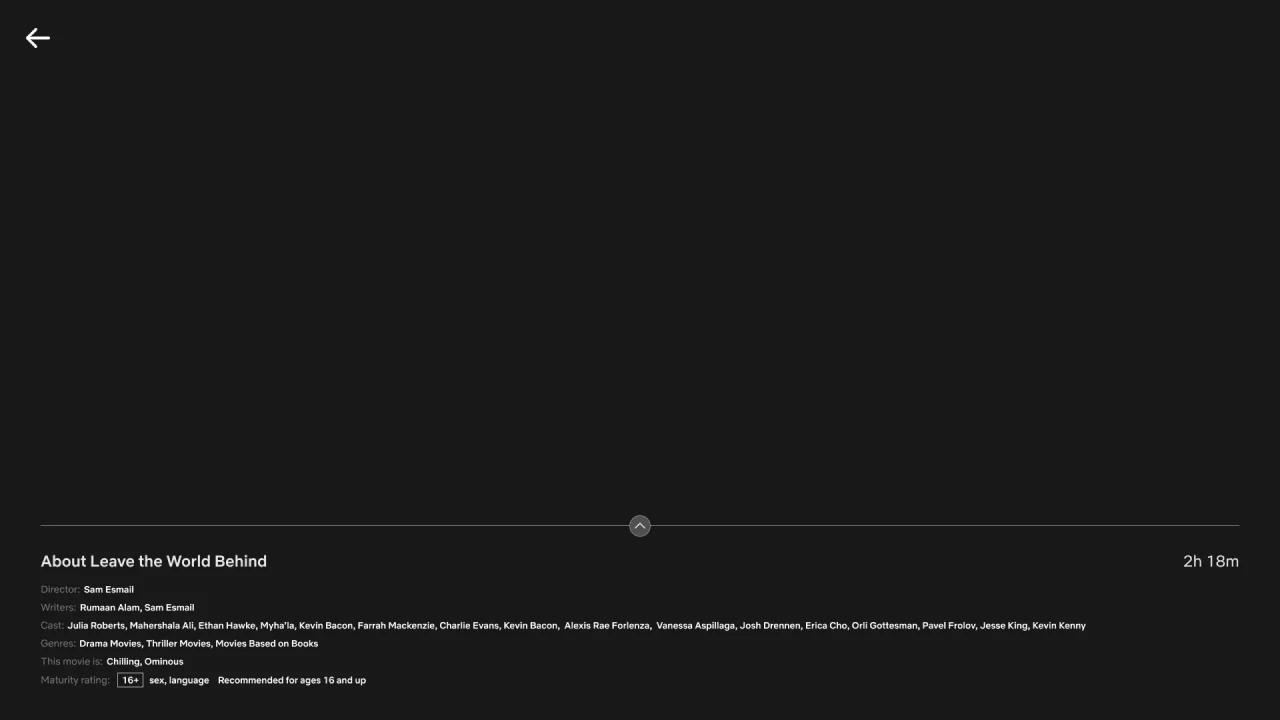
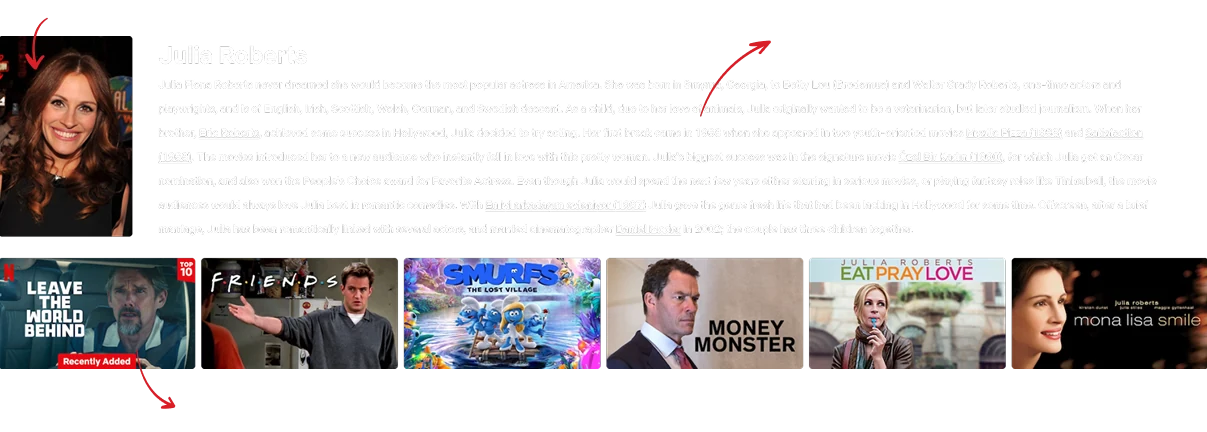
Some users, when they like certain content, may want to explore other works by the actors, directors, writers, and other individuals involved in that content. While Netflix currently provides an option for this, enhancing the feature with more detailed information could further satisfy many users. Offering a more in-depth exploration of the individuals associated with a particular piece of content, along with additional details about their other works, would contribute to a more enriched user experience and better cater to the preferences of the audience.Bazı kullanıcılar bir içeriği beğendiğinde, o içerikte yer alan oyuncuların, yönetmenlerin, yazarların ve diğer isimlerin çalışmalarını da keşfetmek isteyebilir. Netflix şu anda bunun için bir seçenek sunuyor, ancak özelliği daha ayrıntılı bilgiyle geliştirmek birçok kullanıcıyı daha da memnun edebilir. Bir içerikte yer alan kişileri ve onların diğer işlerini daha derinlemesine keşfetme imkânı sunmak deneyimi zenginleştirir ve izleyici tercihlerine daha iyi karşılık verir.
Open “More About” here“More About”ı buradan aç
More Information about cast&crewOyuncu ve ekip hakkında daha fazla bilgi
General FeaturesGenel özellikler
Home Slider
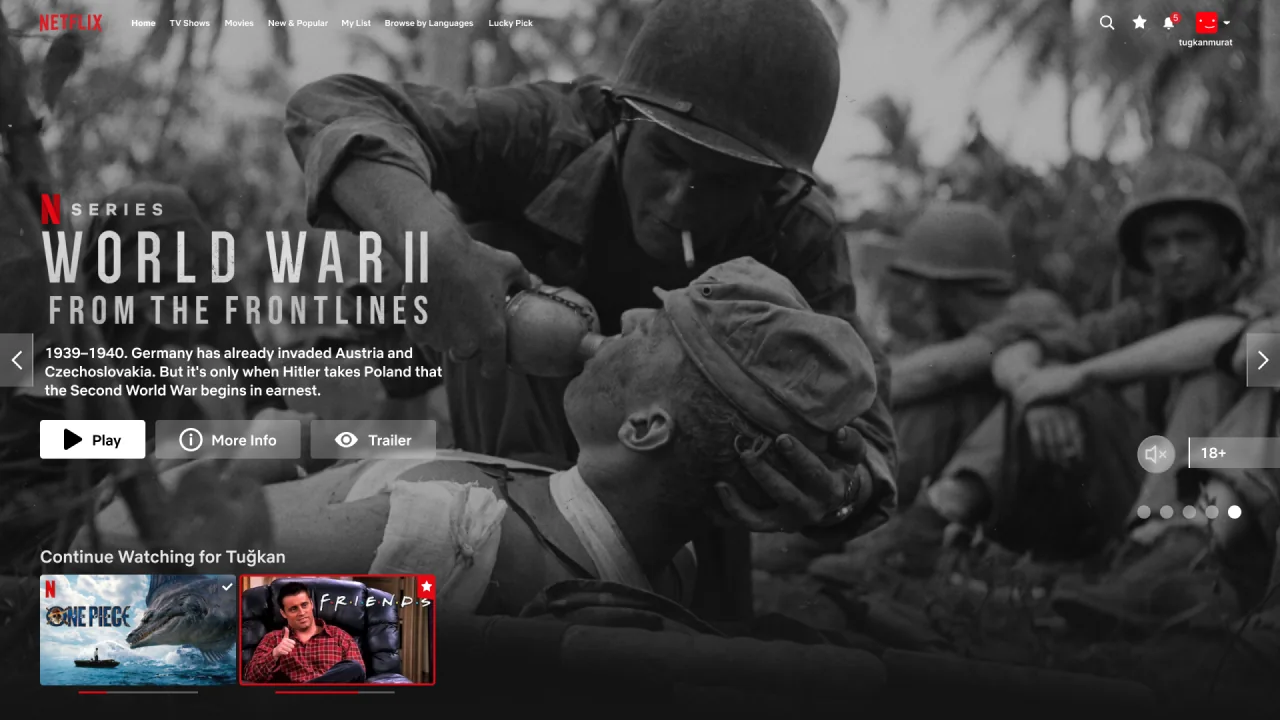
Introducing trending content prominently on the main screen with large visuals is highly effective in guiding user engagement. Including an option to showcase trending content alongside other popular trends will further enhance the visibility of various content, attracting more attention to other trending items. This feature aims to increase the overall discoverability of content and create a dynamic and engaging user experience on the platform.Öne çıkan içerikleri ana ekranda büyük görsellerle sunmak, kullanıcı etkileşimini yönlendirmede oldukça etkili. Öne çıkan içeriği diğer popüler trendlerle birlikte gösterme seçeneği, farklı içeriklerin görünürlüğünü artırır ve diğer trend içeriklere de dikkat çeker. Bu özellik, içeriklerin keşfedilebilirliğini artırmayı ve platformda dinamik, ilgi çekici bir deneyim yaratmayı amaçlar.
Presents more trending contents on big screenDaha fazla trend içeriği büyük ekranda sunarPresents more trending contents on big screenDaha fazla trend içeriği büyük ekranda sunar
Watched/Watching
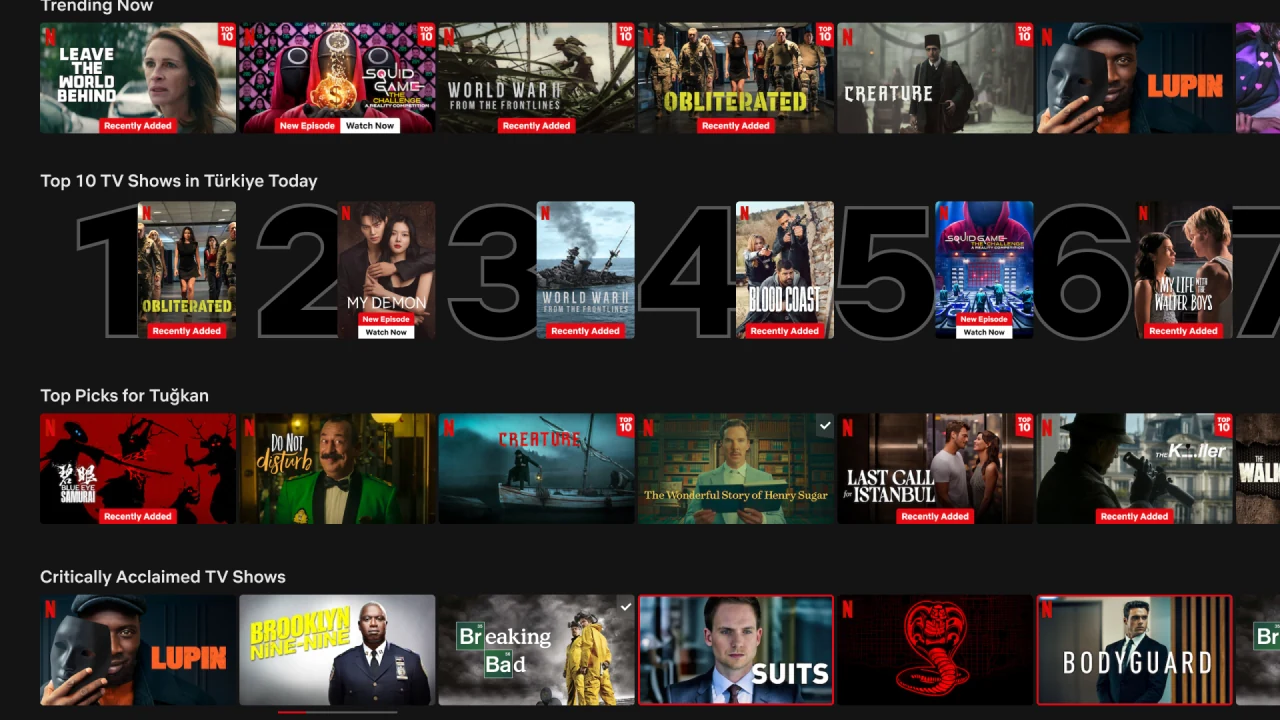
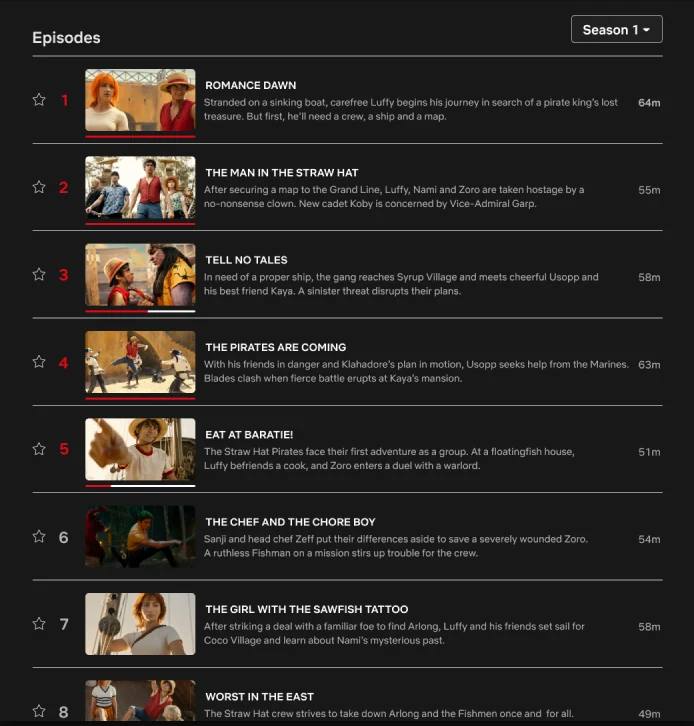
At times, users may forget the content they have watched, leading to a sense of "time wasted" when rewatching. To address this, users can see watched content framed in red, with partially watched episodes indicated by red episode numbers. This visual cue helps users easily identify the watched status and track their progress within a series.Kullanıcılar bazen izledikleri içeriği unutabilir ve yeniden izlerken "zaman kaybettim" hissine kapılabilir. Bunu çözmek için izlenen içerikler kırmızı çerçeveyle, kısmen izlenen bölümler ise kırmızı bölüm numaralarıyla gösterilir. Bu görsel ipucu, izlenme durumunu kolayca fark etmeyi ve bir dizideki ilerlemeyi takip etmeyi sağlar.
When you finish a content image gets a red frameBir içeriği bitirdiğinde görseli kırmızı çerçeve alır
You watched itİzledinYou finished and started againBitirip yeniden başladınYou haven’t started, yetHenüz başlamadın
which episode of the TV Show you are on heredizide hangi bölümde olduğun burada görünür
Personalize
Providing users with areas to use their created names and aliases, as well as offering content-sharing options, will enhance personalization and foster a sense of ownership and belonging.Kullanıcılara oluşturdukları adları ve takma adları kullanabilecekleri alanlar ve içerik paylaşım seçenekleri sunmak kişiselleştirmeyi artırır, sahiplenme ve aidiyet duygusunu güçlendirir.
Username is right below avatarKullanıcı adı avatarın hemen altında
While users like scene, they can share the moment of theirs on social media And they can add their names like a signatureKullanıcılar bir sahneyi beğendiğinde o anı sosyal medyada paylaşabilir ve imza gibi kendi adlarını ekleyebilir
Advanced Badges
List images can be facilitated user interaction with content by presenting it with small visuals and incorporating badges. Badges can quickly indicate the genre or special features of the content to users. If the contents have different badges, it’s seen according to priority.Liste görselleri küçük görseller ve rozetlerle sunulduğunda kullanıcıların içerikle etkileşimi kolaylaşır. Rozetler, içeriğin türünü veya özel özelliklerini kullanıcıya hızlıca gösterebilir. Bir içerikte birden fazla rozet varsa öncelik sırasına göre görünür.
SimpleBasit
On FavoritesFavorilerdeTop PriorityEn yüksek öncelik
On the ListListede2nd Priority2. öncelik
TOP 10İLK 103rd Priority3. öncelik
Section Filters
Filtering is widely used in movies and TV series, but its absence in sections like "My List" and "Browse by Language" makes navigation challenging. Including filtering in these options would improve user convenience and streamline the browsing experience.Filtreleme filmlerde ve dizilerde yaygın olarak kullanılıyor, ancak “My List” ve “Browse by Language” gibi bölümlerde olmaması gezinmeyi zorlaştırıyor. Bu seçeneklere filtre eklemek kullanıcı rahatlığını artırır ve göz atma deneyimini hızlandırır.
Filter for Browse by LanguageBrowse by Language için filtreMy List also have filter like Movies and TV Shows sectionsMy List de Filmler ve Diziler bölümleri gibi filtreye sahip